



Overview

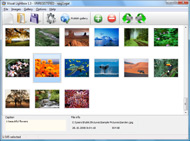
It's no secret that adding photos to your blog posts is one of the most effective ways to enhance your blog and attract attention to your writing. Flickr has millions of photos available in its database. A simple FREE tool called Flickr Gallery allows you to create a custom image gallery with a cool slide show of the most recent and most interesting photos from Flickr on your website or blog in a few easy steps. Just visit Flickr website and find photostream, photoset or a single photo you like. Enter the address of flickr page to add all photos from this page in your gallery, select the style of thumbnails and the overlay window and add the HTML embed code on your website or blog.
A few clicks and you'll see a stylish photo gallery with beautifull lightbox and zoom effects on your own website or blog!


Flickr Gallery for Windows   Flickr Gallery for MAC

Want more?

Example

Lightbox gallery sample

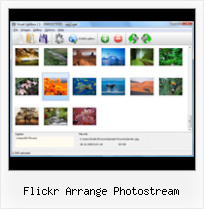
The following image set is generated by Flickr Gallery tool. Click any picture to run Lightbox gallery.

The sample above is an in-page usage demo of Lightbox gallery that uses images from Flickr. The slideshow created with Flickr Gallery wizard is placed inside the page layout. You can also check the full-page demo slideshow. This example takes whole browser area to show the Lightbox gallery that uses images from Flickr.Adding Flickr Feed To Website

How to Use

Step 1. Adding flickr images to your own gallery.


Locate the photo, photoset or photostream you want to use in your Flickr slideshow. Click on it to see the photo on its own page.

Copy URL of the flickr page.

Select Add images from Flickr... from the 'Add' button on the Toolbar.

Add images from Flickr

In the appeared window paste URL of the flickr page. Specify also the number of photos you want to add from the flickr page. Flickr Gallery will now include these photos in your project.

Add images from Flickr

If you have included the photos that you do not wish to be in your web gallery, you can easily remove them. Select all images that you wish to remove from photo gallery, and select Delete images. from the Images menu. You can pick and choose pictures by holding the CTRL while clicking the pictures you like.

Step 2. Adding caption.

The name of the photo on flickr page will automatically appear in the caption. When you select a photo you'll see the various info about it, such as: Path, Size, date of last change and Caption. You can add any comment or text about the photo (up to 512 symbols).

Step 3. Gallery properties.

Change the name of your flickr album, the size and quality of your pictures with Flickr Gallery. From the Gallery menu, select Properties or use "Edit Gallery Properties" button on the toolbar.

On the first tab of the Gallery Properties window you can change the name of your photo album and enable/disable the following properties: Slide Show, Auto play Slide Show, Zoom effect, Overlay Shadow. You can also set the Overlay shadow color and select the Engine you want to use (jQuery or Prototype + script.aculo.us).

On the second tab of the Gallery Properties window you can select the thumbnail you want to use, set the Thumbnails Resolution, Thumbnails Quality, Thumbnails Titles. Select Thumbnails Format (save in PNG or JPG format). Specify the Number of columns in you photo album and the Page color.

On the third tab of the Gallery Properties window you can select the template, Image resolution and Image quality of your pictures and change the Watermark.

You can set up the various sizes for exported images.

Control the quality of output PNG or JPEG format image by defining output "Image quality" and "Thumbnail quality" parameters (0%…100%).

Step 4. Save your photo gallery as project file.

When you exit Flickr Gallery application, you'll be asked if you want to save your project. The project consists of the pictures you choose to put on your web photo gallery and all your settings. It's a good idea to save the project, because that will allow you to change the project in case you decide to do something different with future galleries. So click Yes, then enter a name for your project. To select the location of your project, just click the Browse folders button and choose a different location. Then click Save.

Saving Flickr Images With Url Flickr Arrange Photostream

Download Flickr Gallery


Download Flickr Gallery Download Free Edition
for Windows
Download Flickr Gallery Download Free Edition
for MAC

Flickr Gallery is free for non-commercial use.

A small fee is required for business use. Flickr Gallery Business Edition additionally provides an option to remove the Flickr Gallery. Com credit line as well as a feature to put your own logo to images. After you conclude the payment via the secure order form, you will receive a license key instantly by email that turns the Flickr Gallery Free Edition into a Business one. You can select the most appropriate payment procedure: bank transfer, PayPal, check, credit card etc. Also you can get Business Edition for free if you help with translating Flickr Gallery into your native language, please contact us at for more info.

Flickr Rss Style Parameters

Buy Flickr GalleryBuy Business Edition
for Windows

$49
Single Website
$69
Unlimited Websites
Buy Flickr GalleryBuy Business Edition
for MAC

$49
Single Website
$69
Unlimited Websites

Support

For feature requests, troubleshooting, general help contact Customer Support at . Make sure to include details on your operating system, browser, a link (or relevant code) and Flickr Gallery version.Adding Flickr Slideshow To Wordpress

Feedback

    * I have purchased the business and LOVE IT..Your product appears easy to use and close to what I need to help several of my clients..

    * I am thrilled with what this tool can do for me thanks for all the hard work that must have gone into it.

    * First of all, your product is fantasitc. I looked at the others and your code generator app was insanely easy to use.Import Pics From Flickr Slideshow

    * Just a quick thank you for the software though, It's not often you get a free software version of this quality and style! Well done and please continue this amazing gallery. Hope to see more advances.

FAQ

Q:Is it possible to load a gallery from within image? So the gallery loads externally?

A:You should start the gallery onClick:

1) Add the following function into the <head> tag:

<script type="text/javascript">
function showLightBox()
{ Lightbox.start(document.getElementById('firstImage'));}
</script>

2) Specify the onClick event for the image (or link):
<img src="thumbnail_gr.jpg" onClick="javascript:showLightBox()" title="Click to see the demo" style="cursor: pointer;">
3) Set the ID for any image in your gallery (id="firstImage"), for example add it to the first image:
<a rel="lightbox_vlb" href="data/images/dscn6831.jpg" title="dscn6831" id="firstImage">
4) Use 'display: none;' property for your gallery in engine\css\vlightbox.css. Just change the following code:

#vlightbox a{
display:-moz-inline-stack;
display:inline-block;
zoom:1;
*display:inline;
position:relative;
vertical-align:top;
margin:3px;
width:160px;
font-family:Trebuchet,Tahoma,Arial,sans-serif;
font-size:11px;
font-weight:normal;
text-align:center;
opacity:0.87;
}

to:

#vlightbox a{
display:-moz-inline-stack;
display:none;
zoom:1;
*display:inline;
position:relative;
vertical-align:top;
margin:3px;
width:160px;
font-family:Trebuchet,Tahoma,Arial,sans-serif;
font-size:11px;
font-weight:normal;
text-align:center;
opacity:0.87;
}

RELATED

A. D. White's Architectural Photographs on Flickr As part of the Library Outside the Library team and the Metadata Services unit, she has helped to coordinate the Library's Flickr photostream, which now includes over three thousand images. References. A.D. White Architectural Photos on Flickr

The Great Flickr Tools Collection Here You find the best Official and Third Party Flickr tools. In a tie up with Feedburner, Splicing gives people the ability to offer a single RSS feed which contains a chronologically ordered arrangement of their photostream from Flickr and the feed from their existing blog

Useful Tools for Flickr Desktop Applications Flickr Finder - Mac OS X application for browsing your photos. 1001 for Mac OS X is a desktop client to be used in conjunction

Boing Boing: Flickr and Feedburner shipping cool photo A directory of wonderful things. Splicing gives people the ability to offer a single RSS feed which contains a chronologically ordered arrangement of their photostream from Flickr and the feed from their existing blog (so you might end up with something like blog post, blog

Flickr - 10 Essential Websites - TIME Digital photo–sharing sites have come and gone, but Flickr has remained. It offers some of the smartest tools for managing your ever expanding picture collection — from Photostream, which

Flickr 2011 - TopTenREVIEWS Find out how Flickr ranks against other photo sharing services here. This service has a public database of photos and images arranged into categories such as "Most Views", "Most Favorited", "Most Comments" and "Most Interesting"

Flickr Enables Anyone to Make Commercial Sales... Sorta It's not uncommon for a photographer to receive a licensing request via Flickr and work with a buyer to arrange terms and payment; will the introduction of Getty into the picture lead to less of the informal your photostream, we will terminate your account. We've seen in the past that Flickr is

Event Photos: The Rebelution Tour 2007 Sacramento Photo Page - Flickr Photostream Indianapolis Photo Page - Flickr Photostream. You are invited to join this exciting national tour at one of our upcoming stops

Flickr Photo Sets Video – 5min.com Flickr Photo Sets - As your image collection grows on Flickr, the importance of keeping things organized will be apparent. Best to get started with the practice of organizing your photos before your gallery becomes a potpourri of photos or a

Flickr Mature : Flickr Gallery Flickr Mature. Build superior photoalbums for your Website with Flickr Gallery!. Embeddable Flickr Widgets

80+ Useful Tools for Flickr Desktop Applications 1001 for Mac OS X is a desktop client to be used in conjunction with Flickr. It not only uploads photos to your Flickr account, it

Love Wedding Gallery Source : http://www.flickr.com/photos/yummypieceofcake/2611212415/in/photostream/ Souvenir beautiful in the room arranged marriage. Source : http://www.flickr.com/photos/yummypieceofcake/2612044972/in/photostream/ Souvenir pieces of bread into the hands of

jFlickr - free jQuery Joomla flickr module | Joomlabamboo a free Joomla 1.5 flickr image gallery module - Free extension This great free Flickr module for Joomla can boost your site with your custom photo stream

The Feed Thickens " Flickr Blog Splicing gives people the ability to offer a single RSS feed which contains a chronologically ordered arrangement of their photostream from Flickr and the feed from their existing blog (so you might end up with something like blog post, blog

Euro Health Care Chart Added to Flickr | in:specieâ„¢ A variation on the Euro Health Care chart, from 23 September, has been added to our Flickr account. Usual Creative Commons licensing rules applies. Maximum

Marketing Ads & SEO — Earn $ as Skills Base Power From Home Marketing Ads & SEO-Earn Money as Your Skill Base. Seller are marketing their ads and seo to WWW(WEB WORLD) and earning the money. Flickr Photo Stream Gallery Plugin is a WordPress Plug-in which easily pick up your Flickr images and display at your WordPress Gallery page

Flickr Photos Page 1 || HotelChatter Flickr Photos Page 1 || HotelChatter

Flickr | whatleydude Fixing your Flickr photostream. Posted in Blogging, Geek, Teaching. 4 Comments " If, like me, you're a Flickr photo nazi, then One bugbear of mine (that I've recently solved the problem of), is that of my photos being out of order within my Flickr photostream

Fun with Flickr here are a bunch of sites that center around the mother of all image hosting sites: Flickr. Simply type in the Flickr user name, and your photos randomly stack up into piles that can be spread and arranged all over a "virtual" living room floor

Flickr: A Bride's Best Friend | BridePop Flickr is like a treasure chest of wedding resources and can be your best friend during these months of planning. Helpful from the start, Flickr is a great

The Great Flickr Tools Collection Looking for Flickr Tools, hacks and services for a powerful photo sharing experience? In a tie up with Feedburner, Splicing gives people the ability to offer a single RSS feed which contains a chronologically ordered arrangement of their photostream from Flickr and the feed from their existing blog

flickr Flickr is an active photo sharing community that encourages its members to participate and leave comments (praise and suggestions) for one another, alongsid

Home - Finding images at Cornell - Cornell University Library Quick overview of searching for images in the databases Cornell University Library has built or licenses. Look through our Flickr Photostream and find images that inspire you

Additional Features for Flickr - Office of Web and New Media Additional Features for Flickr. Collections, Sets, & Galleries. Images in your photostream can be organized into Sets, which are like a single album of photos. This album may contain photos from a single event, or a certain group You can arrange and edit a mosaic using the tools in Flickr

How to Create a Photo Gallery using the Flickr API | Nettuts+ Flickr is, without doubt, the biggest and best photography website on the internet. There are lots of widgets, badges and plugins which allow you to display

Flickr: arrangement's Photostream Flickr is almost certainly the best online photo management and sharing application in the world. Show off your favorite photos and videos to the world, securely and privately show content to your friends and family, or blog the photos and videos

Yuan.CC Flickr Experiments Flickr is lacking of a photostream by date taken. This script will insert a photostream page of Flickr to display the context photos in chronological order

