



Overview

It's no secret that adding photos to your blog posts is one of the most effective ways to enhance your blog and attract attention to your writing. Flickr has millions of photos available in its database. A simple FREE tool called Flickr Gallery allows you to create a custom image gallery with a cool slide show of the most recent and most interesting photos from Flickr on your website or blog in a few easy steps. Just visit Flickr website and find photostream, photoset or a single photo you like. Enter the address of flickr page to add all photos from this page in your gallery, select the style of thumbnails and the overlay window and add the HTML embed code on your website or blog.
A few clicks and you'll see a stylish photo gallery with beautifull lightbox and zoom effects on your own website or blog!


Flickr Gallery for Windows   Flickr Gallery for MAC

Want more?

Example

Lightbox gallery sample

The following image set is generated by Flickr Gallery tool. Click any picture to run Lightbox gallery.

The example above is an in-page usage demo of Lightbox script with Flickr images. The photo gallery created with Flickr Gallery tool is placed inside the html page. You can also check the full-page demo web gallery. This example takes whole browser area to show the web gallery.Firefox Download Flickr Album

How to Use

Step 1. Adding flickr images to your own gallery.


Locate the photo, photoset or photostream you want to use in your Flickr slideshow. Click on it to see the photo on its own page.

Copy URL of the flickr page.

Select Add images from Flickr... from the 'Add' button on the Toolbar.

Add images from Flickr

In the appeared window paste URL of the flickr page. Specify also the number of photos you want to add from the flickr page. Flickr Gallery will now include these photos in your project.

Add images from Flickr

If you have included the photos that you do not wish to be in your web gallery, you can easily remove them. Select all images that you wish to remove from photo gallery, and select Delete images. from the Images menu. You can pick and choose pictures by holding the CTRL while clicking the pictures you like.

Step 2. Adding caption.

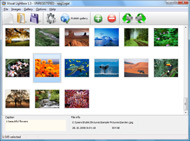
The name of the photo on flickr page will automatically appear in the caption. When you select a photo you'll see the various info about it, such as: Path, Size, date of last change and Caption. You can add any comment or text about the photo (up to 512 symbols).

Step 3. Gallery properties.

Change the name of your flickr album, the size and quality of your pictures with Flickr Gallery. From the Gallery menu, select Properties or use "Edit Gallery Properties" button on the toolbar.

On the first tab of the Gallery Properties window you can change the name of your photo album and enable/disable the following properties: Slide Show, Auto play Slide Show, Zoom effect, Overlay Shadow. You can also set the Overlay shadow color and select the Engine you want to use (jQuery or Prototype + script.aculo.us).

On the second tab of the Gallery Properties window you can select the thumbnail you want to use, set the Thumbnails Resolution, Thumbnails Quality, Thumbnails Titles. Select Thumbnails Format (save in PNG or JPG format). Specify the Number of columns in you photo album and the Page color.

On the third tab of the Gallery Properties window you can select the template, Image resolution and Image quality of your pictures and change the Watermark.

You can set up the various sizes for exported images.

Control the quality of output PNG or JPEG format image by defining output "Image quality" and "Thumbnail quality" parameters (0%…100%).

Step 4. Save your photo gallery as project file.

When you exit Flickr Gallery application, you'll be asked if you want to save your project. The project consists of the pictures you choose to put on your web photo gallery and all your settings. It's a good idea to save the project, because that will allow you to change the project in case you decide to do something different with future galleries. So click Yes, then enter a name for your project. To select the location of your project, just click the Browse folders button and choose a different location. Then click Save.

Flickr Gadget Web Flickr Integration With Website

Download Flickr Gallery


Download Flickr Gallery Download Free Edition
for Windows
Download Flickr Gallery Download Free Edition
for MAC

Flickr Gallery is free for non-commercial use.

A small fee is required for business use. Flickr Gallery Business Edition additionally provides an option to remove the Flickr Gallery. Com credit bar as well as a feature to put your own logo to images. After you complete the payment via the secure form, you will receive a license key instantly by e-mail that turns the Flickr Gallery Free Edition into a Business one. You can select the most appropriate payment procedure: bank transfer, PayPal, check, credit card etc. Also you can get Business Edition for free if you help with translating Flickr Gallery into your native language, please contact us at for more info.

Flickr Set Generator

Buy Flickr GalleryBuy Business Edition
for Windows

$49
Single Website
$69
Unlimited Websites
Buy Flickr GalleryBuy Business Edition
for MAC

$49
Single Website
$69
Unlimited Websites

Support

For feature requests, troubleshooting, general help contact Customer Support at . Make sure to include details on your operating system, a link (or relevant code), browser and Flickr Gallery version.Widget Flick Css

Feedback

    * I tried Flickr Gallery and for me its a very cool and usefull application. Its so easy to manage my galleries and it looks very nice.

    * I'd like to express my gratitude to your efforts on creating such a nice piece of program and best of all it's free! Keep out the good work and I hope to see new features in the near coming future to rate you 5 star!

    * I'm absolutely loving Flickr Gallery Business and Video LightBox. Amazing, quick and painless, to create a custom, browser independent gallery. And it works first time - every time! Best value for money I've seen in quite a while...Mootools Flickr Ajax

    * Another programmes have incredible functionality but no fantastic interface like your product!

FAQ

Q:I purchased your business license today but I don't see any way to update so the watermark is either missing or replace with mine.What do I do?

A:Free edition of Flickr Gallery doesn't allow you to remove our watermark.

Register your Flickr Gallery application at first. Use reg. key from the license message you received after the purchase. After the registration you can remove watermarks.

Open Gallery->Properties->Templates: Watermark. Click to disable this option or use your own watermark.


RELATED

RIU incorporates Flickr photos RIU Hotels & Resorts has taken a new step in its social media strategy by being the first one to integrate Flickr on its website

Flickr & Nokia join forces Flickr is almost certainly the best online photo management and sharing application in the world. Show off your favorite photos and videos to the world, securely and privately show content to your friends and family, or blog the photos and videos

Flickr Tests Twitter Integration With Email Uploads Watch out TwitPic, Flickr is finally waking up to the power of letting users share links to their photos over Twitter. Flickr members can now sign up for the Flickr Twitter Beta, which allows them to link their Flickr and Twitter accounts (using

Options for Easily Adding Flickr Photos to Your Website This page shows a number of the leading options for quickly and easily adding your Flickr photos to your website or blog (WordPress, Joomla, TextPattern). They all offer some options and customizations

Jeffrey Friedl's Blog " Jeffrey's "Export to Flickr Large group-pool names could cause problems with the group-pool section of the export option to associate images already at Flickr with catalog photos

Picnik Picnik lets you edit all your photos online, from one easy place

FLICKR TOOLBOX: 100+ Tools For Flickr Addicts Flickr is back in the news this week with reports that it will add video. But we're still loving the photo-sharing element: here's 100+ ways to get even

Flickr Hooks Up With Facebook for Photo-Sharing Love Photo-sharing website Flickr has announced a new Facebook integration tool that syncs your Flickr photos to your Facebook account. Flickr's sync tools are built on top of parent company Yahoo's Updates platform, and will push photo thumbnails, titles and descriptions to your Facebook feed

4 tools to integrate Flickr photos into your website Exclusive Interview with Matt Brown " 4 tools to integrate Flickr photos into your website. Hello there! If you are new here, you might want to subscribe to the RSS feed for updates on this topic. Flickr is a great and best photo-sharing site, no second thoughts about it

Youtube and Flickr integration into Wordpress | WebRightNow Their "web person" (every band or community has one) was keen to integrate Youtube and Flickr into their website. both Youtube and Flickr and the guy is quite used to uploading content there, I suggested synchronising the new galleries with their existing Flickr and Youtube accounts

Flickr API website integration | Web design London | Joe Smalley A tutorial on how to integrate the Flickr API into your website with PHP to display your photos

Frame Digital | C#, ASP.NET and Flickr API integration How to use Flickr.NET to access the Flickr API in C# ASP.NET. Downloadable demo showing how to authenticate and search Flickr has a really nice API exposed that allows anyone with an API key to interrogate and present public Flickr data on their own website or

Post Flickr photo updates on Facebook, automatically You can easily integrate Flickr and Facebook accounts to easily share Flickr updates with Facebook friends. How to delete / remove flickr account permanently? Flickr is a free photo hosting and sharing website. You can create a free account to upload and share photos with friends. There is even

itasveer starts flickr-ing itasveer integrates with flickr today, reaching the last mile of Indian digital photo enthusiasts. This comes just a week after itasveer bags The best Indian website for photo printing [PCWorld] by dint of their neat & cool interactive

Convio Online Help: Integrating Flickr Into Your TeamRaiser Event The Convio integration with the Flickr photo-sharing Web site application (owned by Yahoo! Inc. You must create a new Yahoo!/Flickr account on the Flickr Web site to use for the Convio integration

Upload to Flickr | Shutter - Feature-rich Screenshot Tool You can upload screenshots from Shutter to Flickr via the Postr program - this guide shows you how

Flickr and YouTube integration for websites, DNN YouTube Add videos and images to your website from social sharing sites YouTube and Flickr. Fast and easy no need for heavy bandwidth use for your website. DNN youtube and flickr modules,

Flickr Embeds : Flickr Gallery Flickr Embeds. Web photo album? With Flickr Gallery, you need just 4 simple steps to get your web photo album ready!. Cool Flickr Plugin For Blogger

Google and Flickr integration with Gtalkr Website Gtalkr is a Flash-based web app designed to bring your Google apps (Gmail and Google Talk) together with Flickr, YouTube, and newsfeeds for an all-in-one media and communications mega-package

Flickr Integration With MailChimp | MailChimp Email Marketing In the MailChimp V5 release, we've made it super easy to link your Flickr photos to your MailChimp account, pull them into your image gallery, and use 'em in your email campaigns

Slideshow integrated with Flickr : First Floor Software Demonstrates the integration with a third-party image provider. About Flickr. Flickr is a photo sharing website and web services suite, and an online community platform, which is generally considered an early example of a Web 2.0

id3 | bed supperclub v4 Case study: How id3 (Bangkok, Thailand) designed and developed bed supperclub website v4.0 flickr integration. Party pictures are uploaded to flickr and appear automatically on the website. Galleries can be ordered by date or name

Map Projects:Photos and Flickr Integration - Google Mapki The website allows users to associate tags with geographic location by clicking on the The website will then import photos from flickr associated with that tag

Flickr Adds Full Facebook Integration Following on the heels of Yahoo! who announced deeper integration with Facebook into their products, Flickr announced this morning that the company has also rolled out their own integrations with Facebook. Now when Facebook users upload photos

Flickr tools for WordPress bloggers | WereWP This plugin will be really useful to people with many Flickr sets. Flickr tag plugin is another way to have your Flickr pictures to appear in your gallery. It is then your choice where you want to see it appearing on your website, in a post or a page

Flickr | drupal.org Access photos on Flickr's site via their API. The module provides a [flickr-photo:id=230452326,size=s] and [flickr-photoset:id=72157594262419167,size=m]

CIC " Integrating a Flickr photo map on your website But there are literally hundreds of tools and webapps available to integrate Flickr images on your website which have not been specifically designed with RapidWeaver or Wordpress in mind. a very sophisticated camera with GPS integration, Flickr cannot guess where pictures have

Gooruze - Flickr integration What's the best way to use Flickr within ones website? I have a number of Flickr images and my website links to the slideshows but I find the conversion from web visitors to the flickr page is low. Any tips?

Picnik Blog " Blog Archive " Flickr and Picnik Together At Last! The Flickr/Picnik integration that everyone's been eagerly waiting for is here! Now every Flickr member will see an button on their photo pages. Click that, and Picnik appears right inside Flickr! Both Picnik Flash App Photo Editor Picnik Integrated with Flickr December 5, 2007 — drawk Picnik is

