



Overview

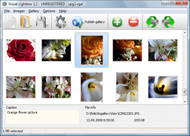
It's no secret that adding photos to your blog posts is one of the most effective ways to enhance your blog and attract attention to your writing. Flickr has millions of photos available in its database. A simple FREE tool called Flickr Gallery allows you to create a custom image gallery with a cool slide show of the most recent and most interesting photos from Flickr on your website or blog in a few easy steps. Just visit Flickr website and find photostream, photoset or a single photo you like. Enter the address of flickr page to add all photos from this page in your gallery, select the style of thumbnails and the overlay window and add the HTML embed code on your website or blog.
A few clicks and you'll see a stylish photo gallery with beautifull lightbox and zoom effects on your own website or blog!


Flickr Gallery for Windows   Flickr Gallery for MAC

Want more?

Example

Lightbox gallery sample

The following image set is generated by Flickr Gallery tool. Click any picture to run Lightbox gallery.

The sample above is an in-page usage demo of Lightbox with images from Flickr. The photo gallery created with Flickr Gallery software is placed inside the website page. You can also check the full-page demo lightbox gallery. This example takes whole browser area to show the gallery.Slideshowpro With Flickr

How to Use

Step 1. Adding flickr images to your own gallery.


Locate the photo, photoset or photostream you want to use in your Flickr slideshow. Click on it to see the photo on its own page.

Copy URL of the flickr page.

Select Add images from Flickr... from the 'Add' button on the Toolbar.

Add images from Flickr

In the appeared window paste URL of the flickr page. Specify also the number of photos you want to add from the flickr page. Flickr Gallery will now include these photos in your project.

Add images from Flickr

If you have included the photos that you do not wish to be in your web gallery, you can easily remove them. Select all images that you wish to remove from photo gallery, and select Delete images. from the Images menu. You can pick and choose pictures by holding the CTRL while clicking the pictures you like.

Step 2. Adding caption.

The name of the photo on flickr page will automatically appear in the caption. When you select a photo you'll see the various info about it, such as: Path, Size, date of last change and Caption. You can add any comment or text about the photo (up to 512 symbols).

Step 3. Gallery properties.

Change the name of your flickr album, the size and quality of your pictures with Flickr Gallery. From the Gallery menu, select Properties or use "Edit Gallery Properties" button on the toolbar.

On the first tab of the Gallery Properties window you can change the name of your photo album and enable/disable the following properties: Slide Show, Auto play Slide Show, Zoom effect, Overlay Shadow. You can also set the Overlay shadow color and select the Engine you want to use (jQuery or Prototype + script.aculo.us).

On the second tab of the Gallery Properties window you can select the thumbnail you want to use, set the Thumbnails Resolution, Thumbnails Quality, Thumbnails Titles. Select Thumbnails Format (save in PNG or JPG format). Specify the Number of columns in you photo album and the Page color.

On the third tab of the Gallery Properties window you can select the template, Image resolution and Image quality of your pictures and change the Watermark.

You can set up the various sizes for exported images.

Control the quality of output PNG or JPEG format image by defining output "Image quality" and "Thumbnail quality" parameters (0%…100%).

Step 4. Save your photo gallery as project file.

When you exit Flickr Gallery application, you'll be asked if you want to save your project. The project consists of the pictures you choose to put on your web photo gallery and all your settings. It's a good idea to save the project, because that will allow you to change the project in case you decide to do something different with future galleries. So click Yes, then enter a name for your project. To select the location of your project, just click the Browse folders button and choose a different location. Then click Save.

Upload Pictures And Vidoes On Flickr Flickr Plugin For Blogger

Download Flickr Gallery


Download Flickr Gallery Download Free Edition
for Windows
Download Flickr Gallery Download Free Edition
for MAC

Flickr Gallery is free for non - commercial use.

A small fee is required for business use. Flickr Gallery Business Edition additionally provides an option to remove the Flickr Gallery. Com credit line as well as a feature to put your own logo to images. After you complete the payment via the secure order form, you will receive a license key instantly by email that turns the Flickr Gallery Free Edition into a Business one. You can select the most suitable payment procedure: credit card, PayPal, bank transfer, check etc. Also you can get Business Edition for free if you help with translating Flickr Gallery into your native language, please contact us at for more info.

Flickr Slideshow Without Controls

Buy Flickr GalleryBuy Business Edition
for Windows

$49
Single Website
$69
Unlimited Websites
Buy Flickr GalleryBuy Business Edition
for MAC

$49
Single Website
$69
Unlimited Websites

Support

For troubleshooting, feature requests and general help contact Customer Support at . Make sure to include details on your Flickr Gallery version, a link (or relevant code), browser and operating system.Joomla 1 5 Flickr Slideshow

Feedback

    * I have purchased the business and LOVE IT..Your product appears easy to use and close to what I need to help several of my clients..

    * I tried Flickr Gallery and for me its a very cool and usefull application. Its so easy to manage my galleries and it looks very nice.

    * I'd like to express my gratitude to your efforts on creating such a nice piece of program and best of all it's free! Keep out the good work and I hope to see new features in the near coming future to rate you 5 star!Flickr Hidden Profiles Hack

    * I LOVE your free Lightbox2 software tool and will purchase the business version shortly. I have seen the Lightbox JS effect used with video tutorials and I was hoping you have a version for video that I can purchase.
Video LightBox: http://videolightbox.com

FAQ

Q:Instead of making one page with 40 photos, is there no property to make 2 or more pages?

A:You can do it in the following way:

1. Create your gallery in Flickr Gallery and publish it on a local drive in any test folder.
2. Make two copies of the generated index.html file (for example index1.html and index2.html).
3. Open index.html, index1.html and index2.html files in any text editor.
4. Find code for the gallery inside the BODY tag and cut some part of the images, so you'll have different images on each page.

<!-- Start Flickr Gallery.com BODY section -->
<div class="gallery">
<!-- leave the following code on index.html page -->
<a href="./data/images/1.jpg" rel="lightbox[sample]" title="Best Toy Ever"><img src="./data/thumbnails/1.png" /></a>
<a href="./data/images/8.jpg" rel="lightbox[sample]" title="PrueaMacro"><img src="./data/thumbnails/8.png" /></a>

<!-- leave the following code on index1.html page -->
<a href="./data/images/3.jpg" rel="lightbox[sample]" title="Macro Leaf."><img src="./data/thumbnails/3.png" /></a>
<a href="./data/images/11.jpg" rel="lightbox[sample]" title="Bell Pepper"><img src="./data/thumbnails/11.png" /></a>

<!-- leave the following code on index2.html page -->
<a href="./data/images/5_0.jpg" rel="lightbox[sample]" title="5"><img src="./data/thumbnails/5_0.png" /></a>
<a href="./data/images/6_0.jpg" rel="lightbox[sample]" title="6"><img src="./data/thumbnails/6_0.png" /></a>

<!--[if lte IE 6]><script src="engine/js/pngfix_vlb.js" type="text/javascript"></script><![endif]-->
<a id="vlightbox" href="http://Flickr Gallery.com/">Online Photo Album Sharing by Flickr Gallery.com</a>
</div>
<!-- End Flickr Gallery.com BODY section -->

5. Create links to switch between your pages, for example:
<a href="index.html">1</a>  <a href="index1.html">2</a>  <a href="index2.html">3</a> 


Q:I want to change color of the overlay shadow? How can I do this?

A:Open engine\css\Flickr Gallery.css and find the following code:

#overlay{
position: absolute;
top: 0;
left: 0;
z-index: 90;
width: 100%;
height: 500px;
background-color: #FFF;
filter:alpha(opacity=60);
-moz-opacity: 0.6;
opacity: 0.6;
}

set the background-color parameter :

#overlay{
position: absolute;
top: 0;
left: 0;
z-index: 90;
width: 100%;
height: 500px;
background-color: #FF00FF;
filter:alpha(opacity=60);
-moz-opacity: 0.6;
opacity: 0.6;
}


RELATED

The Best WordPress Plugins for Bloggers of the Future Thanks to the WordPress for modification through thousand of the Plugins available. It doesn't matter what you want to accomplish on your blog, here is the

Flickr-ize Image Search Plugin This post lists in detail why this plugin is needed for almost anyone who wants to easily search images in their own blog or at Flickr. brows all tabs for images. This feature allows the blogger to search images in their own databases

Committee to Protect Bloggers " Bypass Flickr Ban with According to Digital Inspiration, the plugin, called Access Flickr, was developed by Hamed Saber, an Iranian photographer who uses Flickr heavily. The Access Flickr extension for Firefox substitutes the HTTP Kareem Amer, an Egyptian blogger who was imprisoned for exercising his right to freedom

Loving Microsoft Live Writer and its Flickr plugin - My Name I'm like most old-school Internet geeks I never expect anything from Microsoft to delight me. But I have to say, I love Windows Live Writer. It is so easy, has just enough functionality but not too much (a definite

5 Free Useful Plugins for Windows Live Writer Windows Live Writer have lots of embedded features. Apart from those features there are few free plugins available which will make your blogging experience fun and easy

Canon Blogger: Home of the Learning Digital Photography Podcast While recently participating in a Photowalk group outing to Rocky Mountain National Park, with the fellow local photogs, I learned about this great little plugin for Lightroom that allows you to export your photos directly to Flickr all within Lightroom!

Flickr: Discussing ** Important notice about the plugin ** in Flickr is almost certainly the best online photo management and sharing application in the world. Show off your favorite photos and videos to the world, securely and privately show content to your friends and family, or blog the photos and videos

Flickr photos with flickrRSS Plugin | Earn Blogger So, I love the flickrRSS plugin. FlickrRSS is a plugin for WordPress, that allows you to display beautiful Flickr photos on your blog. I am using it on a different blog and it works fine. This interesting plugin supports user, public and group photostreams

Yahoo Launches Shortcuts Plugin For Wordpress Blogs : Very Another note is that although the Yahoo Shortcuts Plugin is branded by Yahoo and serves content from Yahoo properties like Flickr, the plugin does not serve Yahoo advertisements and is not against the Google AdSense Terms of Service, for those bloggers who run Google AdSense

Search Plugin:Blogger - Mozilla Community &larr;Search Plugins

Find Creative Commons Licenced Photos from Flickr via Your WP This WP plugin looks amazing - it finds Flickr Creative Commons licenced images all from within WP. With to use a plugin, here's a greasemonkey script for the Firefox web browser that will let you easily cut-and-paste photos into wordpress/blogger with an attribution link:

Top 10 Best WordPress Photo Gallery Plugins For Your WP Blog List of best wordpress photo gallery plugins and wordpress picture plugins including Lazyest Gallery, YAPB, Shutter Reloaded, Picasa, and more. Flickr Photo Album For WordPress – Instead of searching for new images, why not use the stuff you've already uploaded on Flickr?

[WordPress Plugin] Live Flickr comment importer at SANIsoft Show me a blogger who denies this and I will show you a liar This plugin allows importing of comments made on a Flickr photo into a WordPress post of your choice. There is another plugin that I found which allows such imports but it has a few drawbacks which I did not like

Flickr Blogger : Flickr Gallery Flickr Blogger. Make superior ajax picture gallery for your web site with Flickr Gallery! Flickr tools for WordPress bloggers | Plugins | WereWP Social networking and social websites are growing more and more popular everyday

Flickr Photo Album WordPress Plugin The Flickr Photo Album plugin was created by Washington DC web developer Joe Tan for a client at his company Silas Partners. Flickr, you guys should consider adding something like this on your end, maybe even developing similar plugins for Movable Type, Blogger, etc

Flickr Slideshow Generator Widget Plugin,embed in Wordpress Flash slide show maker gadget plugin is the best Yahoo Flickr slideshow widget to make free iamge galleries and embed into Facebook, Wordpress, Blogger blogspot

How to Integrate Flickr Album on Your Wordpress Blog or blog Integrate Flickr Album on Your Wordpress Blog or blog posts using these Wordpress Plugins Flickr Photo Album for WordPress: This Flickr plugin for WordPress will allow you to pull in your Flickr photosets and display them as albums on your WordPress site

Geotagged Images, Flickr & A Great Plugin For Your Real Once you're into uploading and geotagging images for a Flickr account, it's going to make your blogging life a lot easier as well. Inserting images into your blog posts from your Flickr account is as easy as a couple of clicks, and the

The BlogoGalaxy of Famous Bloggers on Flickr I have spend a few hours uploading our Famous Bloggers Club members photos to Flickr to share it with all of you Every talented blogger who is helpful for the community can be in this photos, contact me and we can arrange that

Jeffrey Friedl's Blog " Jeffrey's Lightroom Goodies (Plugins How do I make the plugin upload the original photo to Flickr without making any changes to it, besides having the keywords go Thanks for your work (i use the flickr/picasa plugin too) — comment by ningel on December

8 Best Wordpress Photo Gallery Plugins " Tips Blogger You can turn your wordpress into a photoblog using some wordpress photo gallery themes given here or using some photo gallery plugins for wordpress

Plugins: Flickr Photo Album This Flickr plugin for WordPress will allow you to pull in your Flickr photosets and display them as albums on your WordPress site. There is a pretty simple template provided, but you can customize the templates 100% to match the look and feel of

Flickr Attribution Plugin | Irish Internet Entrepreneur - Smemon One of the biggest challenges i face as a blogger is trying to find appropriate images for a blog post. I'm not sure if mulley uses a flickr plugin for his attribution, but i've always been envious of his photos

FFXporter for MAC OS X – Free Flickr eXporter Plugin for Yet another free application contributed to the world of freeware. But this is for MAC OS only. FFXporter(Free Flickr eXporter iPhoto Plugin) is a very good

Two Flickr plugins to be even more cool' and artsy' - The Anyway, I've stumbled upon two handy plugins that make being cool' and artsy' with Flickr pics even easier. One for WordPress and one for iPhoto. Flickr and WordPress I've found it on Jaap Stronks' blog and was delighted, since it will lower the barrier for me to upload photos to Flickr

WordPress photo gallery Plugin - Flickr | Wordpress4Dummies This Flickr plugin for WordPress will allow you to pull in your Flickr photosets and display them as albums on your WordPress site. There is a pretty simple

