


Overview

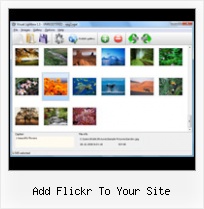
It's no secret that adding photos to your blog posts is one of the most effective ways to enhance your blog and attract attention to your writing. Flickr has millions of photos available in its database. A simple FREE tool called Flickr Gallery allows you to create a custom image gallery with a cool slide show of the most recent and most interesting photos from Flickr on your website or blog in a few easy steps. Just visit Flickr website and find photostream, photoset or a single photo you like. Enter the address of flickr page to add all photos from this page in your gallery, select the style of thumbnails and the overlay window and add the HTML embed code on your website or blog.
A few clicks and you'll see a stylish photo gallery with beautifull lightbox and zoom effects on your own website or blog!


Flickr Gallery for Windows   Flickr Gallery for MAC

Want more?

Example

Lightbox gallery sample

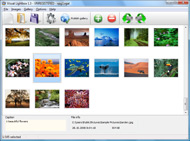
The following image set is generated by Flickr Gallery tool. Click any picture to run Lightbox gallery.

The photo gallery above is an in-page usage demo of Lightbox with images from Flickr. The lightbox gallery created with Flickr Gallery tool is placed inside the website page. You can also check the full-page demo slideshow. This example takes whole browser area to show the website gallery.Flickr Sets Slideshow Api

How to Use

Step 1. Adding flickr images to your own gallery.


Locate the photo, photoset or photostream you want to use in your Flickr slideshow. Click on it to see the photo on its own page.

Copy URL of the flickr page.

Select Add images from Flickr... from the 'Add' button on the Toolbar.

Add images from Flickr

In the appeared window paste URL of the flickr page. Specify also the number of photos you want to add from the flickr page. Flickr Gallery will now include these photos in your project.

Add images from Flickr

If you have included the photos that you do not wish to be in your web gallery, you can easily remove them. Select all images that you wish to remove from photo gallery, and select Delete images. from the Images menu. You can pick and choose pictures by holding the CTRL while clicking the pictures you like.

Step 2. Adding caption.

The name of the photo on flickr page will automatically appear in the caption. When you select a photo you'll see the various info about it, such as: Path, Size, date of last change and Caption. You can add any comment or text about the photo (up to 512 symbols).

Step 3. Gallery properties.

Change the name of your flickr album, the size and quality of your pictures with Flickr Gallery. From the Gallery menu, select Properties or use "Edit Gallery Properties" button on the toolbar.

On the first tab of the Gallery Properties window you can change the name of your photo album and enable/disable the following properties: Slide Show, Auto play Slide Show, Zoom effect, Overlay Shadow. You can also set the Overlay shadow color and select the Engine you want to use (jQuery or Prototype + script.aculo.us).

On the second tab of the Gallery Properties window you can select the thumbnail you want to use, set the Thumbnails Resolution, Thumbnails Quality, Thumbnails Titles. Select Thumbnails Format (save in PNG or JPG format). Specify the Number of columns in you photo album and the Page color.

On the third tab of the Gallery Properties window you can select the template, Image resolution and Image quality of your pictures and change the Watermark.

You can set up the various sizes for exported images.

Control the quality of output PNG or JPEG format image by defining output "Image quality" and "Thumbnail quality" parameters (0%…100%).

Step 4. Save your photo gallery as project file.

When you exit Flickr Gallery application, you'll be asked if you want to save your project. The project consists of the pictures you choose to put on your web photo gallery and all your settings. It's a good idea to save the project, because that will allow you to change the project in case you decide to do something different with future galleries. So click Yes, then enter a name for your project. To select the location of your project, just click the Browse folders button and choose a different location. Then click Save.

Flickr Highslide Joomla Add Flickr To Your Site

Download Flickr Gallery


Download Flickr Gallery Download Free Edition
for Windows
Download Flickr Gallery Download Free Edition
for MAC

Flickr Gallery is free for non - commercial use.

A small fee is required for business use. Flickr Gallery Business Edition additionally provides an option to remove the Flickr Gallery. Com credit line as well as a feature to put your own logo to images. After you conclude the payment via the secure order form, you will receive a license key instantly by e-mail that turns the Flickr Gallery Free Edition into a Business one. You can select the most suitable payment mode: bank transfer, check, credit card, PayPal etc. Also you can get Business Edition for free if you help with translating Flickr Gallery into your native language, please contact us at for more info.

Php Script Flickr

Buy Flickr GalleryBuy Business Edition
for Windows

$49
Single Website
$69
Unlimited Websites
Buy Flickr GalleryBuy Business Edition
for MAC

$49
Single Website
$69
Unlimited Websites

Support

For general help, feature requests, troubleshooting contact Customer Support at . Make sure to include details on your browser, operating system, Flickr Gallery version and a link (or relevant code).How Can We Delete Flickr Photos

Feedback

    * Let me start just congratulating you, good job, really. I am trying out the free version before I buy it. It works great.

    * I just tried the application, It is wonderful idea. Like you said in the website "few clicks without writing a single line of code" because most of the people is not web designers".

    * I ran into your website wile looking for a JavaScript to manage a personal Photo Gallery. I downloaded the trial version and immediately fell in love with your Flickr Gallery, it is one of the best products I’ve ever found; it is very user friendly and easy to use and creates great Photo Galleries.Put Flickr On Your Blogger

    * Another programmes have incredible functionality but no fantastic interface like your product!

FAQ

Q:Instead of making one page with 40 photos, is there no property to make 2 or more pages?

A:You can do it in the following way:

1. Create your gallery in Flickr Gallery and publish it on a local drive in any test folder.
2. Make two copies of the generated index.html file (for example index1.html and index2.html).
3. Open index.html, index1.html and index2.html files in any text editor.
4. Find code for the gallery inside the BODY tag and cut some part of the images, so you'll have different images on each page.

<!-- Start Flickr Gallery.com BODY section -->
<div class="gallery">
<!-- leave the following code on index.html page -->
<a href="./data/images/1.jpg" rel="lightbox[sample]" title="Best Toy Ever"><img src="./data/thumbnails/1.png" /></a>
<a href="./data/images/8.jpg" rel="lightbox[sample]" title="PrueaMacro"><img src="./data/thumbnails/8.png" /></a>

<!-- leave the following code on index1.html page -->
<a href="./data/images/3.jpg" rel="lightbox[sample]" title="Macro Leaf."><img src="./data/thumbnails/3.png" /></a>
<a href="./data/images/11.jpg" rel="lightbox[sample]" title="Bell Pepper"><img src="./data/thumbnails/11.png" /></a>

<!-- leave the following code on index2.html page -->
<a href="./data/images/5_0.jpg" rel="lightbox[sample]" title="5"><img src="./data/thumbnails/5_0.png" /></a>
<a href="./data/images/6_0.jpg" rel="lightbox[sample]" title="6"><img src="./data/thumbnails/6_0.png" /></a>

<!--[if lte IE 6]><script src="engine/js/pngfix_vlb.js" type="text/javascript"></script><![endif]-->
<a id="vlightbox" href="http://Flickr Gallery.com/">Online Photo Album Sharing by Flickr Gallery.com</a>
</div>
<!-- End Flickr Gallery.com BODY section -->

5. Create links to switch between your pages, for example:
<a href="index.html">1</a>  <a href="index1.html">2</a>  <a href="index2.html">3</a> 


Q:I want to change color of the overlay shadow? How can I do this?

A:Open engine\css\Flickr Gallery.css and find the following code:

#overlay{
position: absolute;
top: 0;
left: 0;
z-index: 90;
width: 100%;
height: 500px;
background-color: #FFF;
filter:alpha(opacity=60);
-moz-opacity: 0.6;
opacity: 0.6;
}

set the background-color parameter :

#overlay{
position: absolute;
top: 0;
left: 0;
z-index: 90;
width: 100%;
height: 500px;
background-color: #FF00FF;
filter:alpha(opacity=60);
-moz-opacity: 0.6;
opacity: 0.6;
}


RELATED

How to Market on Flickr | Small Business Search Marketing And with each photo you upload, you can add "tags" (or keywords) that describe the photo, and a description of the image — these are both opportunities to mention your business name and web site address. ( I didn't use the tags or description to mention SBS in this example

FLICKR TOOLBOX: 100+ Tools For Flickr Addicts Flickr is back in the news this week with reports that it will add video. But we're still loving the photo-sharing element: here's 100+ ways to get even

Flickr Press • WordPress Plugin to integrate Flickr This plugin makes it easy to show your Flickr sets & photos on your own WordPress site

Add Flickr Pictures to Your Site Using ImageCodr | Elizabeth Add Flickr Pictures to Your Site Using ImageCodr. Posted on November 4, 2009 by Elizabeth Thomsen. Many libraries use Flickr to find photographs to add color and visual interest to their blogs and websites. It's an incredible resource, but one that you have to use with care

Thumbnails that link to larger images Save and Update your site so that your changes will be reflected on your live site. The Flickr Gallery Widget allows you to quickly and easily create a slick photo gallery with thumbnails that link to the larger images in your

Blogger and .Mac How to add Blogger, Flickr, Del.icio.us, or any other site to your .Mac Homepage In this article I will explain how you can add these sites to your .Mac homepage and also provide a little insight into getting around the limitation of static pages through DHTML

bit.ly statistics for http://abduzeedo.com/user-news/methods http://abduzeedo.com/user-news/methods-adding-your-flickr-photostream-your-site Clicks All clicks on the aggregate bit.ly link bit.ly/6VszXG | Info Page

Flickr Flickr is almost certainly the best online photo management and sharing application in the world. Show off your favorite photos and videos to the world, securely and privately show content to your friends and family, or blog the photos and videos

Five seconds to add a Flickr Slideshow - Annuaire du Vin L'annuaire des liens du vin. Les négociants et les sites en ligne. Using Flickr, you can create a Slideshow using a Media RSS Feed, a Flash Slideshow, or just call directly the Slideshow. It's the quickiest way to add Flickr pictures into your pages. User, Set or Group Id

Link Flickr Photos to Google Website Add your whole Flickr photo album to your Google website while keeping the photos on your site. Your site's readers won't have to go off site to see your Flickr photo album. The Flickr photo album will update on your Google website whenever you

Flickr Selects EZ Prints to Provide Fulfillment of Photo Printing Put PRWeb on your site. Flickr Selects EZ Prints to Provide Fulfillment of Photo Printing Flickr, which is still being beta tested, has become an instant hit among photo enthusiasts who are drawn to the uniquely social

Great Flickr add-ons | E-Mail & Internet | Macworld If you think you've seen all Flickr can do, you may be in for a surprise. An abundance of Flickr add-ons and related Web sites make the photo-sharing experience faster, nimbler, and more fun

Methods Of Adding Your Flickr Photostream To Your Site – WebM The problem with uploading to Flickr is you have to download your images and manually add to your site, and if you have a number of images your bandwidth may well take a hit, so here are a few solutions which enable you to display your Flickr photostream automatically on your site

Artotems Flickr in iWeb Tagging your photos with appropriate names and adding your site url can be good for search visibility as well. It's free but also has the a Professional Account status for a small amount which allows for larger uploads and the ability to add more Photo Sets

kuanhoong dot com " 3 simple ways to drive more traffics from With "tagging" — adding a few words of text to each posted photo — photos stored in flickr can be easily searched online and can be a good source of traffic for your site. Below are 3 simple ways to drive traffic from flickr to your site. 1. Use proper title and tags

Flickr Social Marketing list for Metropolitan Area Children's This is a help file for Children's Museums in metropolitan areas that lists how to get started on Flickr. If you can read between the examples most of this can be used for any organization that has a need for

Flickr Slide Show : Flickr Gallery It's no secret that adding photos to your blog posts is one of the most effective ways to enhance your blog Enter the address of flickr page to add all photos from this page in your gallery, select the style of thumbnails and the overlay window and add the HTML embed code on your website or blog

Options for Easily Adding Flickr Photos to Your Website This page shows a number of the leading options for quickly and easily adding your Flickr photos to your website or blog (WordPress, Joomla, TextPattern). They all offer some options and customizations

Web Design Schools Guide Link to your own site within the photo: Be sure to add a link within your photo's description to get traffic back to your website. Use Flickr as hosting: Store your photos on Flickr, and link directly to them to take a load off of your server

YouTube - ‪Flickr Badge‬†A quick tutorial to add a Flickr Badge to your site

How to: Add a Styled Flickr Photo Stream to Your Blog Adding uniquely-styled Flickr photo streams to your blog is easy, and it's just another thing you can leverage to make your blog stand out among the crowd. Today, my goal is simply to walk you through the process of creating

FlickrHelpr - Show your flickr photos on your website FlickrHelpr makes a photo gallery that displays all of your photosets. It uses the flickr API, so it automatically updates whenever you update your flickr account. You add photos to flickr - your site gets updated. Why would you want to use this script?

How to Add Flickr Images to your Web Site It's easy to add Flickr images to your web site. All that's required is a little copying and pasting. When you are editing an article on your web site, you'll add a tag' that tells the site to display either a single photo, or a gallery of photos – a Flickr "set"

Adding a Flickr Feed to your Site with jQuery | Leon Amarant Introduction This post outlines a quick and easy way to display your Flickr photostream on your personal web site using javascript (no server-side programming

Friday Flickr Fun: add a Flickr tag cloud to your site It has been said that the "tag cloud is the mullet of the internet," and who doesn't want to be the height of current fashion? Dan Steingart has written a PHP script that will pull your tags from Flickr and arrange them in a tag cloud for inclusion on your site

How to Add Flickr photos on my web site | eHow.com How to Add Flickr photos on my web site. If you have some pictures of your own, or photos from a group you admire from Flickr, you can make a badge to put in your website or blog, and this will add to your blog or website greatly

