
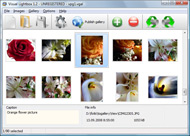


Overview

It's no secret that adding photos to your blog posts is one of the most effective ways to enhance your blog and attract attention to your writing. Flickr has millions of photos available in its database. A simple FREE tool called Flickr Gallery allows you to create a custom image gallery with a cool slide show of the most recent and most interesting photos from Flickr on your website or blog in a few easy steps. Just visit Flickr website and find photostream, photoset or a single photo you like. Enter the address of flickr page to add all photos from this page in your gallery, select the style of thumbnails and the overlay window and add the HTML embed code on your website or blog.
A few clicks and you'll see a stylish photo gallery with beautifull lightbox and zoom effects on your own website or blog!


Flickr Gallery for Windows   Flickr Gallery for MAC

Want more?

Example

Lightbox gallery sample

The following image set is generated by Flickr Gallery tool. Click any picture to run Lightbox gallery.

The photo gallery above is an in-page usage demo of Lightbox script with Flickr images. The website gallery created with Flickr Gallery application is placed inside the website page. You can also check the full-page demo web gallery. This example takes whole browser area to show the slideshow.Wordpress Flickr Gallery Jquery

How to Use

Step 1. Adding flickr images to your own gallery.


Locate the photo, photoset or photostream you want to use in your Flickr slideshow. Click on it to see the photo on its own page.

Copy URL of the flickr page.

Select Add images from Flickr... from the 'Add' button on the Toolbar.

Add images from Flickr

In the appeared window paste URL of the flickr page. Specify also the number of photos you want to add from the flickr page. Flickr Gallery will now include these photos in your project.

Add images from Flickr

If you have included the photos that you do not wish to be in your web gallery, you can easily remove them. Select all images that you wish to remove from photo gallery, and select Delete images. from the Images menu. You can pick and choose pictures by holding the CTRL while clicking the pictures you like.

Step 2. Adding caption.

The name of the photo on flickr page will automatically appear in the caption. When you select a photo you'll see the various info about it, such as: Path, Size, date of last change and Caption. You can add any comment or text about the photo (up to 512 symbols).

Step 3. Gallery properties.

Change the name of your flickr album, the size and quality of your pictures with Flickr Gallery. From the Gallery menu, select Properties or use "Edit Gallery Properties" button on the toolbar.

On the first tab of the Gallery Properties window you can change the name of your photo album and enable/disable the following properties: Slide Show, Auto play Slide Show, Zoom effect, Overlay Shadow. You can also set the Overlay shadow color and select the Engine you want to use (jQuery or Prototype + script.aculo.us).

On the second tab of the Gallery Properties window you can select the thumbnail you want to use, set the Thumbnails Resolution, Thumbnails Quality, Thumbnails Titles. Select Thumbnails Format (save in PNG or JPG format). Specify the Number of columns in you photo album and the Page color.

On the third tab of the Gallery Properties window you can select the template, Image resolution and Image quality of your pictures and change the Watermark.

You can set up the various sizes for exported images.

Control the quality of output PNG or JPEG format image by defining output "Image quality" and "Thumbnail quality" parameters (0%…100%).

Step 4. Save your photo gallery as project file.

When you exit Flickr Gallery application, you'll be asked if you want to save your project. The project consists of the pictures you choose to put on your web photo gallery and all your settings. It's a good idea to save the project, because that will allow you to change the project in case you decide to do something different with future galleries. So click Yes, then enter a name for your project. To select the location of your project, just click the Browse folders button and choose a different location. Then click Save.

Flickr Thumbnails On Blogger Adobe Bridge Flickr Plugin

Download Flickr Gallery


Download Flickr Gallery Download Free Edition
for Windows
Download Flickr Gallery Download Free Edition
for MAC

Flickr Gallery is free for non-commercial use.

A small fee is required for business use. Flickr Gallery Business Edition additionally provides an option to remove the Flickr Gallery. Com credit line as well as a feature to put your own logo to images. After you finish the payment via the secure order form, you will receive a license key instantly by e-mail that turns the Flickr Gallery Free Edition into a Business one. You can select the most suitable payment mode: bank transfer, credit card, PayPal, check etc. Also you can get Business Edition for free if you help with translating Flickr Gallery into your native language, please contact us at for more info.

Jquery Flickr Like Photo Upload

Buy Flickr GalleryBuy Business Edition
for Windows

$49
Single Website
$69
Unlimited Websites
Buy Flickr GalleryBuy Business Edition
for MAC

$49
Single Website
$69
Unlimited Websites

Support

For general help, feature requests, troubleshooting contact Customer Support at . Make sure to include details on your Flickr Gallery version, operating system, a link (or relevant code) and a browser.Jquery Flickr Slideshow Api

Feedback

    * I LOVE your free Lightbox2 software tool and will purchase the business version shortly. I have seen the Lightbox JS effect used with video tutorials and I was hoping you have a version for video that I can purchase.
Video LightBox: http://videolightbox.com

    * First of all, I love you Flickr Gallery. I think it's beautiful! I purchased the lightbox “business edition” yesterday, and I’m very happy how easy it is to use. Found this to be one of the fastest ways to get a gallery on the web. Thanks.

    * I tried Flickr Gallery and for me its a very cool and usefull application. Its so easy to manage my galleries and it looks very nice.Flickr Hack Get Original Picture

    * Just bought the business version of Flickr Gallery and I just had to write and say how impressed I am with it. Really easy to use, intuitive interface and generates a truly professional presentation. Seldom have I been so pleased with a software purchase. Thank you.

FAQ

Q:I would like to have a few galleries in one website and even on one page.

A:To create several galleries on your page you should change following parameter in A tag for different galleries:

rel="lightbox_vlb"

For example, for the first gallery you should set rel="lightbox_vlb":

<!-- Start Flickr Gallery.com BODY section -->
<div id="vlightbox">
<a rel="lightbox_vlb" href="data/images/dscn6831.jpg" title="dscn6831" >
<img src="data/thumbnails/dscn6831.png" ><span></span></a>
<a rel="lightbox_vlb" href="data/images/dscn6823.jpg" title="dscn6823">
<img src="data/thumbnails/dscn6823.png"><span></span></a>
<a id="vlb" href="http://Flickr Gallery.com">Photo Gallery For Web by Flickr Gallery.com v2.0</a>
</div>
<!-- End Flickr Gallery.com BODY section -->

and for the second gallery rel="lightbox_vlb1":

<!-- Start Flickr Gallery.com BODY section -->
<div id="vlightbox">
<a rel="lightbox_vlb1" href="data/images/img_0501.jpg" title="img_0501">
<img src="data/thumbnails/img_0501.png"><span></span></a>
<a rel="lightbox_vlb1" href="data/images/img_0481.jpg" title="img_0481">
<img src="data/thumbnails/img_0481.png"><span></span></a>
<a id="vlb" href="http://Flickr Gallery.com">Photo Gallery For Web by Flickr Gallery.com v2.0</a>
</div>
<!-- End Flickr Gallery.com BODY section -->


RELATED

Aperture to Flickr with FlickrExport : Seven by Five No matter how hard Apple or Adobe try build in flickr or Facebook export options in photo application they never really cut it with me. This is particularl

As photographers, we can all agree that the camera is one of I've settled on Adobe Bridge as my choice software. In this chapter, my goal is only to think Adobe makes a clear statement as to what Bridge is all about: Adobe® Bridge CS3 is

Adobe Bridge Adobe Bridge. Adobe Bridge is an organizational software application created and released by Adobe Systems as a part of the Adobe Creative Suite, beginning with CS2. The distribution is integrated with an update to Adobe Flash Player Plugin to version 10.1.85.3

Adobe Bridge is iTunes for Designers | GoMediaZine Really? Think about it: What if every time you wanted to jam to your Summer 2001 Playlist you had to re-construct it from your mess of mp3s in a folder

Managing your images - Finding images at Cornell - Cornell Source: Flickr. There are several tools that allow you to present images using a computer & digital projector. Adobe Bridge : part of Adobe's Creative Suite, Bridge indexes documents you produce using the various Adobe products, and

Major Photoshop Upgrade Is Overkill for the Flickr Crowd However, Bridge does have a revamped plug-in architecture that will allow outside developers to build tools to leverage online services -- much like the Flickr plug-in for Apple's Aperture. a tremendous amount of post-processing," says Beale. Adobe sees Bridge and Photoshop as complimentary

How to Open and Edit Images in Adobe Camera Raw Tutorial: by Carl HebertWatch this Adobe Photoshop CS5 tutorial to learn how to edit your photos with Adobe Camera Raw. Wish you could take gorgeous photos? now you can ! see our Review of a New Educational Resource - Tools and Techniques for

PicLens for flickr (Sun.com Web Experience Design) look like Adobe Bridge (on a day where Adobe bridge isn't taking 99 not just for flickr, it works on facebook, yahoo, picassa, bebo, myspace, and much more. I was using Firefox 2.0.0.12 on XP, for those of you who like numbers. I did notice as I was installing the plugin that it said something

Adding Flickr Export Option To Bridge | Flickr Slideshow Adding Flickr Export Option To Bridge. Make professional online photo album software in minutes with jQuery Thickbox Alternative! flickr embed drupal

Jeffrey Friedl's Blog " SmugMug/Zenfolio/Flickr Export-to Must be an Adobe marketing thing to latch on the brandname recognition. This is built into Adobe's Bridge and I really miss it in Lightroom. — comment by ken snyder on May 18th, 2008 at 7:27am JST (3 years ago) — comment permalink. Hi, Thanks for the Picasa plug in for Lightroom

masterchong.com - Displaying RAW files' Thumbnails in Adobe Masterchong.com - Passion and Simplicity in Photography is photography site including photo showcase,latest photography equipments, reviews, tutorials, articles and comments., Displaying RAW files; Thumbnails in Adobe Bridge, download adobe

Adobe Forums: Upload pictures directly from Bridge to Many people are searching for a plugin or patch or something to be able to this. Because of that many people are using Picasa because you can download a plugin for it and then with this plugin you can upload photos to flickr directly from picasa. Please make it also possible in Adobe Bridge

Lightroom Plugin | Photosmith – the iPad mobile companion for The typical directory is: C:\Users\\AppData\Roaming\Adobe\Lightroom\Plugins products of Apple and Adobe, respectively. Flickr, Facebook and Dropbox, are protected

Adobe Bridge Flickr Plugin : Flickr Gallery Adobe Bridge Flickr Plugin. Flickr Slideshow. The most powerful photo gallery maker on the Web!. Jquery Flickr Stream Fade

Upgrading SimpleViewer Templates to Pro Spectacular image galleries made simple. SimpleViewer is the home of the SimpleViewer family of image galleries - professional Pro galleries created with Bridge, open the generated gallery with svBuilder-Pro. Upgrading Other Templates. For most other templates and plugins, to upgrade to Pro:

Flickr: Discussing Adobe Bridge RAW Help Please !! in Technique Flickr is almost certainly the best online photo management and sharing application in the world. Show off your favorite photos and videos to the world, securely and privately show content to your friends and family, or blog the photos and videos

Adobe Shuts Down Stock Photos Service | Webmonkey | Wired.com Adobe has announced it will discontinue Adobe Stock Photos, its royalty-free image service, which shipped as part of Adobe Bridge. A more flexible extension framework could even turn up a cool Bridge plugin for searching creative commons licensed images on services like Flickr or Picasa. See Also:

My workflow to take, edit and publish photographies - nicolas In this article, I explain how I take photos, how I edit them using various softwares, and how I publish them on my own site using Flickr and phpFlick Then I manually push photos to Flickr (wish I could find an Adobe Bridge plug-in to automate the push to Flickr)

Exporting from Bridge CS5 to Social Media sites | TipSquirrel Back when Adobe engineers were developing CS4, the social network phenomenon was just hitting the mainstream, and there was no way to predict the popularit

Adobe - Uploads by jfriedl Previous. Export-to-Flickr Plugin. Full-featured Export-to-Flickr plugin for Lightroom. By Security Contact Adobe Report piracy EULAs Permissions and trademarks Careers Ad Choices

Kelby Online Training | Classes in Digital Photography Add Keywords and Titles from Lightroom and Bridge (04:02) Image Sizes Flickr Plugin (01:39) Adding Images with the Bridge CS5 Flickr Plugin

How to upgrade Adobe camera raw plug-in Tutorial on how to manually upgrade Adobe Photoshop camera raw plug-in. Whenever there is a new camera raw plug-in for Photoshop and you need to upgrade, just follow these simple steps. After downloading the plug-in from Adobe: Exit Photoshop CS5 and Adobe Bridge. Open My Computer

Geotagging with Adobe Bridge Published: March 12, 2009Posted in: Camera Gear / SoftwareTags: adobe bridge, geotagging, plug-in I am surprised Adobe Bridge hasn't installed this iteslef yet

Connecting Adobe Photoshop Lightroom 3 with Flickr Adobe Photoshop Lightroom version 3 plays well with the Flickr online photo-sharing website. In this series of video tutorials, I am going to walk you through the initial setup and basic uploading process required to share images from Adobe

Geolocation inside the Creative Suite " Creative Suite SDK Team Tips, tricks and info from the team behind Adobe Creative Suite Extension Builder and the Creative Suite SDK I found this post when I was looking for a geotagging plugin for Adobe Bridge

robnunnphoto.com - Posts / Home Occasionally, when I first started using Adobe Bridge, I'd plug in my camera (I haven't got a card reader yet), try to "Get Photos From Camera", and I'd get the following error message when the wizard tried to pull the photos off my 350d / Rebel XT: "Cannot obtain all files from this device

