



Overview

It's no secret that adding photos to your blog posts is one of the most effective ways to enhance your blog and attract attention to your writing. Flickr has millions of photos available in its database. A simple FREE tool called Flickr Gallery allows you to create a custom image gallery with a cool slide show of the most recent and most interesting photos from Flickr on your website or blog in a few easy steps. Just visit Flickr website and find photostream, photoset or a single photo you like. Enter the address of flickr page to add all photos from this page in your gallery, select the style of thumbnails and the overlay window and add the HTML embed code on your website or blog.
A few clicks and you'll see a stylish photo gallery with beautifull lightbox and zoom effects on your own website or blog!


Flickr Gallery for Windows   Flickr Gallery for MAC

Want more?

Example

Lightbox gallery sample

The following image set is generated by Flickr Gallery tool. Click any picture to run Lightbox gallery.

The example above is an in-page usage demo of Lightbox gallery that uses images from Flickr. The lightbox gallery created with Flickr Gallery software is placed inside the page layout. You can also check the full-page demo lightbox gallery. This example takes whole browser area to show the website gallery.Photo Gallery Widgets Flickr

How to Use

Step 1. Adding flickr images to your own gallery.


Locate the photo, photoset or photostream you want to use in your Flickr slideshow. Click on it to see the photo on its own page.

Copy URL of the flickr page.

Select Add images from Flickr... from the 'Add' button on the Toolbar.

Add images from Flickr

In the appeared window paste URL of the flickr page. Specify also the number of photos you want to add from the flickr page. Flickr Gallery will now include these photos in your project.

Add images from Flickr

If you have included the photos that you do not wish to be in your web gallery, you can easily remove them. Select all images that you wish to remove from photo gallery, and select Delete images. from the Images menu. You can pick and choose pictures by holding the CTRL while clicking the pictures you like.

Step 2. Adding caption.

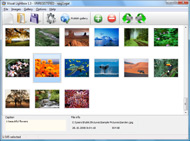
The name of the photo on flickr page will automatically appear in the caption. When you select a photo you'll see the various info about it, such as: Path, Size, date of last change and Caption. You can add any comment or text about the photo (up to 512 symbols).

Step 3. Gallery properties.

Change the name of your flickr album, the size and quality of your pictures with Flickr Gallery. From the Gallery menu, select Properties or use "Edit Gallery Properties" button on the toolbar.

On the first tab of the Gallery Properties window you can change the name of your photo album and enable/disable the following properties: Slide Show, Auto play Slide Show, Zoom effect, Overlay Shadow. You can also set the Overlay shadow color and select the Engine you want to use (jQuery or Prototype + script.aculo.us).

On the second tab of the Gallery Properties window you can select the thumbnail you want to use, set the Thumbnails Resolution, Thumbnails Quality, Thumbnails Titles. Select Thumbnails Format (save in PNG or JPG format). Specify the Number of columns in you photo album and the Page color.

On the third tab of the Gallery Properties window you can select the template, Image resolution and Image quality of your pictures and change the Watermark.

You can set up the various sizes for exported images.

Control the quality of output PNG or JPEG format image by defining output "Image quality" and "Thumbnail quality" parameters (0%…100%).

Step 4. Save your photo gallery as project file.

When you exit Flickr Gallery application, you'll be asked if you want to save your project. The project consists of the pictures you choose to put on your web photo gallery and all your settings. It's a good idea to save the project, because that will allow you to change the project in case you decide to do something different with future galleries. So click Yes, then enter a name for your project. To select the location of your project, just click the Browse folders button and choose a different location. Then click Save.

Export To Flickr From Iphoto Flickr Delete All Photos

Download Flickr Gallery


Download Flickr Gallery Download Free Edition
for Windows
Download Flickr Gallery Download Free Edition
for MAC

Flickr Gallery is free for non-commercial use.

A small fee is required for business use. Flickr Gallery Business Edition additionally provides an option to remove the Flickr Gallery. Com credit line as well as a feature to put your own logo to images. After you conclude the payment via the secure form, you will receive a license key instantly by e-mail that turns the Flickr Gallery Free Edition into a Business one. You can select the most suitable payment mode: bank transfer, credit card, PayPal, check etc. Also you can get Business Edition for free if you help with translating Flickr Gallery into your native language, please contact us at for more info.

Protect Picture Flickr Spaceball

Buy Flickr GalleryBuy Business Edition
for Windows

$49
Single Website
$69
Unlimited Websites
Buy Flickr GalleryBuy Business Edition
for MAC

$49
Single Website
$69
Unlimited Websites

Support

For general help, feature requests, troubleshooting contact Customer Support at . Make sure to include details on your Flickr Gallery version, browser, operating system and a link (or relevant code).Flickr App Black Large

Feedback

    * I'm absolutely loving Flickr Gallery Business and Video LightBox. Amazing, quick and painless, to create a custom, browser independent gallery. And it works first time - every time! Best value for money I've seen in quite a while...

    * I am thrilled with what this tool can do for me thanks for all the hard work that must have gone into it.

    * Great product by the way and saved me loads of time. I really like your Flickr Gallery program! Very nice.Flickr Widget Jquery Php

    * Just a quick thank you for the software though, It's not often you get a free software version of this quality and style! Well done and please continue this amazing gallery. Hope to see more advances.

FAQ

Q:In previewing some of my own slides on the browser, I find the background (thumb nails visible) too busy and distracting. Is there a way to darken the background?

A:You may set the following parameter in engine\js\visuallightbox.js file in a such way:

overlayOpacity: 1, // controls transparency of shadow overlay


RELATED

Flickr Deletes the Wrong Account, 4,000 Photos Gone Forever Flickr Deletes the Wrong Account, 4,000 Photos Gone Forever One German photographer, though, woke up to find his five-year-old Flickr account deleted and all of his 4,000 photos gone with no way of bringing them back. "Today I was a bit surprised when trying to log into my Flickr account

Flickr - Blackboard HistoryA photowalk by the Flickr Group Photographers in Perth around Guildford, Western AustraliaFlickr was developed by Ludicorp, a Vancouver-based company, and launched in February 2004. The service emerged out of tools originally created for

Flickr: "delete" Flickr is almost certainly the best online photo management and sharing application in the world. Show off your favorite photos and videos to the world, securely and privately show content to your friends and family, or blog the photos and videos

Flickr to keep photos for 90 days after you delete your Flickr to keep photos for 90 days after you delete your account. Yahoo's Flickr has implemented a change to its policy on deleted accounts. The photo sharing website will now keep photos and associated content for 90 days before erasing them

How Nonprofits Can Get the Most out of Flickr | Techsoup Canada We've seen some people sharing an account delete all the photos. The default license for all Flickr photos is All Rights Reserved, meaning that others cannot use them unless given permission by the author

Flickr - Wikipedia, the free encyclopedia However, sets are more flexible than the traditional folder-based method of organizing files, as one photo can belong to one set, many sets, or none at all. Flickr's "sets", then, represent a form of categorical metadata rather than a physical hierarchy

Flickr You can delete individual photos that you have on Flickr by selecting the photos that you Or you can delete groups of photos using batch operations. Visit your Flickr account information area to edit your profile,

Flickriver Flickriver - view images as a 'river of photos' and more Note: you need to be a logged-in Flickr user to send FlickrMail. Flickriver needs JavaScript to work properly. Please enable JavaScript in your browser. All photos copyrighted © by their respective owners. Flickriver.com © 2007

Thomas Hawk Digital Connection " Blog Archive " How Would You The benefits of sites like Flickr, Smugmug, etc is that it is a true community that allows inter-linking of photos and comments, but Flickr staff shouldn't be acting like fascists, and should enter into some sort of dialogue with the account holder before they delete the account

Bookmarklets for the Flickr "Delete me" group These bookmarklets reportedly no longer work in Flickr. Someone has adapted them for the new Flickr API: click here to find the new versionsWondering what's going on with these 'deleteme' tags and harsh comments on Flickr photos? This is the

Flickr Blog Companion blog to Flickr features downtime status, daily photos, and news and updates about new photo and video sharing features

picasa2flickr - flickr upload plugin for picasa - Installation v2 An "Import" button should appear when all the queue have been analyzed. Click on "Import" button to start the upload. 4. Queue issue. The Uploadr queue is persistent between Uploadr executions: once a photo is in the queue it will remain in it until you manually delete it or import it to flickr

Fraser Speirs - Blog - On the Flickr support in iPhoto '09 If you delete this item from the source list, the Photoset and all the photos it contains are deleted from Flickr. My iPhoto started to go really slow and through some freak combination of keystrokes that must have included delete, I sent all photo's to the trash

Apple's iPhoto Makes It Way Too Easy To Delete Your Entire The problem is that iPhoto treats this syncing very literally: if you delete a photo from one of these albums on iPhoto, it doesn't just remove it from the Set on Flickr — it actually deletes the photo from your Flickr account entirely. iPhoto

Your Kodak Gallery Photos Will Be Deleted Unless You Buy Kodak will delete all your pictures unless you buy something from them. full-resolution photos from all your picture albums. Once you have a copy of all your images on the hard drive, cancel your Kodak subscription and upload them to Flickr

Flickr: Mass Remove Tags from Photos - Tech-Recipes Here is a nice hack to delete a tag from all your photos which contain that specific tag. It is easy once you know how. If you use a tag frequently

Flickr nows keeps your deleted photos for 90 days – Tech May. 27, 2011 - Flickr is a great resource for hosting tons of your personal photos. Most Flickr users, however, have been in the position where they've deleted a photo or

FlickrEdit Help It supports easy search for all, favorite, recent, group, contact and set of photos. And if you have new photos, you can upload them to Flickr with FlickEdit. In order to edit photo information and upload new photos, FlickEdit needs to be able to read ALL of your pictures

How To Delete Photos From Flickr : Flickr Gallery How To Delete Photos From Flickr. Just drag and drop your photos or folders with photos and press

Mass delete your Flickr tags If you've tired of that pesky "naked" tag on all your Flickr photos, Tech Recipes has a quick way to do a clean sweep:

Flickr accidentally nukes user's 4,000 photos - Feb. 2, 2011 On Tuesday, photo sharing site Flickr mistakenly deleted user Mirco Wilhelm's account, erasing 4,000 photos and five years of photo sharing. "Single support staff members being able to delete all account data without review and chance to undo actions is pretty scary for anyone," he said

Flickr Will Now Keep Deleted Photos For 90 Days Regret deleting all the pictures from that disastrous birthday party? On Flickr, you now have three months to change your mind

Delete a Photo - Picnik Help You can delete all photos in the Get from Computer section by clicking the Clear all button on the right of the screen. You can delete all photos in the History section by clicking the Options menu below your username on the left and selecting Clear all

Fluidr / liber's photos and videos tagged with "delete2" View liber's Flickr photos and videos tagged with "delete2" on Fluidr. Fluidr makes it easy to view photos and videos on Flickr using continuous pagination which essentially means that you can view hundreds of photos and videos without ever

Jeffrey Friedl's Blog " "Publish" in Jeffrey's Export-to ( Just like on Flickr, all photos added to any collection in the publish service automatically get added to the Flickr photostream collection, and any photo deleted from the Flickr photostream collection is removed from all other If you delete a photo from Flickr, you can always upload it again,

How to Delete a Flickr Account - wikiHow Alternately, go to the Flickr Help pathway at http://www.flickr.com/help/account/#48 (click on the "delete" link - you will be taken to the Yahoo sign-in). Go through your photos on the account and verify that you have copies of all your photos

Flickr Photos Integrated into Yahoo Image Search | Search The Flickr photos in Yahoo Search will be marked by Flickr account name, and searchers can click on the name to view and search all photos by that Flickr user. Searchers can also type in the Flickr User ID in the Yahoo Image Search Box to view images uploaded by a specific Flickr member

Flickr Accidentally Deletes a User's 3,400 Photos and Can't UPDATE: Mr. Wilhelm's 3,410 photos have been restored and Flickr extended his Pro account to 2036. Original post follows. Major, major stumble from Flickr today--a Zurich-based photoblogger says Flickr deleted his account by mistake and lost his

