



Overview

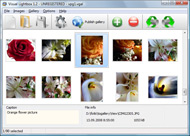
It's no secret that adding photos to your blog posts is one of the most effective ways to enhance your blog and attract attention to your writing. Flickr has millions of photos available in its database. A simple FREE tool called Flickr Gallery allows you to create a custom image gallery with a cool slide show of the most recent and most interesting photos from Flickr on your website or blog in a few easy steps. Just visit Flickr website and find photostream, photoset or a single photo you like. Enter the address of flickr page to add all photos from this page in your gallery, select the style of thumbnails and the overlay window and add the HTML embed code on your website or blog.
A few clicks and you'll see a stylish photo gallery with beautifull lightbox and zoom effects on your own website or blog!


Flickr Gallery for Windows   Flickr Gallery for MAC

Want more?

Example

Lightbox gallery sample

The following image set is generated by Flickr Gallery tool. Click any picture to run Lightbox gallery.

The example above is an in-page usage demo of Lightbox tool with Flickr images. The website gallery created with Flickr Gallery tool is placed inside the website page. You can also check the full-page demo web gallery. This example takes whole browser area to show the gallery.Flickr Html Galleries

How to Use

Step 1. Adding flickr images to your own gallery.


Locate the photo, photoset or photostream you want to use in your Flickr slideshow. Click on it to see the photo on its own page.

Copy URL of the flickr page.

Select Add images from Flickr... from the 'Add' button on the Toolbar.

Add images from Flickr

In the appeared window paste URL of the flickr page. Specify also the number of photos you want to add from the flickr page. Flickr Gallery will now include these photos in your project.

Add images from Flickr

If you have included the photos that you do not wish to be in your web gallery, you can easily remove them. Select all images that you wish to remove from photo gallery, and select Delete images. from the Images menu. You can pick and choose pictures by holding the CTRL while clicking the pictures you like.

Step 2. Adding caption.

The name of the photo on flickr page will automatically appear in the caption. When you select a photo you'll see the various info about it, such as: Path, Size, date of last change and Caption. You can add any comment or text about the photo (up to 512 symbols).

Step 3. Gallery properties.

Change the name of your flickr album, the size and quality of your pictures with Flickr Gallery. From the Gallery menu, select Properties or use "Edit Gallery Properties" button on the toolbar.

On the first tab of the Gallery Properties window you can change the name of your photo album and enable/disable the following properties: Slide Show, Auto play Slide Show, Zoom effect, Overlay Shadow. You can also set the Overlay shadow color and select the Engine you want to use (jQuery or Prototype + script.aculo.us).

On the second tab of the Gallery Properties window you can select the thumbnail you want to use, set the Thumbnails Resolution, Thumbnails Quality, Thumbnails Titles. Select Thumbnails Format (save in PNG or JPG format). Specify the Number of columns in you photo album and the Page color.

On the third tab of the Gallery Properties window you can select the template, Image resolution and Image quality of your pictures and change the Watermark.

You can set up the various sizes for exported images.

Control the quality of output PNG or JPEG format image by defining output "Image quality" and "Thumbnail quality" parameters (0%…100%).

Step 4. Save your photo gallery as project file.

When you exit Flickr Gallery application, you'll be asked if you want to save your project. The project consists of the pictures you choose to put on your web photo gallery and all your settings. It's a good idea to save the project, because that will allow you to change the project in case you decide to do something different with future galleries. So click Yes, then enter a name for your project. To select the location of your project, just click the Browse folders button and choose a different location. Then click Save.

How To Link To Flickr Set Flickr Feed Gallery

Download Flickr Gallery


Download Flickr Gallery Download Free Edition
for Windows
Download Flickr Gallery Download Free Edition
for MAC

Flickr Gallery is free for non-commercial use.

A small fee is required for business use. Flickr Gallery Business Edition additionally provides an option to remove the Flickr Gallery. Com credit bar as well as a feature to put your own logo to images. After you conclude the payment via the secure order form, you will receive a license key instantly by e-mail that turns the Flickr Gallery Free Edition into a Business one. You can select the most appropriate payment mode: bank transfer, check, credit card, PayPal etc. Also you can get Business Edition for free if you help with translating Flickr Gallery into your native language, please contact us at for more info.

Flickr Embed Private

Buy Flickr GalleryBuy Business Edition
for Windows

$49
Single Website
$69
Unlimited Websites
Buy Flickr GalleryBuy Business Edition
for MAC

$49
Single Website
$69
Unlimited Websites

Support

For troubleshooting, feature requests and general help contact Customer Support at . Make sure to include details on your browser, a link (or relevant code), operating system and Flickr Gallery version.Malsup Jquery Flickr

Feedback

    * Great product by the way and saved me loads of time. I really like your Flickr Gallery program! Very nice.

    * This looks like EXACTLY what I need for my site. It would make my job much faster! Love your program. Thank you!!

    * I'd like to express my gratitude to your efforts on creating such a nice piece of program and best of all it's free! Keep out the good work and I hope to see new features in the near coming future to rate you 5 star!Display Flickr Picture Using Html Code

    * Just a quick thank you for the software though, It's not often you get a free software version of this quality and style! Well done and please continue this amazing gallery. Hope to see more advances.

FAQ

Q:I would like to have a few galleries in one website and even on one page.

A:To create several galleries on your page you should change following parameter in A tag for different galleries:

rel="lightbox_vlb"

For example, for the first gallery you should set rel="lightbox_vlb":

<!-- Start Flickr Gallery.com BODY section -->
<div id="vlightbox">
<a rel="lightbox_vlb" href="data/images/dscn6831.jpg" title="dscn6831" >
<img src="data/thumbnails/dscn6831.png" ><span></span></a>
<a rel="lightbox_vlb" href="data/images/dscn6823.jpg" title="dscn6823">
<img src="data/thumbnails/dscn6823.png"><span></span></a>
<a id="vlb" href="http://Flickr Gallery.com">Photo Gallery For Web by Flickr Gallery.com v2.0</a>
</div>
<!-- End Flickr Gallery.com BODY section -->

and for the second gallery rel="lightbox_vlb1":

<!-- Start Flickr Gallery.com BODY section -->
<div id="vlightbox">
<a rel="lightbox_vlb1" href="data/images/img_0501.jpg" title="img_0501">
<img src="data/thumbnails/img_0501.png"><span></span></a>
<a rel="lightbox_vlb1" href="data/images/img_0481.jpg" title="img_0481">
<img src="data/thumbnails/img_0481.png"><span></span></a>
<a id="vlb" href="http://Flickr Gallery.com">Photo Gallery For Web by Flickr Gallery.com v2.0</a>
</div>
<!-- End Flickr Gallery.com BODY section -->


RELATED

Photofeed fo Joomla - Walter Cedric Wiki 1.5 that allow you to inline a set of images from your favorite online gallery: Smugmug, Flickr, Picasa or any RSS feed in any article. To get the correct feed according to your gallery. At the bottom of your gallery, Click on A "Available Feeds" The B part will

Still Not Perfect " Blog Archive " Flickr Gallery 0.7 Flickr Gallery 0.7. This project is now closed. Please use the much superior FAlbum if you Configure the settings in flickr-gallery.php to fit your situation

How To: Create a Flickr Photo Gallery Using Feeds, CCK and Oliver Davies is a Freelance Website Developer based in the UK, and a Drupal CMS specialist. I used an overridden default Feed to import my photos from Flickr using the following settings:

Flickr Feed Gallery Flickr Feed Gallery supports public photo stream, group pool stream, favorites stream and friend's photo stream. All the options can be changed from the settings page. Public photo stream – Photos belonging to a specific Flickr user id or a group of user ids can be displayed

onwebdev: jQuery: a Flickr gallery with JSONP jQuery: a Flickr gallery with JSONP. In this post I'm going to show you how to create a simple Flickr gallery with jQuery and We're going to use the public JSON feed of Flickr to display a simple gallery made up of nine pictures

Martin Heigan's Stapeliad Links [My Flickr Photographic Gallery - RSS Feed] I am the Administrator of the new Flickr Stapeliad & Asclepiad photographic group. Any Stapeliad and Asclepiad photographs are welcome. Join and help us build a comprehensive photographic library of these amazing plants

Flickr Free Web Resources Everyday - WebResourcesDepot Flogr is an open source PHP application that can display photos hosted on Flickr as a customizable gallery

Flickr Flickr is almost certainly the best online photo management and sharing application in the world. Show off your favorite photos and videos to the world, securely and privately show content to your friends and family, or blog the photos and videos

Flickr Album Feed | Flickr Slideshow Flickr Album Feed. Web photo album? With jQuery Thickbox Alternative, you need just 4 simple steps to get your web photo album ready! export gallery albums to flickr

flickr | jQuery Plugins BigScreen creates a full-sized photo slideshow by direct access to Flickr REST API. It's meant to display a photographer's latest or favorite shots in a high-quality gallery setting as soon as this content has been uploaded to the photo sharing site of his or her choice

Flickr " Gallery | lesterchan.net Lester Chan's Website | lesterchan.net Flickr Home " Gallery " Flickr. Welcome to the Flickr Gallery, this gallery contains all the photos that I have uploaded to Flickr

How To Use Slickr Flickr To Create a Slideshow Or Gallery Step by step instructions of how to get the most of the Flickr photos using slideshows and galleries Slickr Flickr is using RSS Flickr Feed URL so if is the feed has no photos Slickr Flickr has nothing to display

WordPress " Flickr Feed Gallery " WordPress Plugins Flickr Feed Gallery. Displays Flickr photos available through public Flickr photo feeds. Flickr Feed Gallery can be used to display any type of publicly available Flickr photo feeds

13 Great Flickr Galleries to Integrate into Your Site Flickr is a great site for uploading and managing all of your images. What happens when you want to integrate those images into your site though? Well that's where these image galleries come in handy

Amnesty Blogs: Flickr gallery Can I still add a gallery on my blog? Yes. If you don't have your own flickr gallery you can always add the Amnesty UK flickr group gallery or the Unsubscribe campaign gallery. In order to add those to your blog you can paste the flickr feed ID to in your blog account details:

[TITLE] Gickr.com: Create GIF Animations online | Upload Upload Pictures. from Flickr. from YouTube. from Picasa. Gallery! Get Help. File galleryfeed.php is missing © 2008 Gickr.com | Contact Us. People Search. Art Education Schools. Tag Your Friends. David Bergen Levi

Create and Skin a Photo Gallery with Flickr, Flex and In this Flex tutorial we will show you how to create a simple Flex photo gallery that uses the Flickr Feeds to obtain the photos. You will also learn how to use custom skins, HTTPRequest's and custom components

Flickr Feed Gallery: A Quick Hack for DS106 | bavatuesdays Anyway, each of these tags still has a feed, and looking at that provided a way for me to demonstrate more specifically how plugins work in WordPress. We installed the Flickr Feed Gallery, which is a simple plugin that pulls in specific photos based on Flickr feeds

Create a Slick Flickr Gallery with SimplePie | Nettuts+ I've wanted to write a tutorial for quite some time now, and APIs have always been a particular interest of mine. So with my wife's recent foray into

Pulling Your Flickr Feed with jQuery | Viget Inspire Anyone with a Flickr account can access a JSON feed of their photos. Flickr's API has many other feed formats, so I suggest going to their site to read up on

Build a Photo Gallery Using CakePHP and Flickr " SitePoint Is the Flickr interface doing justice to your stunning snaps? It's time to consider customization! Jonathan shows us the ropes in his hands-on tutorial, as he uses CakePHP and the Flickr API to build an attractive, fully customized gallery that

City Feed and Supply - The Feed Gallery Sashay over to our Flickr site for more store photos, staff pics, art work & City Feed Fun! Check out our photo slideshow of the Rooster on a Bike Contest on our flickr site!

Flickr Mobile Website | Mobile Web Design Showcase Mobile web design gallery with resources about mobile web development and the latest mobile web news

Fyxation Flickr Feed a la Fixed Gear Gallery || Fyxation Fyxation Flickr Feed a la Fixed Gear Gallery. We've recently gotten a lot of sweet photos sent in of your rides sporting Fyxation tires, saddles, grips and caps. Send us your photos of your bike sporting your Fyxation gear and we'll add it to our Flickr feed for all to see

Create a Stunning Flickr Photo Gallery with Flickr Gallery Tool When you want to add photos to your blog or website, it is always good to create a photo gallery instead of simply uploading it. In case you have uploaded your

Flickr Feed Html : Flickr Gallery Flickr Feed Html. Improve your online photo gallery with Flickr Gallery! A simple FREE tool called Flickr Gallery allows you to create a custom image gallery with a cool slide show of the most recent and most interesting photos from Flickr on your website or blog in a few easy steps

