



Overview

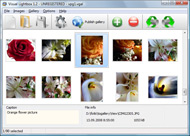
It's no secret that adding photos to your blog posts is one of the most effective ways to enhance your blog and attract attention to your writing. Flickr has millions of photos available in its database. A simple FREE tool called Flickr Gallery allows you to create a custom image gallery with a cool slide show of the most recent and most interesting photos from Flickr on your website or blog in a few easy steps. Just visit Flickr website and find photostream, photoset or a single photo you like. Enter the address of flickr page to add all photos from this page in your gallery, select the style of thumbnails and the overlay window and add the HTML embed code on your website or blog.
A few clicks and you'll see a stylish photo gallery with beautifull lightbox and zoom effects on your own website or blog!


Flickr Gallery for Windows   Flickr Gallery for MAC

Want more?

Example

Lightbox gallery sample

The following image set is generated by Flickr Gallery tool. Click any picture to run Lightbox gallery.

The photo gallery above is an in-page usage demo of Lightbox with images from Flickr. The web gallery created with Flickr Gallery tool is placed inside the website page. You can also check the full-page demo slideshow. This example takes whole browser area to show the slideshow.Tumblr Reblog Flickr

How to Use

Step 1. Adding flickr images to your own gallery.


Locate the photo, photoset or photostream you want to use in your Flickr slideshow. Click on it to see the photo on its own page.

Copy URL of the flickr page.

Select Add images from Flickr... from the 'Add' button on the Toolbar.

Add images from Flickr

In the appeared window paste URL of the flickr page. Specify also the number of photos you want to add from the flickr page. Flickr Gallery will now include these photos in your project.

Add images from Flickr

If you have included the photos that you do not wish to be in your web gallery, you can easily remove them. Select all images that you wish to remove from photo gallery, and select Delete images. from the Images menu. You can pick and choose pictures by holding the CTRL while clicking the pictures you like.

Step 2. Adding caption.

The name of the photo on flickr page will automatically appear in the caption. When you select a photo you'll see the various info about it, such as: Path, Size, date of last change and Caption. You can add any comment or text about the photo (up to 512 symbols).

Step 3. Gallery properties.

Change the name of your flickr album, the size and quality of your pictures with Flickr Gallery. From the Gallery menu, select Properties or use "Edit Gallery Properties" button on the toolbar.

On the first tab of the Gallery Properties window you can change the name of your photo album and enable/disable the following properties: Slide Show, Auto play Slide Show, Zoom effect, Overlay Shadow. You can also set the Overlay shadow color and select the Engine you want to use (jQuery or Prototype + script.aculo.us).

On the second tab of the Gallery Properties window you can select the thumbnail you want to use, set the Thumbnails Resolution, Thumbnails Quality, Thumbnails Titles. Select Thumbnails Format (save in PNG or JPG format). Specify the Number of columns in you photo album and the Page color.

On the third tab of the Gallery Properties window you can select the template, Image resolution and Image quality of your pictures and change the Watermark.

You can set up the various sizes for exported images.

Control the quality of output PNG or JPEG format image by defining output "Image quality" and "Thumbnail quality" parameters (0%…100%).

Step 4. Save your photo gallery as project file.

When you exit Flickr Gallery application, you'll be asked if you want to save your project. The project consists of the pictures you choose to put on your web photo gallery and all your settings. It's a good idea to save the project, because that will allow you to change the project in case you decide to do something different with future galleries. So click Yes, then enter a name for your project. To select the location of your project, just click the Browse folders button and choose a different location. Then click Save.

Flickr Iframe Parameters Flickr Thumbnails Widget

Download Flickr Gallery


Download Flickr Gallery Download Free Edition
for Windows
Download Flickr Gallery Download Free Edition
for MAC

Flickr Gallery is free for non - commercial use.

A small fee is required for business use. Flickr Gallery Business Edition additionally provides an option to remove the Flickr Gallery. Com credit string as well as a feature to put your own logo to images. After you conclude the payment via the secure form, you will receive a license key instantly by e-mail that turns the Flickr Gallery Free Edition into a Business one. You can select the most appropriate payment procedure: PayPal, bank transfer, check, credit card etc. Also you can get Business Edition for free if you help with translating Flickr Gallery into your native language, please contact us at for more info.

Nextgen Add From Flickr

Buy Flickr GalleryBuy Business Edition
for Windows

$49
Single Website
$69
Unlimited Websites
Buy Flickr GalleryBuy Business Edition
for MAC

$49
Single Website
$69
Unlimited Websites

Support

For general help, feature requests, troubleshooting contact Customer Support at . Make sure to include details on your operating system, browser, a link (or relevant code) and Flickr Gallery version.Google Ajax Api Flickr Slideshow Descriptions

Feedback

    * Let me start just congratulating you, good job, really. I am trying out the free version before I buy it. It works great.

    * I'd like to express my gratitude to your efforts on creating such a nice piece of program and best of all it's free! Keep out the good work and I hope to see new features in the near coming future to rate you 5 star!

    * I am thrilled with what this tool can do for me thanks for all the hard work that must have gone into it.Find Html Code Flickr

    * Just bought the business version of Flickr Gallery and I just had to write and say how impressed I am with it. Really easy to use, intuitive interface and generates a truly professional presentation. Seldom have I been so pleased with a software purchase. Thank you.

FAQ

Q:Is it possible to load a gallery from within image? So the gallery loads externally?

A:You should start the gallery onClick:

1) Add the following function into the <head> tag:

<script type="text/javascript">
function showLightBox()
{ Lightbox.start(document.getElementById('firstImage'));}
</script>

2) Specify the onClick event for the image (or link):
<img src="thumbnail_gr.jpg" onClick="javascript:showLightBox()" title="Click to see the demo" style="cursor: pointer;">
3) Set the ID for any image in your gallery (id="firstImage"), for example add it to the first image:
<a rel="lightbox_vlb" href="data/images/dscn6831.jpg" title="dscn6831" id="firstImage">
4) Use 'display: none;' property for your gallery in engine\css\vlightbox.css. Just change the following code:

#vlightbox a{
display:-moz-inline-stack;
display:inline-block;
zoom:1;
*display:inline;
position:relative;
vertical-align:top;
margin:3px;
width:160px;
font-family:Trebuchet,Tahoma,Arial,sans-serif;
font-size:11px;
font-weight:normal;
text-align:center;
opacity:0.87;
}

to:

#vlightbox a{
display:-moz-inline-stack;
display:none;
zoom:1;
*display:inline;
position:relative;
vertical-align:top;
margin:3px;
width:160px;
font-family:Trebuchet,Tahoma,Arial,sans-serif;
font-size:11px;
font-weight:normal;
text-align:center;
opacity:0.87;
}

RELATED

Wickr - The Widget For Flickr - Wickr Wickr is a widget built on the Yahoo! Widget Engine for browsing through photos on Flickr. Ticker: thumbnails scroll across the screen. There are several options to customize the slideshow, plus, the slideshow can be maximized to fullscreen like a screensaver

Nelspin.com | Flickr Photostream Widget for BlogEngine.net Flickr sidebar widget for BlogEngine.net; will display your Flickr photostream or photoset in your BlogEngine sidebar Your username, selected photoset, number of photos and the style of the thumbnail images are easy to configure in the widget's Edit panel

Flickr Widget " Support — WordPress.com Flickr Widget. The Flickr widget makes it easy to show thumbnails of your latest Flickr photos in your sidebar. Your photos must be viewable by the public in order for this feature to work, so be sure to check your Flickr privacy settings before activating this widget

Flickr Thumbnail Photostream Wordpress plugin v1.1 The Flickr Thumbnail Photostream Wordpress plugin makes including and linking to photos on a Flickr account simple and flexible. standard widget control area to insert the widgets. Here are the Wordpress plugins I'm using: Flickr Thumbnail Photostream

Photo Galleries, Portfolios and Presentations Let's examine the Flickr Gallery and other widgets before going on to explore what we The Flickr Search Widget. This widget (located in the "Multimedia" folder) pulls squared thumbnail images from your Flickr account

WordPress " Flickr Thumbnails Widget " WordPress Plugins Flickr Thumbnails Widget. Displays thumbnails from Flickr based on the user/group/tag you Displays thumbnails from Flickr based on the user/group/tag you

Introducing Photo widget, floating thumbnails for your Lots of people have contacted me, asking for a version of my Flickr widget that they could use on their website, without having to use Flickr (or Picasa)

Flickr Widget : Flickr Gallery Flickr Widget. Photo album builder allows you to create and publish rich, interactive web photo galleries for your website!. Web Gallery Using Flickr

The Flickr Widget for WordPress.com - 1 Translation(s) | dotSUB The Flickr widget for WordPress.com lets you put thumbnails of your latest uploads to Flickr into the sidebar of your blog. If you have a Flickr account and want to show thumbnails of your latest pictures in

Using Premium Widgets | Edublogs Help and Support The following 10 Premium Widgets are available on Edublogs Pro and Edublogs Campus only! You need to activate: Widget Pack in Plugins > Installed The Flickr widget makes it easy to show thumbnails of the latest pictures from your Flickr account in your blog sidebar

Blogger Buster: A Simple Flickr Photostream Widget for Blogger This version of the Flickr Photostream is a static widget designed to display thumbnails of your most recent Flickr uploads, and can be added quickly to your Blogger layout using a one-click installer. It's an ideal solution of you prefer a

SubtlyMade " Blog Archive " How to use your Flickr with As you can see, we put two thumbnails for your Flickr images in header. Is there a way to have the two Flickr thumbnails be selected randomly from your photostream, or do they have

Picasa Widgets and Plugins for your Blog | | Blogging Second to Flickr, Google owned Picasa is probably the most used photo-sharing service online. Blogger users in particular make great

Flickr Zoom Badge 1.0 Free Flickr Zoom Badge 1.0 download, Flickr Zoom Badge 1.0 download Author: Morten Høybye Frederiksen This plugin gives you a widget, that will display a random collection of photo thumbnails from a flickr account and/or flickr tag set

flickr | Widgets Lab 1 While Flickr got a pretty awesome slideshow widget. it still lacks a good photo grid or so you can preview the photos before jumping to the flickr photo page

Flickr photo map : powered by WorldReviewer.com Widget Get the Flickr photo map : powered by WorldReviewer.com widget on Widgetbox.com! Add a map of your geotagged flickr photos to your blog!

Flickr Embed Widget | Flickr Slideshow Flickr Embed Widget. Create superior online photo galleries for your Website with jQuery Thickbox Alternative! show flickr set in gallery jquery

Yahoo! Developer Network - Flash Developer Center - Articles We will use the Badge Kit to build a Slideshow Widget that uses the Flickr API to retrieve and display images. Our application needs to load data from flickr so we have to set the necessary permissions in our Widget.xml file

Flickrpress: Wordpress Flickr widget Flickrpress is a widget to display items from Flickr in the sidebar. Supports Flickr RSS, photostream, multiple photosets, favorites, filtering by tag and displaying random photos

Flickr RSS Thumbnails | Free Wordpress Themes Theme Properties: black, fixed width, two columns, right sidebar, threaded comments, widget ready, pagenavi, social bookmarking, valid xhtml, valid css. License: A group Flickr RSS Thumbnails. Flowers. Fluid Width. Food and Drink. Footer Widgets. Fun and Games

GeekTonic: The Ultimate Flickr Tools Hacks and Scripts Database Customize download of flickr photos, create fullscreen slideshow. Flickr Explorer Flickr RSS Widget. Button for website displays thumbnails of latest photos in a Flickr RSS

Flash Flickr Badge Widget for WordPress | American in Spain ATTENTION: I now recommend that you use the Javascript Flickr Badge widget instead. I love the Flickr Flash Badges, but the content of the iframe that you have

WordPress Tutorial – How to Add Flickr Photo Widget to This Intermediate-level WordPress Tutorial shows how to add Flickr Photo Widget to your WordPress blog's sidebar so that you can display thumbnails of your Flickr photos. The Flickr Widget comes with WordPress 2.5+ on the WordPress.com hosting site

Flickr Thumbnails Widget " karrderized Flickr Thumbnails Widget. This widget was originally included with the Squible WordPress Theron Parlin. It displays thumbnails from Flickr based on the user/group/tag you supply

Flickr RSS widget Here's yet another fun way to add some Flickr goodness to your blog or website -- the Flickr RSS widget is an unobtrusive little javascript

