



Overview

It's no secret that adding photos to your blog posts is one of the most effective ways to enhance your blog and attract attention to your writing. Flickr has millions of photos available in its database. A simple FREE tool called Flickr Gallery allows you to create a custom image gallery with a cool slide show of the most recent and most interesting photos from Flickr on your website or blog in a few easy steps. Just visit Flickr website and find photostream, photoset or a single photo you like. Enter the address of flickr page to add all photos from this page in your gallery, select the style of thumbnails and the overlay window and add the HTML embed code on your website or blog.
A few clicks and you'll see a stylish photo gallery with beautifull lightbox and zoom effects on your own website or blog!


Flickr Gallery for Windows   Flickr Gallery for MAC

Want more?

Example

Lightbox gallery sample

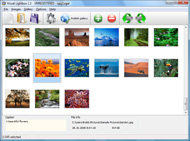
The following image set is generated by Flickr Gallery tool. Click any picture to run Lightbox gallery.

The example above is an in-page usage demo of Lightbox gallery that uses images from Flickr. The website gallery created with Flickr Gallery application is placed inside the html page. You can also check the full-page demo gallery. This example takes whole browser area to show the gallery.Flickr Fotos Para Tumblr

How to Use

Step 1. Adding flickr images to your own gallery.


Locate the photo, photoset or photostream you want to use in your Flickr slideshow. Click on it to see the photo on its own page.

Copy URL of the flickr page.

Select Add images from Flickr... from the 'Add' button on the Toolbar.

Add images from Flickr

In the appeared window paste URL of the flickr page. Specify also the number of photos you want to add from the flickr page. Flickr Gallery will now include these photos in your project.

Add images from Flickr

If you have included the photos that you do not wish to be in your web gallery, you can easily remove them. Select all images that you wish to remove from photo gallery, and select Delete images. from the Images menu. You can pick and choose pictures by holding the CTRL while clicking the pictures you like.

Step 2. Adding caption.

The name of the photo on flickr page will automatically appear in the caption. When you select a photo you'll see the various info about it, such as: Path, Size, date of last change and Caption. You can add any comment or text about the photo (up to 512 symbols).

Step 3. Gallery properties.

Change the name of your flickr album, the size and quality of your pictures with Flickr Gallery. From the Gallery menu, select Properties or use "Edit Gallery Properties" button on the toolbar.

On the first tab of the Gallery Properties window you can change the name of your photo album and enable/disable the following properties: Slide Show, Auto play Slide Show, Zoom effect, Overlay Shadow. You can also set the Overlay shadow color and select the Engine you want to use (jQuery or Prototype + script.aculo.us).

On the second tab of the Gallery Properties window you can select the thumbnail you want to use, set the Thumbnails Resolution, Thumbnails Quality, Thumbnails Titles. Select Thumbnails Format (save in PNG or JPG format). Specify the Number of columns in you photo album and the Page color.

On the third tab of the Gallery Properties window you can select the template, Image resolution and Image quality of your pictures and change the Watermark.

You can set up the various sizes for exported images.

Control the quality of output PNG or JPEG format image by defining output "Image quality" and "Thumbnail quality" parameters (0%…100%).

Step 4. Save your photo gallery as project file.

When you exit Flickr Gallery application, you'll be asked if you want to save your project. The project consists of the pictures you choose to put on your web photo gallery and all your settings. It's a good idea to save the project, because that will allow you to change the project in case you decide to do something different with future galleries. So click Yes, then enter a name for your project. To select the location of your project, just click the Browse folders button and choose a different location. Then click Save.

Flickr Slide Show Params Photo Gallery Like Flickr

Download Flickr Gallery


Download Flickr Gallery Download Free Edition
for Windows
Download Flickr Gallery Download Free Edition
for MAC

Flickr Gallery is free for non - commercial use.

A small fee is required for business use. Flickr Gallery Business Edition additionally provides an option to remove the Flickr Gallery. Com credit line as well as a feature to put your own logo to images. After you conclude the payment via the secure order form, you will receive a license key instantly by e-mail that turns the Flickr Gallery Free Edition into a Business one. You can select the most suitable payment mode: bank transfer, check, credit card, PayPal etc. Also you can get Business Edition for free if you help with translating Flickr Gallery into your native language, please contact us at for more info.

Get Noticed Flickr

Buy Flickr GalleryBuy Business Edition
for Windows

$49
Single Website
$69
Unlimited Websites
Buy Flickr GalleryBuy Business Edition
for MAC

$49
Single Website
$69
Unlimited Websites

Support

For troubleshooting, feature requests and general help contact Customer Support at . Make sure to include details on your operating system, browser, a link (or relevant code) and Flickr Gallery version.Examples Of Flickr Slideshow

Feedback

    * I have just bought this product and think it is great. As it is extremely easy to use it is something I could get my clients to purchase to upload their own portfolio and latest projects etc.

    * I would like to say that Flickr Gallery is a stunning lil program! Its almost too good to be true i'd say! I've been looking for tutorials to create a lightbox gallery, but just couldnt come right. Im so glad i found Flickr Gallery!

    * Another programmes have incredible functionality but no fantastic interface like your product!Flash Actionscript Flickr Slideshow

    * I downloaded your trial version to see if I could get it to work with my website, and I am almost there (I have been looking for something like this for ages)..

FAQ

Q:I would like to have a few galleries in one website and even on one page.

A:To create several galleries on your page you should change following parameter in A tag for different galleries:

rel="lightbox_vlb"

For example, for the first gallery you should set rel="lightbox_vlb":

<!-- Start Flickr Gallery.com BODY section -->
<div id="vlightbox">
<a rel="lightbox_vlb" href="data/images/dscn6831.jpg" title="dscn6831" >
<img src="data/thumbnails/dscn6831.png" ><span></span></a>
<a rel="lightbox_vlb" href="data/images/dscn6823.jpg" title="dscn6823">
<img src="data/thumbnails/dscn6823.png"><span></span></a>
<a id="vlb" href="http://Flickr Gallery.com">Photo Gallery For Web by Flickr Gallery.com v2.0</a>
</div>
<!-- End Flickr Gallery.com BODY section -->

and for the second gallery rel="lightbox_vlb1":

<!-- Start Flickr Gallery.com BODY section -->
<div id="vlightbox">
<a rel="lightbox_vlb1" href="data/images/img_0501.jpg" title="img_0501">
<img src="data/thumbnails/img_0501.png"><span></span></a>
<a rel="lightbox_vlb1" href="data/images/img_0481.jpg" title="img_0481">
<img src="data/thumbnails/img_0481.png"><span></span></a>
<a id="vlb" href="http://Flickr Gallery.com">Photo Gallery For Web by Flickr Gallery.com v2.0</a>
</div>
<!-- End Flickr Gallery.com BODY section -->


RELATED

Photo Galleries, Portfolios and Presentations Photo Galleries, Portfolios and Presentations. There are three primary ways in which you can include photographs on your Yola website. You can use the Flickr Search, Slide or SmugMug widgets from our library. Try our no-fuss Flickr Gallery widget to quickly add a dynamic photo gallery

Granted | Travelr – free photo gallery for Flickr Travelr is a free photo gallery viewer that you can put on your own site. Travelr lets you display your Flickr photos geographically on a world map. It takes the hassle out of supplying geographic coordinates by only requiring them once for each location – not for each photo

Flickr Flogr is an open source PHP application that can display photos hosted on Flickr as a customizable gallery. It can be set to display all Flickr photos, only photos with certain tags or only certain photosets. The application can show photo details,

Flickr And Paypal - Flash Photo Gallery Flickr And Paypal. Create superior online flash photo galleries for your Website with Flash Photo Gallery!. Flash Builder Html File Not Found

So You Need A Photo Gallery Website? | Tutorial Blog Using something like a pure Flash gallery might not be as accessible as you'd like for If you use a Mac and already use something like Apple's iPhoto to import and organize your photos, their MobileMe service makes it about the easiest thing in the world to create publically viewable photo galleries

Adding a Flickr Photo Gallery to Your Website department photo gallery if you prefer. When you successfully complete the sign up process, you should see a home page. something like the one in the illustration below. Customize Your Flickr URL. Flickr provides an option for creating a custom URL that will be easier for your visitors

Elephant Nature Foundation: Photo Gallery Click on an image to view it at Flickr.com, where you can learn more about the photo. Would you like your own photos to be added to this gallery?

Wordpress Plugins for Photo Galleries - Photoblogging Part II I was a little shocked because this site really looked like a photo gallery / directory. Flickr Mini Gallery. Mini flickr gallery is a easy way to embed super flexible galeries

New Windows Live Photo Gallery Includes Flickr Uploader Microsoft just launched Windows Live Photo Gallery Beta 2, and just like the previous version it is available for both Windows XP SP2 and Vista. In order to get the update you must have the first Beta already installed, and then you must perform

Flickr Flickr is almost certainly the best online photo management and sharing application in the world. Show off your favorite photos and videos to the world, securely and privately show content to your friends and family, or blog the photos and videos

Welcome To Flickr Photo Sharing : Flickr Gallery Welcome To Flickr Photo Sharing. Create excellent website photo galleries with minimum effort! Just visit Flickr website and find photostream, photoset or a single photo you like

Create and Skin a Photo Gallery with Flickr, Flex and In this Flex tutorial we will show you how to create a simple Flex photo gallery that uses the Flickr Feeds to obtain the photos. You will also learn how to use custom skins, HTTPRequest's and custom components

jQuery Flickr Photo Gallery jQuery Flickr Photo Gallery Plug-In - Powered by Flickr Sets Simply link the CSS and JS files in your tag as you would normally. Make sure to leave all of the files in the directory. If you feel stuck just take a look at the example that comes with the download. Hope you like it!

phpFlickr " Using the Cloud Consumers have such high expectations with existing photo services, if your solution fails on one bulk photo upload, the user will deem the system buggy and will lose confidence in your work, unaware of the massive programming and server capacity that goes into services like Flickr.com

Flickr Photo Gallery Get a free Flickr photo gallery and promote your website. You can join group's already established like wildflower photography, skiing photo's, Lake Tahoe or what ever your into, there are thousands of groups at Flickr or create your own niche and start a new group of your own that

FotoViewr – Free 3D Photo Galleries for Flickr and Facebook Absolutely Free to use. You don't need to know any HTML or Flash. Just get started, choose from 6 different 3D gallery types and build your gallery

7 Superb Wordpress Photo Gallery Plugins I'd like to take the time now to share with you some of my favorite WordPress Photo Gallery Plugins – along with some of the most popular plugins 1. Flickr Photo Album - This WordPress Photo Gallery plugin is my all time favorite, as it allows for the integration of your Flickr photos into

Flickr style photo gallery demo in jQuery Description: This tutorial I'll explain a simple step-by-step way to implement an Flickr style photo gallery demo in Jquery and CSS. The result is

Dotnetnuke modules_Silverlight Photo Gallery(Flickr & Picasa This is a Ready-to-Use-and-Deploy Silverlight Gallery module for dotnetnuke. It utilizes the slide.show control advantages to let you publishing highly-customizable photo slideshows like 1: Customize Gallery 2: Simple Slideshow 3: Flickr

WordPress photo gallery Plugin - Flickr | Wordpress4Dummies This Flickr plugin for WordPress will allow you to pull in your Flickr photosets and display them as albums on your WordPress site. There is a pretty simple

Still Not Perfect " Blog Archive " Flickr Gallery 0.7 Support for Flickr "notes" feature – just this plugin uses all CSS and Javascript instead of Flash (the plugin's output looks like this) Flickr Photo Gallery. Like many out in the blogosphere, I was an early convert to Flickr, particularly when I discovered how easy it was to post

How to Create a Photo Gallery using the Flickr API | Nettuts+ Flickr is, without doubt, the biggest and best photography website on the internet. There are lots of widgets, badges and plugins which allow you to display

Build a Photo Gallery Using CakePHP and Flickr " SitePoint Is the Flickr interface doing justice to your stunning snaps? It's time to consider customization! Jonathan shows us the ropes in his hands-on tutorial, as he uses CakePHP and the Flickr API to build an attractive, fully customized gallery that

Photo Gallery Scripts like Flickr - Script Mimic Photo Gallery Scripts like Flickr. Flickr is a digital photo sharing website and web services suite. It was developed by Ludicorp, a Vancouver, Canada company founded in 2002. In March 2005, both Flickr and Ludicorp were bought by Yahoo!

Silverlight Photo Gallery 5.8 (Flickr & Picasa & SmugMug Silverlight Photo Gallery 5.8 (Flickr & Picasa & SmugMug support) by xiao qi - DotNetNuke 5 Modules - Snowcovered.com - A Ready-to-Use-and-Deploy Silverlight photo gallery module which lets you publishing highly-customizable photo galleries like

Windows Live Photo Gallery 2011 Learn how to use Windows Live Photo Gallery to edit, organize, and share photos and videos. Save time by publishing photos and videos directly from Photo Gallery to your favorite social networking sites like SkyDrive, Flickr, Facebook, and YouTube. Find the photos you're looking for

Windows Vista Photo Gallery and Windows Live Photo Gallery Windows Photo Gallery is part of the default Windows Vista installation while Windows Live Photo Gallery has to be installed separately via Windows Live. Live Photo Gallery is more useful since it lets you upload pictures to Flickr and videos to MSN soapbox, a YouTube like website owned by Microsoft

How to add a Flickr-based photo gallery to your website With the growing popularity of using Flickr to manage photos, more and more people are looking for an easy way to display these photos on their website. After some playing around, I've settled with the phpFlickr and Lightbox combination to nicely display photo galleries on a website

