
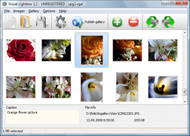



Overview

It's no secret that adding photos to your blog posts is one of the most effective ways to enhance your blog and attract attention to your writing. Flickr has millions of photos available in its database. A simple FREE tool called Flickr Gallery allows you to create a custom image gallery with a cool slide show of the most recent and most interesting photos from Flickr on your website or blog in a few easy steps. Just visit Flickr website and find photostream, photoset or a single photo you like. Enter the address of flickr page to add all photos from this page in your gallery, select the style of thumbnails and the overlay window and add the HTML embed code on your website or blog.
A few clicks and you'll see a stylish photo gallery with beautifull lightbox and zoom effects on your own website or blog!


Flickr Gallery for Windows   Flickr Gallery for MAC

Want more?

Example

Lightbox gallery sample

The following image set is generated by Flickr Gallery tool. Click any picture to run Lightbox gallery.

The photo gallery above is an in-page usage demo of Lightbox script with Flickr images. The lightbox gallery created with Flickr Gallery software is placed inside the website page. You can also check the full-page demo slideshow. This example takes whole browser area to show the Lightbox gallery that uses images from Flickr.How To Change Flickr Web Address

How to Use

Step 1. Adding flickr images to your own gallery.


Locate the photo, photoset or photostream you want to use in your Flickr slideshow. Click on it to see the photo on its own page.

Copy URL of the flickr page.

Select Add images from Flickr... from the 'Add' button on the Toolbar.

Add images from Flickr

In the appeared window paste URL of the flickr page. Specify also the number of photos you want to add from the flickr page. Flickr Gallery will now include these photos in your project.

Add images from Flickr

If you have included the photos that you do not wish to be in your web gallery, you can easily remove them. Select all images that you wish to remove from photo gallery, and select Delete images. from the Images menu. You can pick and choose pictures by holding the CTRL while clicking the pictures you like.

Step 2. Adding caption.

The name of the photo on flickr page will automatically appear in the caption. When you select a photo you'll see the various info about it, such as: Path, Size, date of last change and Caption. You can add any comment or text about the photo (up to 512 symbols).

Step 3. Gallery properties.

Change the name of your flickr album, the size and quality of your pictures with Flickr Gallery. From the Gallery menu, select Properties or use "Edit Gallery Properties" button on the toolbar.

On the first tab of the Gallery Properties window you can change the name of your photo album and enable/disable the following properties: Slide Show, Auto play Slide Show, Zoom effect, Overlay Shadow. You can also set the Overlay shadow color and select the Engine you want to use (jQuery or Prototype + script.aculo.us).

On the second tab of the Gallery Properties window you can select the thumbnail you want to use, set the Thumbnails Resolution, Thumbnails Quality, Thumbnails Titles. Select Thumbnails Format (save in PNG or JPG format). Specify the Number of columns in you photo album and the Page color.

On the third tab of the Gallery Properties window you can select the template, Image resolution and Image quality of your pictures and change the Watermark.

You can set up the various sizes for exported images.

Control the quality of output PNG or JPEG format image by defining output "Image quality" and "Thumbnail quality" parameters (0%…100%).

Step 4. Save your photo gallery as project file.

When you exit Flickr Gallery application, you'll be asked if you want to save your project. The project consists of the pictures you choose to put on your web photo gallery and all your settings. It's a good idea to save the project, because that will allow you to change the project in case you decide to do something different with future galleries. So click Yes, then enter a name for your project. To select the location of your project, just click the Browse folders button and choose a different location. Then click Save.

Integrated Flickr Api On My Page Simple Flickr Gallery

Download Flickr Gallery


Download Flickr Gallery Download Free Edition
for Windows
Download Flickr Gallery Download Free Edition
for MAC

Flickr Gallery is free for non - commercial use.

A small fee is required for business use. Flickr Gallery Business Edition additionally provides an option to remove the Flickr Gallery. Com credit string as well as a feature to put your own logo to images. After you finish the payment via the secure form, you will receive a license key instantly by e-mail that turns the Flickr Gallery Free Edition into a Business one. You can select the most suitable payment method: credit card, PayPal, check, bank transfer etc. Also you can get Business Edition for free if you help with translating Flickr Gallery into your native language, please contact us at for more info.

Galleries Using Flickr

Buy Flickr GalleryBuy Business Edition
for Windows

$49
Single Website
$69
Unlimited Websites
Buy Flickr GalleryBuy Business Edition
for MAC

$49
Single Website
$69
Unlimited Websites

Support

For general help, troubleshooting and feature requests contact Customer Support at . Make sure to include details on your Flickr Gallery version, a link (or relevant code), operating system and a browser.Flickr Php Alternative

Feedback

    * I have just bought this product and think it is great. As it is extremely easy to use it is something I could get my clients to purchase to upload their own portfolio and latest projects etc.

    * First of all, your product is fantasitc. I looked at the others and your code generator app was insanely easy to use.

    * This looks like EXACTLY what I need for my site. It would make my job much faster! Love your program. Thank you!!Flickr Lightbox Gallery App

    * I am thrilled with what this tool can do for me thanks for all the hard work that must have gone into it.

FAQ

Q:I purchased your business license today but I don't see any way to update so the watermark is either missing or replace with mine.What do I do?

A:Free edition of Flickr Gallery doesn't allow you to remove our watermark.

Register your Flickr Gallery application at first. Use reg. key from the license message you received after the purchase. After the registration you can remove watermarks.

Open Gallery->Properties->Templates: Watermark. Click to disable this option or use your own watermark.


RELATED

Still Not Perfect " Blog Archive " Flickr Gallery 0.7 And much better than installing something like Gallery (which in my opinion bloated and overkill in many situations). Flickr buys my clients simple photo management without the hassle. D. Goodmanson Says: January 9th, 2005 at 1/9/2005 10:33 am. Who knows how long flickr will store pics free

Flickr Gallery Vista download - Add Flickr Slideshow on your Flickr Gallery Vista download - Add Flickr Slideshow on your website! - Best Free Vista Downloads - Free Vista software download - freeware, shareware and trialware downloads

Mod Flickr - Joomla! Extensions Directory A simple module for showing flickr galleries with mootools slimbox Impossible to show several galleries of a file, neither several galleries, nor the complete gallery

Flickr Gallery for Mac OS - DownloadNew.biz The Flickr Gallery for Mac OS A simple FREE Mac tool called Flickr Gallery allows you to embed a custom image gallery, or a cool slideshow with beautiful lightbox and zoom effects of the most interesting photos from Flickr.com on your website

Flickr Gallery Plus! - Robert's talk One of the most popular photo sharing web sites on the web is Flickr, and it does indeed have some very nice features. Their set/gallery view, however, is in my

Influential Marketing Blog: Nikon Uses Flickr to Launch the Each thumbnail photo leads back to the Flickr gallery with all photos tagged with the term "nikonstunninggallery." The call to action from the site is simple upload your photos onto Flickr and tag them to be part of the Nikon Stunning Gallery

How to Create a Photo Gallery using the Flickr API | Nettuts+ Flickr is, without doubt, the biggest and best photography website on the internet. There are lots of widgets, badges and plugins which allow you to display

How to add a Flickr-based photo gallery to your website PhpFlickr is a class written by Dan Coulter to act as a wrapper to Flickr's API, and lightbox is a very simple and elegant way to display photos on a page. This tutorial will teach you how to quickly setup a photo gallery with phpflickr and lightbox on your own website. So what do you need?

Flash - Grid Gallery with CMS - ActiveDen With this Gallery we offer you a solution which is ready to go in just a few minutes after installation. Our motto is to make it smooth, clean and elegant. Keep it simple but give the most flexibi

Simple Flickr Gallery | PHP Image Galleries Simple Flickr Gallery. PHP Image Galleries from Hot Scripts. Easily configurable and changeable appearance/interface by little css modifications

Browser add-on makes Flickr's galleries faster | Webware - CNET Make Flickr's gallery view better with this simple extension for Firefox that lets you flip through photos quickly by pre-fetching them in the background. Read this blog post by Josh Lowensohn on Webware

Customize Flickr Gallery using CSS – Slickr Flickr Wordpress A Flickr Wordpress Plugin that's easy to change the sizes, fonts and colors of your Flickr Gallery using a few simple lines of CSS

Build a Photo Gallery Using CakePHP and Flickr " SitePoint Is the Flickr interface doing justice to your stunning snaps? It's time to consider customization! Jonathan shows us the ropes in his hands-on tutorial, as he uses CakePHP and the Flickr API to build an attractive, fully customized gallery that

Freeware Downloads : flickr gallery files and get flickr Flickr gallery Freeware downloads : Photo! 3D Screensaver, Cooliris (formerly PicLens), Fotofox, Visual LightBox, JetPhoto Studio, Flickr Gallery, Flickr Gallery for Mac OS, Ajax Photo Gallery, Generate Thumbnail, Ajax Photo Album, JavaScript

Flickrshow – A very simple Javascript slideshow for Flickr Flickrshow - A very simple Javascript slideshow for Flickr Displaying a gallery – An example of using the slideshow and Flickr API to display a user-curated gallery

Flickr: simple rik's Photostream Flickr is almost certainly the best online photo management and sharing application in the world. Show off your favorite photos and videos to the world, securely and privately show content to your friends and family, or blog the photos and videos

Silverlight Photo Gallery 5.7 (Flickr & Picasa & SmugMug Silverlight Photo Gallery 5.7 (Flickr & Picasa & SmugMug support) by xiao qi - DotNetNuke 5 Modules - Snowcovered.com - A Ready-to-Use-and-Deploy Silverlight photo gallery module which lets you publishing highly-customizable photo galleries like

Download Flickr Gallery 4.7 Free - Add Flickr Slideshow on Flickr Gallery Publisher's Description. Adding photos to your blog posts is one of the most effective ways to enhance your blog and attract attention to your writing. A simple FREE tool called Flickr Gallery allows you to create a custom image gallery with a cool slide show

FlickrHelpr - Show your flickr photos on your website FlickrHelpr is the super simple way to put your flickr photos on your website. gallery that displays all of your photosets. It uses the flickr API, so it automatically updates whenever you update your flickr

Simple Flickr Slideshow | Flickr Slideshow Simple Flickr Slideshow. How to make photo gallery for web site in minutes with jQuery Thickbox Alternative. flickrgallery auto

Using the Flickr Gallery | AreaVoices.com Support Using the Flickr Gallery. Using the code. I can create a gallery of all my photos. Because I'm using the simple flickr-gallery shortcode the gallery also has tabs for my photostream or sets depending on what I've defined in my Flickr Gallery settings (in the dashboard, under Settings)

TiltViewer Flickr Gallery Spectacular image galleries made simple. SimpleViewer is the home of the SimpleViewer family of image galleries - professional quality, fully customizable Flash image galleries. Download your free Flash image gallery here

Flickr Slideshow : Flickr Gallery Flickr Slideshow. Don't allow your website visitors to get lost! Try Flickr Slide Show!. Linking To Pictures On Flickr Tumblr A simple FREE tool called Flickr Gallery allows you to create a custom image gallery with a cool slide show of the most recent and most interesting photos from Flickr on

Dotnetnuke Modules_Silverlight Photo Gallery Demo_Simple This is a Ready-to-Use-and-Deploy Silverlight Gallery module for dotnetnuke. It mainly based from the famous open source project - Slide.Show. It utilizes the slide.show control advantages to let you publishing highly-customizable photo

WordPress " SimpleFlickr " WordPress Plugins This is a plugin for WordPress that allows you to embed a flickr integrated simpleviewer into your WordPress site. to specific a path to a standard SimpleViewer XML configuration file to display images from a local gallery

Flickr Gallery Browser Flickr Gallery Browser Note before using this mod you'll need to obtain a Flickr API key from http://www.flickr.com/services/api/key.gne. When installed this mod places a Flickr Gallery menu item on the default forum theme

Simple Flickr Gallery Documentation "Simple Flickr Gallery" Documentation by Mehmet Fatih YILDIZ v1.0 " Feel free to ask me something about this application. Table of Contents. About. Features

