
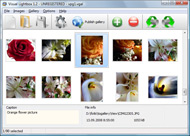



Overview

It's no secret that adding photos to your blog posts is one of the most effective ways to enhance your blog and attract attention to your writing. Flickr has millions of photos available in its database. A simple FREE tool called Flickr Gallery allows you to create a custom image gallery with a cool slide show of the most recent and most interesting photos from Flickr on your website or blog in a few easy steps. Just visit Flickr website and find photostream, photoset or a single photo you like. Enter the address of flickr page to add all photos from this page in your gallery, select the style of thumbnails and the overlay window and add the HTML embed code on your website or blog.
A few clicks and you'll see a stylish photo gallery with beautifull lightbox and zoom effects on your own website or blog!


Flickr Gallery for Windows   Flickr Gallery for MAC

Want more?

Example

Lightbox gallery sample

The following image set is generated by Flickr Gallery tool. Click any picture to run Lightbox gallery.

The example above is an in-page usage demo of Lightbox script with Flickr images. The lightbox gallery created with Flickr Gallery application is placed inside the page layout. You can also check the full-page demo gallery. This example takes whole browser area to show the website gallery.Custom Flickr Url Yahoo

How to Use

Step 1. Adding flickr images to your own gallery.


Locate the photo, photoset or photostream you want to use in your Flickr slideshow. Click on it to see the photo on its own page.

Copy URL of the flickr page.

Select Add images from Flickr... from the 'Add' button on the Toolbar.

Add images from Flickr

In the appeared window paste URL of the flickr page. Specify also the number of photos you want to add from the flickr page. Flickr Gallery will now include these photos in your project.

Add images from Flickr

If you have included the photos that you do not wish to be in your web gallery, you can easily remove them. Select all images that you wish to remove from photo gallery, and select Delete images. from the Images menu. You can pick and choose pictures by holding the CTRL while clicking the pictures you like.

Step 2. Adding caption.

The name of the photo on flickr page will automatically appear in the caption. When you select a photo you'll see the various info about it, such as: Path, Size, date of last change and Caption. You can add any comment or text about the photo (up to 512 symbols).

Step 3. Gallery properties.

Change the name of your flickr album, the size and quality of your pictures with Flickr Gallery. From the Gallery menu, select Properties or use "Edit Gallery Properties" button on the toolbar.

On the first tab of the Gallery Properties window you can change the name of your photo album and enable/disable the following properties: Slide Show, Auto play Slide Show, Zoom effect, Overlay Shadow. You can also set the Overlay shadow color and select the Engine you want to use (jQuery or Prototype + script.aculo.us).

On the second tab of the Gallery Properties window you can select the thumbnail you want to use, set the Thumbnails Resolution, Thumbnails Quality, Thumbnails Titles. Select Thumbnails Format (save in PNG or JPG format). Specify the Number of columns in you photo album and the Page color.

On the third tab of the Gallery Properties window you can select the template, Image resolution and Image quality of your pictures and change the Watermark.

You can set up the various sizes for exported images.

Control the quality of output PNG or JPEG format image by defining output "Image quality" and "Thumbnail quality" parameters (0%…100%).

Step 4. Save your photo gallery as project file.

When you exit Flickr Gallery application, you'll be asked if you want to save your project. The project consists of the pictures you choose to put on your web photo gallery and all your settings. It's a good idea to save the project, because that will allow you to change the project in case you decide to do something different with future galleries. So click Yes, then enter a name for your project. To select the location of your project, just click the Browse folders button and choose a different location. Then click Save.

How To Block Someone From Flickr Customize Flickr Background

Download Flickr Gallery


Download Flickr Gallery Download Free Edition
for Windows
Download Flickr Gallery Download Free Edition
for MAC

Flickr Gallery is free for non-commercial use.

A small fee is required for business use. Flickr Gallery Business Edition additionally provides an option to remove the Flickr Gallery. Com credit string as well as a feature to put your own logo to images. After you finish the payment via the secure order form, you will receive a license key instantly by email that turns the Flickr Gallery Free Edition into a Business one. You can select the most appropriate payment mode: bank transfer, credit card, PayPal, check etc. Also you can get Business Edition for free if you help with translating Flickr Gallery into your native language, please contact us at for more info.

Very Similar To Flickr

Buy Flickr GalleryBuy Business Edition
for Windows

$49
Single Website
$69
Unlimited Websites
Buy Flickr GalleryBuy Business Edition
for MAC

$49
Single Website
$69
Unlimited Websites

Support

For general help, troubleshooting and feature requests contact Customer Support at . Make sure to include details on your browser, operating system, a link (or relevant code) and Flickr Gallery version.Allow Tagging On Flickr

Feedback

    * I tried Flickr Gallery and for me its a very cool and usefull application. Its so easy to manage my galleries and it looks very nice.

    * I LOVE your free Lightbox2 software tool and will purchase the business version shortly. I have seen the Lightbox JS effect used with video tutorials and I was hoping you have a version for video that I can purchase.
Video LightBox: http://videolightbox.com

    * Another programmes have incredible functionality but no fantastic interface like your product!Cool Flickr Slideshow

    * I find Flickr Gallery (and lightbox2) a great tool and was about to proceed in its purchase.

FAQ

Q:I purchased your business license today but I don't see any way to update so the watermark is either missing or replace with mine.What do I do?

A:Free edition of Flickr Gallery doesn't allow you to remove our watermark.

Register your Flickr Gallery application at first. Use reg. key from the license message you received after the purchase. After the registration you can remove watermarks.

Open Gallery->Properties->Templates: Watermark. Click to disable this option or use your own watermark.


RELATED

Flickr Wallpaper Rotator - Download Flickr Wallpaper Rotator, free download. Flickr Wallpaper Rotator 1.1: Use Flickr pictures as desktop background and rotate them automatically

Fully Customize Your Windows Desktop Background With SE SE-DesktopConstructor is a dynamic tool that can be used to completely customize your desktop background. It allows you to automatically change desktop wallpapers after a

Google Turns Their Homepage into a Picture Frame Visit the Google homepage, and you should see a "Change background image" link on the bottom left hand corner of the page. If you Photo Blogging, – The Photoletariat [ ] You can now customize your Google background with an image of your own var

How to customize your YouTube channel - 17 FREE backgrounds When I first saw Barack Obama's YouTube Channel, I assumed he had hired some expensive web programmer to make it look so stylish. After doing a bit of snooping, I discovered that all it takes is one big background image - no programming necessary

Customize background of Folders in Windows XP Ever thought of having customized background of folders in Windows XP? Though Windows 98 has inbuilt functionality to customize folder background but this

Customize Flickr Slideshow : Flickr Gallery Customize Flickr Slideshow. Flickr Gallery is a versatile, ready-made solution that allows professional and amateur web developers to Make superior html photo gallery for their web sites and web applications.. Flickr Api Auto

Download WP Flickr Background 1.1.1 - This WordPress plugin WP Flickr Background This WordPress plugin allows users to display a random photo from Flickr or another source as the website's main background

Using and Creating Themes: Using Images as Backgrounds | My In the Customize Theme panel, select the area of the page where you want to change the background, that is, either the page header or the page color as the background. Now you have two options for finding an image to use—your local computer or Flickr

Make Your Own Myspace Layout | BackgroundStation.com Same simple steps on How to Make Your Own Myspace Layout - pick a theme, create a background by uploading a photo or choosing one from flickr, yahoo, and google, then tweak it - you can tile the picture, resize it, and change the transparency. Create Your Own Myspace Layout in minutes!

Create your own slideFlickr! SlideFlickr is an online Flickr slideshow generator that will help you create and embed Flickr slideshows in less than 10 seconds! Customize slideshow text messages ( UTF8 support, all languages) Select custom background color or enter a custom background image url (.jpg only)

Download 1.1.1 WP Flickr Background script - DownloadRoute Using the plugin's interface only, the user won't be needed to edit the theme's code.WP Flickr Background script download

Design & create customized Twitter backgrounds Besides the Tweets / messages, a unique background on your Twitter account can make your Twitter profile standout. There are number ways to design and customize There are number ways to design and customize Twitter background for that unique look like using latest Flickr photos as Twitter

Download homepagle 1.3 Free - Firefox add-on that enables you homepagle Firefox add-on that enables you to change the background of popular services such as Google,YouTube of Flickr

HOW TO: Customize Your Background for the New Twitter Has the new Twitter layout made a mess of your perfect profile background? Check out these resources and tips for redesigning

How to customize your computer background For many knowledge workers the background image on our computer desktop is something we return to many times each day. The stock patterns and nature photos that come with your computer are nice, but one of the easiest ways to advertise to

WP Flickr Background Plugin For Wordpress Hi, This plugin allows to display a photo from Flickr as the theme background without modification requirement in any file of the blog. You just need to create one or more galleries within the help of this plugin, each containing a collection of

Customize Windows 7/Vista/XP Logon Screen Background Using But I tried Windows Vista's version on Windows 7 and without any issues it allowed me to customize the backgrounds. Desktop Background To Black Image. Windows 7 Release Candidate To Be Available By May 2009. Automate Your Desktop Wallpaper Switching With Latest Flickr Photos. Solution

Can't Set Flickr Photo as Desktop Background, Larger Sizes Can't Set Flickr Photo as Desktop Background, Larger Sizes Unavailable Install the "Flickr remove spaceball" Firefox user script, and you'll be able to go back and set the photo as your desktop background

Customize Flickr Gallery using CSS – Slickr Flickr Wordpress A Flickr Wordpress Plugin that's easy to change the sizes, fonts and colors of your Flickr Gallery using a few simple lines of CSS

How to customize your Sidekick 3 background | Jon Holato How to customize your Sidekick 3 background. by Jon Holato on September 18th, 2006. Here is about how to customize your Sidekick 3 background in 10 easy steps,

You can customize the map background color | Flickr - Photo The default World Glass map tileset is transparent white, so it is important to use a background color that will let the tiles show up clearly. Details at developmentseed.org/blog/2010/oct/07/customizing-design-y

Customize Your Background for the New Twitter | Ian Scott Last month, Twitter unveiled a total site redesign. The new Twitter homepage is robust, more like a stand-alone application, and offers support for multimedia,

Customize Thesis: Add Flickr Sidebar Photos This tutorial is for those lucky users who run their sites on WordPress using the Chris Pearson's Thesis theme. If you haven't learned about thesis take a few minutes to visit our review of the thesis WordPress theme. How do

Mashable!: HOW TO: Customize Your Background for the New The Better Profiles Series is supported by Gillette. Learn more about Gillette and its products at Gillette.com.Last month, Twitter unveiled a total site redesign. The new Twitter homepage is robust, more like a stand-alone application, and

How to customize your myspace profile? [[How to customize your myspace profile] How do you add a personalized background image from flickr ? How do you add a personalized background image from flickr ? Tip for best answer: M$1.00

How to Customize Twitter Backgrounds & Design Thinks about the times that you spend at twitter.. We also trying to represent ourselves at our twitter accounts. I think every twitter user deserves more custom Backgrounds and Design at those sleepless hours. This

[onkala] explore. display. share | flickr + photos + videos explore, display and share flickr photos and videos. customize. contact. about. enter a flickr url above and click to get started or to configure how the photos + videos are displayed (e.g., colors, border, background) and to combine them with your choice of youtube or shoutcast music

