




Overview

It's no secret that adding photos to your blog posts is one of the most effective ways to enhance your blog and attract attention to your writing. Flickr has millions of photos available in its database. A simple FREE tool called Flickr Gallery allows you to create a custom image gallery with a cool slide show of the most recent and most interesting photos from Flickr on your website or blog in a few easy steps. Just visit Flickr website and find photostream, photoset or a single photo you like. Enter the address of flickr page to add all photos from this page in your gallery, select the style of thumbnails and the overlay window and add the HTML embed code on your website or blog.
A few clicks and you'll see a stylish photo gallery with beautifull lightbox and zoom effects on your own website or blog!


Flickr Gallery for Windows   Flickr Gallery for MAC

Want more?

Example

Lightbox gallery sample

The following image set is generated by Flickr Gallery tool. Click any picture to run Lightbox gallery.

The sample above is an in-page usage demo of Lightbox tool with Flickr images. The lightbox gallery created with Flickr Gallery wizard is placed inside the website page. You can also check the full-page demo web gallery. This example takes whole browser area to show the gallery.Flickr Slideshow To Repeat

How to Use

Step 1. Adding flickr images to your own gallery.


Locate the photo, photoset or photostream you want to use in your Flickr slideshow. Click on it to see the photo on its own page.

Copy URL of the flickr page.

Select Add images from Flickr... from the 'Add' button on the Toolbar.

Add images from Flickr

In the appeared window paste URL of the flickr page. Specify also the number of photos you want to add from the flickr page. Flickr Gallery will now include these photos in your project.

Add images from Flickr

If you have included the photos that you do not wish to be in your web gallery, you can easily remove them. Select all images that you wish to remove from photo gallery, and select Delete images. from the Images menu. You can pick and choose pictures by holding the CTRL while clicking the pictures you like.

Step 2. Adding caption.

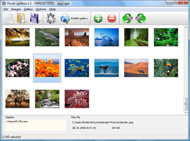
The name of the photo on flickr page will automatically appear in the caption. When you select a photo you'll see the various info about it, such as: Path, Size, date of last change and Caption. You can add any comment or text about the photo (up to 512 symbols).

Step 3. Gallery properties.

Change the name of your flickr album, the size and quality of your pictures with Flickr Gallery. From the Gallery menu, select Properties or use "Edit Gallery Properties" button on the toolbar.

On the first tab of the Gallery Properties window you can change the name of your photo album and enable/disable the following properties: Slide Show, Auto play Slide Show, Zoom effect, Overlay Shadow. You can also set the Overlay shadow color and select the Engine you want to use (jQuery or Prototype + script.aculo.us).

On the second tab of the Gallery Properties window you can select the thumbnail you want to use, set the Thumbnails Resolution, Thumbnails Quality, Thumbnails Titles. Select Thumbnails Format (save in PNG or JPG format). Specify the Number of columns in you photo album and the Page color.

On the third tab of the Gallery Properties window you can select the template, Image resolution and Image quality of your pictures and change the Watermark.

You can set up the various sizes for exported images.

Control the quality of output PNG or JPEG format image by defining output "Image quality" and "Thumbnail quality" parameters (0%…100%).

Step 4. Save your photo gallery as project file.

When you exit Flickr Gallery application, you'll be asked if you want to save your project. The project consists of the pictures you choose to put on your web photo gallery and all your settings. It's a good idea to save the project, because that will allow you to change the project in case you decide to do something different with future galleries. So click Yes, then enter a name for your project. To select the location of your project, just click the Browse folders button and choose a different location. Then click Save.

Flickr Slidr Backgorund Color Flickr Photos On My Blog

Download Flickr Gallery


Download Flickr Gallery Download Free Edition
for Windows
Download Flickr Gallery Download Free Edition
for MAC

Flickr Gallery is free for non - commercial use.

A small fee is required for business use. Flickr Gallery Business Edition additionally provides an option to remove the Flickr Gallery. Com credit line as well as a feature to put your own logo to images. After you finish the payment via the secure order form, you will receive a license key instantly by email that turns the Flickr Gallery Free Edition into a Business one. You can select the most appropriate payment method: credit card, PayPal, check, bank transfer etc. Also you can get Business Edition for free if you help with translating Flickr Gallery into your native language, please contact us at for more info.

Flickr Mini Gallery Widget

Buy Flickr GalleryBuy Business Edition
for Windows

$49
Single Website
$69
Unlimited Websites
Buy Flickr GalleryBuy Business Edition
for MAC

$49
Single Website
$69
Unlimited Websites

Support

For feature requests, troubleshooting, general help contact Customer Support at . Make sure to include details on your operating system, a link (or relevant code), browser and Flickr Gallery version.Bikinis On Flickr

Feedback

    * Great product by the way and saved me loads of time. I really like your Flickr Gallery program! Very nice.

    * I LOVE your free Lightbox2 software tool and will purchase the business version shortly. I have seen the Lightbox JS effect used with video tutorials and I was hoping you have a version for video that I can purchase.
Video LightBox: http://videolightbox.com

    * I have installed Flickr Gallery to trial. All good, loving it!! I want to get an business version of your great programm. I love it - soo easy to use!!Flickr Thumbnail Sizes

    * I just tried the application, It is wonderful idea. Like you said in the website "few clicks without writing a single line of code" because most of the people is not web designers".

FAQ

Q:I would like to center all the thumbnails and I cannot figure out how.Can you please help?

A:Try to use <div> tag or <table> tag to center your thumbnails. Flickr Gallery generates a special code.
Just paste it in <div> tag.
You can also place in <dierates a special code.
Just paste it in <div> tag.
You can also place in <div> tag your iframe.
And then use the alignment that you ned.


RELATED

Adding A Flickr Photo Stream To My Blog thanks to Chris Person's great tutorial, Add a Styled Flickr Photo Stream to Your Blog. his guide when I was looking for some new designs for my blog. here and for the Daily SearchCast,

dannyman.toldme.com : Photos Flickr Someone with a WordPress blog can now have a basic interface to let readers view their Flickr images, using their own web site and design. Thank's for this plugin, because i would to put a lot od photos on my blog

Add Flickr Photos to Your Wordpress Blog with Photo Dropper by admin on February 20, 2008. photo credit: eisenrah. It's no secret that adding photos to your blog posts is one of the most effective ways to enhance your blog and attract attention to your writing. Flickr has millions of Creative Commons licensed photos available in its database

Flickr: Your Blogs

How To Integrate Flickr Photos Into Your Blog Post Welcome to another John Chow dot Com screen cast. Today, I'm going to show a really nice WordPress plugin to embed Flickr photos into your blog posts. The plugin is call Flickr Photo Album for WordPress by Tan Tan Noodles

Give Each Blog Post a Pretty Face With Flickr Here's a quick run-through of how I use photos on this site, and some more about Flickr. The photos that I use on Flickr for this blog are licensed to be used under Creative Commons

10 Amazing Wordpress Plugins for Flickr And just to make things that little bit easier here are 10 WP Plugins to integrate Flickr directly into your blog. Flickr Photo Album for WordPress. Description: This Flickr plugin for WordPress will allow you to pull in your Flickr photosets and display them as albums on your WordPress site

How Every Flickr Photo Ended Up on Sale This Weekend " JMG Flickr RSS via the Flickr API has enabled others to blog my safeguards set in place through the "Blog This" button on each of my Flickr photo pages

My Flickr Photos on my WiFi Photo Frame | Martin's Personal Blog My Flickr Photos on my WiFi Photo Frame. Posted on 13/02/2009 by martinrstone| 2 Comments. I really enjoy devices that use my home wireless LAN and Internet gateway . Not so long ago I bought a WiFi Radio which receives internet radio, podcasts and music from my PC media server

Flickr Photo Blog : Flickr Gallery Flickr Photo Blog. Photo album builder allows you to create and publish rich, interactive web photo galleries for your website!. Download Flickr Galleries Os X

Flickr Blog Companion blog to Flickr features downtime status, daily photos, and news and updates about new photo and video sharing features

Options for Easily Adding Flickr Photos to Your Website This page shows a number of the leading options for quickly and easily adding your Flickr photos to your website or blog (WordPress, Joomla, TextPattern). They all offer some options and customizations. Many Flickr users also want to display their photos on their website or blog

The best flickr – photo blog Blog Stats. 3,219 hits. Search. My links. Follow me on Twitter. My Flickr photos. My Creative photos. about. About. Category Cloud. Uncategorized. Theme: Contempt by Vault9. Blog at WordPress.com

How to identify public domain photos on Flickr :: Free Tech Free Tech Support on How to identify public domain photos on Flickr from Dave Taylor I want to add photos to my blog, and a buddy told me that I can use images from the Yahoo Flickr site

How to Add Flickr photos on my web site | eHow.com How to Add Flickr photos on my web site. If you have some pictures of your own, or photos from a group you admire from Flickr, you can make a badge to put in your website or blog, and this will add to your blog or website greatly

1.2 million Flickr Photos Geotagged in 24 Hours Look for a post on the Flickr Blog later today announcing that 1,234,384 photos were geotagged in the first 24 hours after the new feature launched yesterday (159 of those were mine). Flickr Geotagging, which allows users to drag photos on to

How I Used Flickr To Power My Blog and Got 1,496,603 Visits Why do I show my work on Flickr? There are a number of reasons, but they boil down to 1,496,603. Let me explain my affair with Flickr. When I started Photoblog 2.0 in May 2005, I made the decision to serve my photos out of Flickr. This means that

Flickriver: Photos from alexchern75 Flickriver - view images as a 'river of photos' and more Use Flickriver Badge Creator to create a badge linking to your photos, your group or any other Flickriver view. You can place your badge on your Flickr profile, Blog or Website. Add to your iGoogle or Netvibes page

Wordpress Flickr – embed Flickr photos in Wordpress blog Maybe I'm just slow, but it took me a long time to figure out how to do some neat stuff with my Flickr pix and my WordPress hosted blog. To embed your own Flickr photos in your WordPress blog you'll need to first add the Flickr Widget by going

Nature Blog Network " How Do You Use Flickr? For example, is Flickr a community unto itself or do you find admirers of your photos visiting your blog as well? Is it easier to add a photo to Flickr and link to it than to upload a photo right to your blog? This entry was written by Mike, posted on October 22, 2009 at 1:50 PM

SquaredPeg " Blog Archive " Flickr, your electronic photo (Updated 7/31/2009) It's no secret that I love Flickr. It's a perfect blend of community and functionality in the web 2.0 world, and it's an extremely

Make: Online | HOW TO GPS Tag Photos: Flickr, Mappr, Google Earth DIY projects, how-tos, and inspiration from the workshops and minds of geeks, makers, and hackers @ the Make: Magazine blog Once your photos are on Flickr, you can individually edit the tags or all once. For my example, I kept the photos of the GPS (the location of the photos taken) on my

mental_floss Blog " Picasa VS. Flickr You can even upload videos (though, for my money, they look pretty crappy, which is strange since Google has all that video technology on its side already). Flickr is Yahoo's photo sharing site, and it, too, has an application you can download to help upload large batches

Lilahpops " Blog Archive " 8 simple steps to add your Flickr Like you I had set up a Feedburner feed early on and not even looked at what else was available. As I'm still very irregular with adding my photos to Flickr I'm not sure whether I'll set this up. Certainly good to know I can if I want to though. BTW – what RSS reader do you use, and why?

How to: Add a Styled Flickr Photo Stream to Your Blog Adding uniquely-styled Flickr photo streams to your blog is easy, and it's just another thing you can leverage to make your blog stand out among the crowd. Today, my goal is simply to walk you through the process of creating

My Flickr App Blog My Flickr App Blog - Blog for the My Flickr web application (on Facebook, for now). Posting new features, neat new Flickr items, and popular Flickr photos

Should I Put My Photos On My Website or On Flickr? This post is part of the Friday Q&A section. If you want to ask a question, just write a comment below. Mary H. asks: I blog about animal training, and end up with quite a few good photos I'd like to share with my readers. I put a few photos in

