




Overview

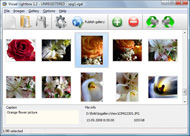
It's no secret that adding photos to your blog posts is one of the most effective ways to enhance your blog and attract attention to your writing. Flickr has millions of photos available in its database. A simple FREE tool called Flickr Gallery allows you to create a custom image gallery with a cool slide show of the most recent and most interesting photos from Flickr on your website or blog in a few easy steps. Just visit Flickr website and find photostream, photoset or a single photo you like. Enter the address of flickr page to add all photos from this page in your gallery, select the style of thumbnails and the overlay window and add the HTML embed code on your website or blog.
A few clicks and you'll see a stylish photo gallery with beautifull lightbox and zoom effects on your own website or blog!


Flickr Gallery for Windows   Flickr Gallery for MAC

Want more?

Example

Lightbox gallery sample

The following image set is generated by Flickr Gallery tool. Click any picture to run Lightbox gallery.

The sample above is an in-page usage demo of Lightbox tool with Flickr images. The lightbox gallery created with Flickr Gallery wizard is placed inside the website page. You can also check the full-page demo web gallery. This example takes whole browser area to show the gallery.Copy Image From Flickr To Picasa

How to Use

Step 1. Adding flickr images to your own gallery.


Locate the photo, photoset or photostream you want to use in your Flickr slideshow. Click on it to see the photo on its own page.

Copy URL of the flickr page.

Select Add images from Flickr... from the 'Add' button on the Toolbar.

Add images from Flickr

In the appeared window paste URL of the flickr page. Specify also the number of photos you want to add from the flickr page. Flickr Gallery will now include these photos in your project.

Add images from Flickr

If you have included the photos that you do not wish to be in your web gallery, you can easily remove them. Select all images that you wish to remove from photo gallery, and select Delete images. from the Images menu. You can pick and choose pictures by holding the CTRL while clicking the pictures you like.

Step 2. Adding caption.

The name of the photo on flickr page will automatically appear in the caption. When you select a photo you'll see the various info about it, such as: Path, Size, date of last change and Caption. You can add any comment or text about the photo (up to 512 symbols).

Step 3. Gallery properties.

Change the name of your flickr album, the size and quality of your pictures with Flickr Gallery. From the Gallery menu, select Properties or use "Edit Gallery Properties" button on the toolbar.

On the first tab of the Gallery Properties window you can change the name of your photo album and enable/disable the following properties: Slide Show, Auto play Slide Show, Zoom effect, Overlay Shadow. You can also set the Overlay shadow color and select the Engine you want to use (jQuery or Prototype + script.aculo.us).

On the second tab of the Gallery Properties window you can select the thumbnail you want to use, set the Thumbnails Resolution, Thumbnails Quality, Thumbnails Titles. Select Thumbnails Format (save in PNG or JPG format). Specify the Number of columns in you photo album and the Page color.

On the third tab of the Gallery Properties window you can select the template, Image resolution and Image quality of your pictures and change the Watermark.

You can set up the various sizes for exported images.

Control the quality of output PNG or JPEG format image by defining output "Image quality" and "Thumbnail quality" parameters (0%…100%).

Step 4. Save your photo gallery as project file.

When you exit Flickr Gallery application, you'll be asked if you want to save your project. The project consists of the pictures you choose to put on your web photo gallery and all your settings. It's a good idea to save the project, because that will allow you to change the project in case you decide to do something different with future galleries. So click Yes, then enter a name for your project. To select the location of your project, just click the Browse folders button and choose a different location. Then click Save.

Delete Photos Flickr Integrate Flickr Into Website

Download Flickr Gallery


Download Flickr Gallery Download Free Edition
for Windows
Download Flickr Gallery Download Free Edition
for MAC

Flickr Gallery is free for non - commercial use.

A small fee is required for business use. Flickr Gallery Business Edition additionally provides an option to remove the Flickr Gallery. Com credit string as well as a feature to put your own logo to images. After you complete the payment via the secure order form, you will receive a license key instantly by email that turns the Flickr Gallery Free Edition into a Business one. You can select the most suitable payment procedure: bank transfer, PayPal, check, credit card etc. Also you can get Business Edition for free if you help with translating Flickr Gallery into your native language, please contact us at for more info.

Flickr Widget Script

Buy Flickr GalleryBuy Business Edition
for Windows

$49
Single Website
$69
Unlimited Websites
Buy Flickr GalleryBuy Business Edition
for MAC

$49
Single Website
$69
Unlimited Websites

Support

For feature requests, troubleshooting, general help contact Customer Support at . Make sure to include details on your browser, operating system, Flickr Gallery version and a link (or relevant code).Spaceball Pictures From Flickr

Feedback

    * I would like to say that Flickr Gallery is a stunning lil program! Its almost too good to be true i'd say! I've been looking for tutorials to create a lightbox gallery, but just couldnt come right. Im so glad i found Flickr Gallery!

    * I ran into your website wile looking for a JavaScript to manage a personal Photo Gallery. I downloaded the trial version and immediately fell in love with your Flickr Gallery, it is one of the best products I’ve ever found; it is very user friendly and easy to use and creates great Photo Galleries.

    * First of all, your product is fantasitc. I looked at the others and your code generator app was insanely easy to use.Embed Flickr Set In Website

    * I downloaded your trial version to see if I could get it to work with my website, and I am almost there (I have been looking for something like this for ages)..

FAQ

Q:I purchased your business license today but I don't see any way to update so the watermark is either missing or replace with mine.What do I do?

A:Free edition of Flickr Gallery doesn't allow you to remove our watermark.

Register your Flickr Gallery application at first. Use reg. key from the license message you received after the purchase. After the registration you can remove watermarks.

Open Gallery->Properties->Templates: Watermark. Click to disable this option or use your own watermark.


RELATED

Gooruze - Flickr integration What's the best way to use Flickr within ones website? I have a number of Flickr images and my website links to the slideshows but I find the I have found also you can integrate your Flickr into your branded Facebook page through Involver or other social media services that offer this kind

Accessing Images On Flickr From An ASP.NET Website Using The This article, by Scott Mitchell, shows how to integrate with Flickr from an ASP.NET website using the Flickr.Net library. Like many social websites, Flickr provides an API that enables developers to integrate Flickr assets into their applications

Edit Your Photos Directly in Flickr Popular photo sharing web site Flickr has partnerted with online image editing web site Picnik to integrate photo editing directly in your Flickr account. To use it, just log into your Flickr account, click on a picture, and then click the new

Flickr Pro Trial : Flickr Gallery Flickr Pro Trial. With Flickr Gallery comprehensible interface, you need just 4 simple steps to get your photo album website ready!. Flickr Embedding Code On Iweb

How to Add a Flickr Badge to Your Website A Flickr badge will show a sample of recent photos from a certain user or group photo stream, photos with a specified tag, or randomly generate from all public streams. This tutorial will guide you through the process of integrating a Flickr badge into your website's homepage

Share your photos using Flickr Flickr announced a set of API's which allow developers to integrate Flickr into their own websites and applications. You can use the Flickr API to easily integrate into other websites and applications

CIC " Integrating a Flickr photo map on your website In my previous Flickr images post I focused on the built-in Flickr functions of RapidWeaver and the various Flickr image integration plugins available for both Wordpress and RapidWeaver. available to integrate Flickr images on your website which have not

4 tools to integrate Flickr photos into your website 4 tools to integrate Flickr photos into your website. Hello there! If you are new here, you might want to subscribe to the RSS feed for updates on Also if you like to integrate Flickr into your WordPress blog there are several plugins for it

Using Flickr Slideshows in Plone — LearnPlone Flickr is a great tool for organizing and managing your photos. Learn how to insert a Flickr slideshow into your Plone site. Even better, it is very easy to integrate Flickr slideshows directly into a Plone website. Here's how. Step 1. Create a Flickr account. It's free well sort of. You will

How To Integrate Flickr Photos Into Your Blog Post Welcome to another John Chow dot Com screen cast. Today, I'm going to show a really nice WordPress plugin to embed Flickr photos into your blog posts. The plugin is call Flickr Photo Album for WordPress by Tan Tan Noodles

Flickr API website integration | Web design London | Joe Smalley A tutorial on how to integrate the Flickr API into your website with PHP to display your photos

Max Dunn's Web Site - RoR and Flickr In this lesson, we will learn how to integrate Flickr pictures into our web site. get it to do what you want, so that is what we will use here. Rails Flickr Files. Now let's put Flickr in our web site. Main Files. First get the flickr rails files add them to your Rails home directory:

Post Flickr photo updates on Facebook, automatically Post Flickr photo updates on Facebook automatically. Configure your Flickr account settings and login into Facebook account to authorize posting of updates

How to Integrate Flickr Photos into Your Wordpress Blog | New How to Integrate Flickr Photos into Your WordPress Blog. Posted on December 20, 2009 by Tammy Barbee. Photos can be a great way of giving support to your blog whether it is within the blog post itself or on the sidebar to link to a photo gallery

13 Great Flickr Galleries to Integrate into Your Site Flickr is a great site for uploading and managing all of your images. What happens when you want to integrate those images into your site though? Well that's where these image galleries come in handy

Integrate Flickr into Word 2007 If you need to integrate photos from Flickr into your word documents, then Flickr4Word is the best extension. This free word extension adds a program interface

Discussion Forums @ Nikonians - Integrating Flickr into your This photographer has managed to fully integrate his Flickr photo sets into his website! 3. "RE: Integrating Flickr into your website" In response to Reply

Flickr Adds Full Facebook Integration Following on the heels of Yahoo! who announced deeper integration with Facebook into their products, Flickr announced this morning that the company has also rolled out their own integrations with Facebook. Now when Facebook users upload photos

Flickr Integration With MailChimp | MailChimp Email Marketing In the MailChimp V5 release, we've made it super easy to link your Flickr photos to your MailChimp account, pull them into your image gallery, and use 'em in your email campaigns

How to Integrate Flickr Album on Your Wordpress Blog or blog Integrate Flickr Album on Your Wordpress Blog or blog posts using these Wordpress Plugins This plugin will also add a new Flickr icon to your WordPress edit screen which will allow you to easily insert your Flickr photos into your blog posts with just a couple clicks

100+ Flickr Resources Integration with Blogs and Websites: 1. FAlbum - A WordPress plugin for displaying your photos. 2. MyFlickr - Add photos search from Flickr photos in

Flickr Gallery Website Integration | Flickr Slideshow Flickr Gallery Website Integration. Web photo album? With jQuery Thickbox Alternative, you need just 4 simple steps to get your web photo album ready! embed flickr gallery indexhibit

10 Amazing Wordpress Plugins for Flickr And just to make things that little bit easier here are 10 WP Plugins to integrate Flickr directly into your blog. Description: This is a plugin for WordPress that allows you to embed a flickr integrated simpleviewer into your WordPress site

Book Review: Building Flickr Applications with PHP | All And Yahoo (the current owners of Flickr) have released a set of open APIs which allow any web developer to seamlessly integrate Flickr on their websites. Good buy for bloggers and personal website owners who would like to integrate their Flickr photos seamlessly on to their websites

Five Ways to Integrate Social Media Into Your Nonprofit's To begin, here are five ways to integrate social media into your nonprofit's website: 3) Add Flickr SlideShows or YouTube videos to content pages. Whether you embed slideshows or videos into your website or opt for

DIOSA Webinar: How Nonprofit Organizations Can Successfully The webinar also showcases how nonprofits can use Flickr to better tell their story through images and Flickr slideshows, and shows how to successfully set up a Flickr profile using the Flickr Pro toolset. how to integrate Flickr into your website, e-mail newsletters, and

Flickr Integrated into the Nseries - All About Symbian Flickr Integrated into the Nseries. Published by Ewan Spence at 10:22 UTC, April 25th 2006. The new Nseries devices (N93, N73 and N72) will all have built-in support for Yahoo's! Flickr service. No details as yet on the exact nature, but given

Options for Easily Adding Flickr Photos to Your Website This page shows a number of the leading options for quickly and easily adding your Flickr photos to your website or blog (WordPress, Joomla, TextPattern). They all offer some options and customizations

Convio Online Help: Integrating Flickr Into Your TeamRaiser Event Integrating Flickr Into Your TeamRaiser Event. The Convio integration with the Flickr photo-sharing Web site application (owned by Yahoo! Inc. You must create a new Yahoo!/Flickr account on the Flickr Web site to use for the Convio integration

