
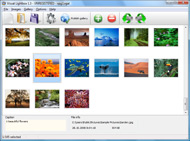




Overview

It's no secret that adding photos to your blog posts is one of the most effective ways to enhance your blog and attract attention to your writing. Flickr has millions of photos available in its database. A simple FREE tool called Flickr Gallery allows you to create a custom image gallery with a cool slide show of the most recent and most interesting photos from Flickr on your website or blog in a few easy steps. Just visit Flickr website and find photostream, photoset or a single photo you like. Enter the address of flickr page to add all photos from this page in your gallery, select the style of thumbnails and the overlay window and add the HTML embed code on your website or blog.
A few clicks and you'll see a stylish photo gallery with beautifull lightbox and zoom effects on your own website or blog!


Flickr Gallery for Windows   Flickr Gallery for MAC

Want more?

Example

Lightbox gallery sample

The following image set is generated by Flickr Gallery tool. Click any picture to run Lightbox gallery.

The sample above is an in-page usage demo of Lightbox tool with Flickr images. The slideshow created with Flickr Gallery software is placed inside the website page. You can also check the full-page demo web gallery. This example takes whole browser area to show the slideshow.Imovie Flickr

How to Use

Step 1. Adding flickr images to your own gallery.


Locate the photo, photoset or photostream you want to use in your Flickr slideshow. Click on it to see the photo on its own page.

Copy URL of the flickr page.

Select Add images from Flickr... from the 'Add' button on the Toolbar.

Add images from Flickr

In the appeared window paste URL of the flickr page. Specify also the number of photos you want to add from the flickr page. Flickr Gallery will now include these photos in your project.

Add images from Flickr

If you have included the photos that you do not wish to be in your web gallery, you can easily remove them. Select all images that you wish to remove from photo gallery, and select Delete images. from the Images menu. You can pick and choose pictures by holding the CTRL while clicking the pictures you like.

Step 2. Adding caption.

The name of the photo on flickr page will automatically appear in the caption. When you select a photo you'll see the various info about it, such as: Path, Size, date of last change and Caption. You can add any comment or text about the photo (up to 512 symbols).

Step 3. Gallery properties.

Change the name of your flickr album, the size and quality of your pictures with Flickr Gallery. From the Gallery menu, select Properties or use "Edit Gallery Properties" button on the toolbar.

On the first tab of the Gallery Properties window you can change the name of your photo album and enable/disable the following properties: Slide Show, Auto play Slide Show, Zoom effect, Overlay Shadow. You can also set the Overlay shadow color and select the Engine you want to use (jQuery or Prototype + script.aculo.us).

On the second tab of the Gallery Properties window you can select the thumbnail you want to use, set the Thumbnails Resolution, Thumbnails Quality, Thumbnails Titles. Select Thumbnails Format (save in PNG or JPG format). Specify the Number of columns in you photo album and the Page color.

On the third tab of the Gallery Properties window you can select the template, Image resolution and Image quality of your pictures and change the Watermark.

You can set up the various sizes for exported images.

Control the quality of output PNG or JPEG format image by defining output "Image quality" and "Thumbnail quality" parameters (0%…100%).

Step 4. Save your photo gallery as project file.

When you exit Flickr Gallery application, you'll be asked if you want to save your project. The project consists of the pictures you choose to put on your web photo gallery and all your settings. It's a good idea to save the project, because that will allow you to change the project in case you decide to do something different with future galleries. So click Yes, then enter a name for your project. To select the location of your project, just click the Browse folders button and choose a different location. Then click Save.

Widget De Flickr Para Blogger Integrating Flickr Into Website

Download Flickr Gallery


Download Flickr Gallery Download Free Edition
for Windows
Download Flickr Gallery Download Free Edition
for MAC

Flickr Gallery is free for non-commercial use.

A small fee is required for business use. Flickr Gallery Business Edition additionally provides an option to remove the Flickr Gallery. Com credit string as well as a feature to put your own logo to images. After you conclude the payment via the secure order form, you will receive a license key instantly by e-mail that turns the Flickr Gallery Free Edition into a Business one. You can select the most appropriate payment mode: check, PayPal, bank transfer, credit card etc. Also you can get Business Edition for free if you help with translating Flickr Gallery into your native language, please contact us at for more info.

Plugin Gallery Jquery Flickr Wordpress

Buy Flickr GalleryBuy Business Edition
for Windows

$49
Single Website
$69
Unlimited Websites
Buy Flickr GalleryBuy Business Edition
for MAC

$49
Single Website
$69
Unlimited Websites

Support

For general help, feature requests, troubleshooting contact Customer Support at . Make sure to include details on your operating system, browser, a link (or relevant code) and Flickr Gallery version.Http Www Flickr Com

Feedback

    * I ran into your website wile looking for a JavaScript to manage a personal Photo Gallery. I downloaded the trial version and immediately fell in love with your Flickr Gallery, it is one of the best products I’ve ever found; it is very user friendly and easy to use and creates great Photo Galleries.

    * I have installed Flickr Gallery to trial. All good, loving it!! I want to get an business version of your great programm. I love it - soo easy to use!!

    * I downloaded your trial version to see if I could get it to work with my website, and I am almost there (I have been looking for something like this for ages)..Joomla Jflickr Image Large Size

    * I'd like to express my gratitude to your efforts on creating such a nice piece of program and best of all it's free! Keep out the good work and I hope to see new features in the near coming future to rate you 5 star!

FAQ

Q:I would like to center all the thumbnails and I cannot figure out how.Can you please help?

A:Try to use <div> tag or <table> tag to center your thumbnails. Flickr Gallery generates a special code.
Just paste it in <div> tag.
You can also place in <dierates a special code.
Just paste it in <div> tag.
You can also place in <div> tag your iframe.
And then use the alignment that you ned.


RELATED

Integrating Flickr With WordPress | Design Shack Reading an article entitled Integrating Flickr With WordPress on Design Shack. By way of a basic introduction, iFlickr is a WordPress plugin that allows you to easily find free images on Flickr and insert them into your blog post while automatically putting the attribution link underneath

Integrating Flickr Widgets in HTML webpages How to integrate Flickr widgets and slideshows into your html website. The best and worst widgets

Discussion Forums @ Nikonians - Integrating Flickr into your This photographer has managed to fully integrate his Flickr photo sets into his website! 3. "RE: Integrating Flickr into your website" In response to Reply

Jeffrey Friedl's Blog " Jeffrey's "Export to Flickr Added a new section to the Publish Service settings dialog, on whether to refresh remote comments (at Flickr back into Lightroom) automatically or only manually. Be more robust to errors during the gallery-creation process. 20110513.219. Fixed a bug in how some export errors are reported

Flickr Integration With MailChimp | MailChimp Email Marketing In the MailChimp V5 release, we've made it super easy to link your Flickr photos to your MailChimp account, pull them into your image gallery, and use 'em in your email campaigns

Flickr Adds Full Facebook Integration Following on the heels of Yahoo! who announced deeper integration with Facebook into their products, Flickr announced this morning that the company has also rolled out their own integrations with Facebook. Now when Facebook users upload photos

Options for Easily Adding Flickr Photos to Your Website This page shows a number of the leading options for quickly and easily adding your Flickr photos to your website or blog (WordPress, Joomla, TextPattern). They all offer some options and customizations

jquery-flickr - Google Code When combined with jQuery Litebox, a rich slide show, lightbox plug-in, jQuery Flickr provides a completely client-side solution, for integrating Flickr into your website, perfect for hosted blogs. no server-side proxy required. easy to implement: $("#myElement").flickr

Flickr Gallery Website Integration | Flickr Slideshow Flickr Gallery Website Integration. Web photo album? With jQuery Thickbox Alternative, you need just 4 simple steps to get your web photo album ready! embed flickr gallery indexhibit

Integrating Flickr Into Yahoo Search | WebProNews Yahoo! Search Blog: Famous Landmarks Get the Flickr Treatment in Yahoo! Search The Yahoo Search Blog is reporting that Flickr has recently added thumbnails of Flickr images for popular domestic and international landmark searches into Yahoo

How to Add a Flickr Badge to Your Website A Flickr badge will show a sample of recent photos from a certain user or group photo stream, photos with a specified tag, or randomly generate from all public streams. This tutorial will guide you through the process of integrating a Flickr badge into your website's homepage

Integrating Flickr into your rails website - Pixellated Visions How to use flickr_fu to show your flickr images on your rails website or blog Integrating Flickr into your rails website. Anton Jenkins | April 06, 2009. In this post I'm going to show you how I created the little Flickr stream you can see running down the right hand edge of this site

Mauro Pirrone | Blog " Integrating Flickr with your PHP website Flickr is an image and video hosting website. Luckily enough, they provide a web service To get you into perspective, here's the Flickr photoset which I am using, and here are the customised photo gallaries which I

Gooruze - Flickr integration What's the best way to use Flickr within ones website? I have a number of Flickr images and my website links to the slideshows but I find the conversion from web visitors to the flickr page is low. Any tips?

Edit Your Photos Directly in Flickr Popular photo sharing web site Flickr has partnerted with online image editing web site Picnik to integrate photo editing directly in your Flickr account. To use it, just log into your Flickr account, click on a picture, and then click the new

Code: Flickr Developer Blog " Integrating Flickr into your Integrating Flickr into your Rails website. Posted by kellan on April 9th, 2009. Straightforward, and thorough tutorial on working with the Flickr API and Rails. Takes you from installing the libraries, to coding, to designing your layout, to

Flickr Integrated into the Nseries - All About Symbian Flickr Integrated into the Nseries. Published by Ewan Spence at 10:22 UTC, April 25th 2006. The new Nseries devices (N93, N73 and N72) will all have built-in support for Yahoo's! Flickr service. No details as yet on the exact nature, but given

Integrating Flickr with WordPress One of the most important thing that web2.0 has brought into our lives is photo sharing, this is pretty useful if you are sharing your views via a bl

Convio Online Help: Integrating Flickr Into Your TeamRaiser Event Integrating Flickr Into Your TeamRaiser Event. The Convio integration with the Flickr photo-sharing Web site application (owned by Yahoo! Inc. Creating Your Flickr Account. You must create a new Yahoo!/Flickr account on the Flickr Web site to use for the Convio integration. Although you may

Thomas Hawk Digital Connection " Blog Archive " Flickr and Flickr and Yahoo Take Another Step Towards Integrating Flickr Into Yahoo Search Those of you who have read my blog for a while know that I've pretty much been calling for the integration of Flickr images into Yahoo Search since day one and I think this is another great step forward towards this

Flickr API website integration | Web design London | Joe Smalley A tutorial on how to integrate the Flickr API into your website with PHP to display your photos Flickr API integration on my (now old) website

Integrating Flickr Into Your Wordpress Theme Ever wanted to learn how to integrate your flickr feed into your Wordpress blog? Read on to find out how!

100+ Flickr Resources Integration with Blogs and Websites: 1. FAlbum - A WordPress plugin for displaying your photos. 2. MyFlickr - Add photos search from Flickr photos in 12. SimpleFlickr – A plugin for WordPress that allows you to embed a flickr integrated simpleviewer into your WordPress site

Flickr Gallery Into Php Website : Flickr Gallery Flickr Gallery Into Php Website. Flickr Slideshow is a photo album maker, that allows you to create and publish splendid web photo galleries for your website!. Flickr Slideshow Embed Change Background Color

Flickr: Help: Blogging Flickr is almost certainly the best online photo management and sharing application in the world. Show off your favorite photos and videos to the world, securely and privately show content to your friends and family, or blog the photos and videos

10 Amazing Wordpress Plugins for Flickr And just to make things that little bit easier here are 10 WP Plugins to integrate Flickr directly into your blog. Flickr Photo Album for WordPress Description: This is a plugin for WordPress that allows you to embed a flickr integrated simpleviewer into your WordPress site

CIC " Integrating a Flickr photo map on your website Integrating a Flickr photo map on your website < Integrating a Flickr photo map on your website. Posted: Thursday, June 28th, 2007 at 11:45 pm. In my previous Flickr images post I focused on the built-in Flickr functions of RapidWeaver and the

