
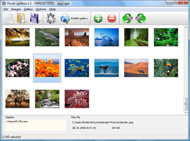




Overview

It's no secret that adding photos to your blog posts is one of the most effective ways to enhance your blog and attract attention to your writing. Flickr has millions of photos available in its database. A simple FREE tool called Flickr Gallery allows you to create a custom image gallery with a cool slide show of the most recent and most interesting photos from Flickr on your website or blog in a few easy steps. Just visit Flickr website and find photostream, photoset or a single photo you like. Enter the address of flickr page to add all photos from this page in your gallery, select the style of thumbnails and the overlay window and add the HTML embed code on your website or blog.
A few clicks and you'll see a stylish photo gallery with beautifull lightbox and zoom effects on your own website or blog!


Flickr Gallery for Windows   Flickr Gallery for MAC

Want more?

Example

Lightbox gallery sample

The following image set is generated by Flickr Gallery tool. Click any picture to run Lightbox gallery.

The photo gallery above is an in-page usage demo of Lightbox with images from Flickr. The web gallery created with Flickr Gallery wizard is placed inside the html page. You can also check the full-page demo web gallery. This example takes whole browser area to show the website gallery.Slideflickr Widget Autostart

How to Use

Step 1. Adding flickr images to your own gallery.


Locate the photo, photoset or photostream you want to use in your Flickr slideshow. Click on it to see the photo on its own page.

Copy URL of the flickr page.

Select Add images from Flickr... from the 'Add' button on the Toolbar.

Add images from Flickr

In the appeared window paste URL of the flickr page. Specify also the number of photos you want to add from the flickr page. Flickr Gallery will now include these photos in your project.

Add images from Flickr

If you have included the photos that you do not wish to be in your web gallery, you can easily remove them. Select all images that you wish to remove from photo gallery, and select Delete images. from the Images menu. You can pick and choose pictures by holding the CTRL while clicking the pictures you like.

Step 2. Adding caption.

The name of the photo on flickr page will automatically appear in the caption. When you select a photo you'll see the various info about it, such as: Path, Size, date of last change and Caption. You can add any comment or text about the photo (up to 512 symbols).

Step 3. Gallery properties.

Change the name of your flickr album, the size and quality of your pictures with Flickr Gallery. From the Gallery menu, select Properties or use "Edit Gallery Properties" button on the toolbar.

On the first tab of the Gallery Properties window you can change the name of your photo album and enable/disable the following properties: Slide Show, Auto play Slide Show, Zoom effect, Overlay Shadow. You can also set the Overlay shadow color and select the Engine you want to use (jQuery or Prototype + script.aculo.us).

On the second tab of the Gallery Properties window you can select the thumbnail you want to use, set the Thumbnails Resolution, Thumbnails Quality, Thumbnails Titles. Select Thumbnails Format (save in PNG or JPG format). Specify the Number of columns in you photo album and the Page color.

On the third tab of the Gallery Properties window you can select the template, Image resolution and Image quality of your pictures and change the Watermark.

You can set up the various sizes for exported images.

Control the quality of output PNG or JPEG format image by defining output "Image quality" and "Thumbnail quality" parameters (0%…100%).

Step 4. Save your photo gallery as project file.

When you exit Flickr Gallery application, you'll be asked if you want to save your project. The project consists of the pictures you choose to put on your web photo gallery and all your settings. It's a good idea to save the project, because that will allow you to change the project in case you decide to do something different with future galleries. So click Yes, then enter a name for your project. To select the location of your project, just click the Browse folders button and choose a different location. Then click Save.

Flickr Slideshow Plugin Wordpress Photoblog Flickr Gallery

Download Flickr Gallery


Download Flickr Gallery Download Free Edition
for Windows
Download Flickr Gallery Download Free Edition
for MAC

Flickr Gallery is free for non - commercial use.

A small fee is required for business use. Flickr Gallery Business Edition additionally provides an option to remove the Flickr Gallery. Com credit bar as well as a feature to put your own logo to images. After you complete the payment via the secure form, you will receive a license key instantly by e-mail that turns the Flickr Gallery Free Edition into a Business one. You can select the most appropriate payment mode: PayPal, check, credit card, bank transfer etc. Also you can get Business Edition for free if you help with translating Flickr Gallery into your native language, please contact us at for more info.

Slimbox2 Flickr Howto

Buy Flickr GalleryBuy Business Edition
for Windows

$49
Single Website
$69
Unlimited Websites
Buy Flickr GalleryBuy Business Edition
for MAC

$49
Single Website
$69
Unlimited Websites

Support

For general help, feature requests, troubleshooting contact Customer Support at . Make sure to include details on your operating system, browser, Flickr Gallery version and a link (or relevant code).Flickr Badge Options

Feedback

    * I have installed Flickr Gallery to trial. All good, loving it!! I want to get an business version of your great programm. I love it - soo easy to use!!

    * I'd like to express my gratitude to your efforts on creating such a nice piece of program and best of all it's free! Keep out the good work and I hope to see new features in the near coming future to rate you 5 star!

    * I have purchased the business and LOVE IT..Your product appears easy to use and close to what I need to help several of my clients..Add Flickr Gallery To My Website

    * Another programmes have incredible functionality but no fantastic interface like your product!

FAQ

Q:I would like to reposition the Previous and Next buttons to a position below the images and have them be visible all the time.Where do I have to go to make these changes in the code?

A:Find the css file in the folder generated by gallery:
engine\css\
or in the following folder:
c:\Program Files\Visual LightBox Business\templates\Default\engine\css\

To set their position you should change 15% to something different:
#prevLink:hover, #prevLink:visited:hover { background: url(../images/prevlabel.gif) left 15% no-repeat; }
#nextLink:hover, #nextLink:visited:hover { background: url(../images/nextlabel.gif) right 15% no-repeat; }

For example:
#prevLink:hover, #prevLink:visited:hover { background:url(../images/prevlabel.gif) left 75% no-repeat; }
#nextLink:hover, #nextLink:visited:hover { background: url(../images/nextlabel.gif) right 75% no-repeat;}

RELATED

30 Free Resources for Photoblogging and Image Galleries 30 Free Resources for Photoblogging and Image Galleries (WordPress) your Flickr, Picasa, and/or SmugMug accounts as well as allows you to upload and build

Karl's PhotoBlog Karl's PhotoBlog. Still under development. Apenkuren. Cetturu 2010. Gouw. Photos. Scouts. ApenkurenActiviteiten. Karl on May 17th, 2011. ApenkurenJins. Powered by Flickr Gallery. ApenkurenWelpen. Powered by Flickr Gallery by Flickr Gallery. Subscribe to this blog's RSS feed. Apenkuren, Gouw, Photos, Scouts Add

WordPress Plugins: WP Flickr, Flickr RSS, Flickr Gallery Enjoy our WordPress Plugins of the week. All Flickr related plugins that enables you to conveniently get your flickr images posted on your WordPress blog

Jordi Bertran photoblog - Tree Landscape Jordi Bertran photoblog - Tree Landscape-PhotoBlog: atzavara expo Ceif Vilassar 6, En realitat aquesta foto no ha passat el tall i degut a què només podia posar 5 fotos, l'he hagut de descartar. De tota manera m'agrada molt i he decidit ensenyar Home | Archive | Flickr Gallery | Compra/Buy | About

" Flogr – A Flickr powered photoblog Turned Around Flogr is powered by PHP, MySQL (optional), and Flickr. It is an easy to setup and easy to customize alternative for folks that currently hack their own photoblog using MT or Wordpress, or those trying to make Gallery or Pixelpost work with Flickr

Create A Photoblog With Wordpress Gallery Plugins WPDaddy offers the richest collection of the most innovative free Wordpress Templates added by different kinds of web masters and presented in a variety of categories

flogr - Google Code Flogr is a photoblog application for flickr that let's you display your flickr photos (including EXIF data), sets, tags, comments, and slideshows on your website through the customizable hack their own photoblog using MT or Wordpress, or those trying to make Gallery or Pixelpost work with Flickr

My Photo Gallery - Online Photo Gallery of Shane McDonald My Photo Gallery - Online Photo Gallery of Shane McDonald Photography. Landscape Photography, Nature Photography, Night Shoot Photography and much more in my photo gallery at shanemcdonald.me

Flickr Flickr is almost certainly the best online photo management and sharing application in the world. Show off your favorite photos and videos to the world, securely and privately show content to your friends and family, or blog the photos and videos

photos also visit: photo blog, flickr gallery and new river voice

ipad | FlickrVille Buy ipad items and find other similar products White Leather Case Cover Pouch For Apple iPad 2 2nd AQD. Current Bid: US $0.01 (0 Bids) Ends: Jun 07, 04:12 am. Mobile Portable Tweaker Mini-Boom Speaker For iPod ipad. Buy It Now: US $18.98

ARBayne Photography Randy Bayne's photography gallery. Select the images below to navigate to various pages and our other sites. Thanks for visiting. Kelsey and Jackie's Wedding. Gallery. Photo Blog. Buy Art Prints. Flickr

TiltViewer Flickr Gallery Spectacular image galleries made simple. SimpleViewer is the home of the SimpleViewer family of image galleries - professional quality, fully customizable Flash image galleries. Download your free Flash image gallery here

Flickr Photoblog : Flickr Gallery Flickr Photoblog. Just drag and drop your photos or folders with photos and press Photoblog Flickr Gallery : Flickr Gallery Photoblog Flickr Gallery. Make professional online photo album software in minutes with Flickr Slideshow!

StuArt: Where Technology and Photography meet - Flickr Gallery Photo Blog. House. Gallery Software. 40th Birthday. How to Display Photos Search. Counter. Flickr Gallery Module. Display my photos stored on the Flickr server. Photo_club (47 photos) FAO Photo Club pictures

Best photo blog downloads Flickr has millions of photos available in its database. A simple FREE tool called Flickr Gallery allows you to create a custom image gallery with a cool slide show of the most interesting photos from Flickr on your website or blog in a few easy steps

Still Not Perfect " Blog Archive " Flickr Gallery 0.7 Flickr Gallery 0.7. This project is now closed. Please use the much superior FAlbum if you want to integrate Wordpress and Flickr. This plugin allows users of WordPress (and other clever people who can figure to Flickr, particularly when I discovered how easy it was to post photoblog messages from

Nishita – another Free Photo Blog Wordpress Theme | Brajeshwar Nishita – another Free Photo Blog WordPress Theme. Aug 25, 2006 (Fri) at 9:00 am — By Brajeshwar. I have a bunch of Photos on Flickr. Even though, I was beta testing Flickr ever since it came up and had a pro account gifted by them I moved to Flickr from my own Gallery hosted Photo Section (I lost

Photo Archive : Logu Wait one moment, flickr plugin is working . The New Photoblog. Next Flickr Gallery. The Old Photoblog. 2009: Powered by Flickr Gallery. 2008:

WordPress " Support " Using flickr to make photoblog with the recent upgrades to flickr and the addition of the yahoo login and flickr login, flickr-gallery seems to have quit working for me. Please check out the following link if you are interested in incorporating flickr sets into your blog

Photo Blog Amy Winehouse Bra Image Gallery Save Cancel Show 1 row Show 2 rows Show 3 rows Flickr Bing Google Hide tab Preview Flickr Bing Google Hide tab Preview Flickr Bing Google Hide tab Preview google bing flickr We've encountered an error. [More Photos] windows photo gallery not responding

Eric Scouten | Seattle/North Kitsap-Based Photographer and Just another WordPress weblog home. blog. photoblog. contact. gallery. Photographer. 2009 Holiday Specials! I have just posted a collection of twenty prints for purchase on my new gallery. This set includes Late Night Arrival: Seattle (shown here), a few other recent favorites, and a few timeless classics

13 Great Flickr Galleries to Integrate into Your Site Flickr is a great site for uploading and managing all of your images. What happens when you want to integrate those images into your site though? Well that's where these image galleries come in handy

Photo Blog Directory- CityScape Photo Blog Directory lets you Submit your Photoblog or Browse Photoblogs, Photoblog Directory

photo blog Software - Free Download photo blog - Top 4 Download photo blog Software - Free Download photo blog - Top 4 Download - Free Download Software Flickr has millions of photos available in its database. A simple FREE tool show of the most recent and most interesting photos from Flickr on your website or blog in flickr gallery

Flickr vs. A Photoblog — Blog on Photoblogs gallery promotion. Flickr vs. A Photoblog. March 9th, 2010 by brett. In my last post about where BOPB is heading in 2010 a long-time follower of the blog made a comment which I found quite interesting. Basically his point was that photoblogs

(Flickr) Galleries of Iran Here are 5 awesome Flickr Galleries of Iran as part of a mini-contest for a free copy of David Burnett's 44 Days

