
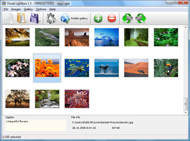




Overview

It's no secret that adding photos to your blog posts is one of the most effective ways to enhance your blog and attract attention to your writing. Flickr has millions of photos available in its database. A simple FREE tool called Flickr Gallery allows you to create a custom image gallery with a cool slide show of the most recent and most interesting photos from Flickr on your website or blog in a few easy steps. Just visit Flickr website and find photostream, photoset or a single photo you like. Enter the address of flickr page to add all photos from this page in your gallery, select the style of thumbnails and the overlay window and add the HTML embed code on your website or blog.
A few clicks and you'll see a stylish photo gallery with beautifull lightbox and zoom effects on your own website or blog!


Flickr Gallery for Windows   Flickr Gallery for MAC

Want more?

Example

Lightbox gallery sample

The following image set is generated by Flickr Gallery tool. Click any picture to run Lightbox gallery.

The example above is an in-page usage demo of Lightbox gallery that uses images from Flickr. The lightbox gallery created with Flickr Gallery software is placed inside the html page. You can also check the full-page demo web gallery. This example takes whole browser area to show the gallery.Flash Photo Gallery Flickr Generator

How to Use

Step 1. Adding flickr images to your own gallery.


Locate the photo, photoset or photostream you want to use in your Flickr slideshow. Click on it to see the photo on its own page.

Copy URL of the flickr page.

Select Add images from Flickr... from the 'Add' button on the Toolbar.

Add images from Flickr

In the appeared window paste URL of the flickr page. Specify also the number of photos you want to add from the flickr page. Flickr Gallery will now include these photos in your project.

Add images from Flickr

If you have included the photos that you do not wish to be in your web gallery, you can easily remove them. Select all images that you wish to remove from photo gallery, and select Delete images. from the Images menu. You can pick and choose pictures by holding the CTRL while clicking the pictures you like.

Step 2. Adding caption.

The name of the photo on flickr page will automatically appear in the caption. When you select a photo you'll see the various info about it, such as: Path, Size, date of last change and Caption. You can add any comment or text about the photo (up to 512 symbols).

Step 3. Gallery properties.

Change the name of your flickr album, the size and quality of your pictures with Flickr Gallery. From the Gallery menu, select Properties or use "Edit Gallery Properties" button on the toolbar.

On the first tab of the Gallery Properties window you can change the name of your photo album and enable/disable the following properties: Slide Show, Auto play Slide Show, Zoom effect, Overlay Shadow. You can also set the Overlay shadow color and select the Engine you want to use (jQuery or Prototype + script.aculo.us).

On the second tab of the Gallery Properties window you can select the thumbnail you want to use, set the Thumbnails Resolution, Thumbnails Quality, Thumbnails Titles. Select Thumbnails Format (save in PNG or JPG format). Specify the Number of columns in you photo album and the Page color.

On the third tab of the Gallery Properties window you can select the template, Image resolution and Image quality of your pictures and change the Watermark.

You can set up the various sizes for exported images.

Control the quality of output PNG or JPEG format image by defining output "Image quality" and "Thumbnail quality" parameters (0%…100%).

Step 4. Save your photo gallery as project file.

When you exit Flickr Gallery application, you'll be asked if you want to save your project. The project consists of the pictures you choose to put on your web photo gallery and all your settings. It's a good idea to save the project, because that will allow you to change the project in case you decide to do something different with future galleries. So click Yes, then enter a name for your project. To select the location of your project, just click the Browse folders button and choose a different location. Then click Save.

Flash Gallery Com Flickr Best Wordpress Flickr Plugin

Download Flickr Gallery


Download Flickr Gallery Download Free Edition
for Windows
Download Flickr Gallery Download Free Edition
for MAC

Flickr Gallery is free for non-commercial use.

A small fee is required for business use. Flickr Gallery Business Edition additionally provides an option to remove the Flickr Gallery. Com credit bar as well as a feature to put your own logo to images. After you complete the payment via the secure order form, you will receive a license key instantly by email that turns the Flickr Gallery Free Edition into a Business one. You can select the most suitable payment method: credit card, bank transfer, PayPal, check etc. Also you can get Business Edition for free if you help with translating Flickr Gallery into your native language, please contact us at for more info.

Flickr Pro Examples

Buy Flickr GalleryBuy Business Edition
for Windows

$49
Single Website
$69
Unlimited Websites
Buy Flickr GalleryBuy Business Edition
for MAC

$49
Single Website
$69
Unlimited Websites

Support

For general help, troubleshooting and feature requests contact Customer Support at . Make sure to include details on your Flickr Gallery version, a link (or relevant code), browser and operating system.How To Download Pictures To Flickr

Feedback

    * I tried Flickr Gallery and for me its a very cool and usefull application. Its so easy to manage my galleries and it looks very nice.

    * I just tried the application, It is wonderful idea. Like you said in the website "few clicks without writing a single line of code" because most of the people is not web designers".

    * First of all, I love you Flickr Gallery. I think it's beautiful! I purchased the lightbox “business edition” yesterday, and I’m very happy how easy it is to use. Found this to be one of the fastest ways to get a gallery on the web. Thanks.Flickr Api Drupal

    * I am thrilled with what this tool can do for me thanks for all the hard work that must have gone into it.

FAQ

Q:I would like to have a few galleries in one website and even on one page.

A:To create several galleries on your page you should change following parameter in A tag for different galleries:

rel="lightbox_vlb"

For example, for the first gallery you should set rel="lightbox_vlb":

<!-- Start Flickr Gallery.com BODY section -->
<div id="vlightbox">
<a rel="lightbox_vlb" href="data/images/dscn6831.jpg" title="dscn6831" >
<img src="data/thumbnails/dscn6831.png" ><span></span></a>
<a rel="lightbox_vlb" href="data/images/dscn6823.jpg" title="dscn6823">
<img src="data/thumbnails/dscn6823.png"><span></span></a>
<a id="vlb" href="http://Flickr Gallery.com">Photo Gallery For Web by Flickr Gallery.com v2.0</a>
</div>
<!-- End Flickr Gallery.com BODY section -->

and for the second gallery rel="lightbox_vlb1":

<!-- Start Flickr Gallery.com BODY section -->
<div id="vlightbox">
<a rel="lightbox_vlb1" href="data/images/img_0501.jpg" title="img_0501">
<img src="data/thumbnails/img_0501.png"><span></span></a>
<a rel="lightbox_vlb1" href="data/images/img_0481.jpg" title="img_0481">
<img src="data/thumbnails/img_0481.png"><span></span></a>
<a id="vlb" href="http://Flickr Gallery.com">Photo Gallery For Web by Flickr Gallery.com v2.0</a>
</div>
<!-- End Flickr Gallery.com BODY section -->


RELATED

Flickr Photo Album WordPress Plugin I recently came across my all-time favorite WordPress plugin, Flickr Photo Album. This blows away the WordPress photo upload feature or Flickr's "Blog This" option. The Flickr Photo Album plugin was created by Washington DC web developer Joe Tan for a client at his company Silas Partners

Flickr Thumbnail Photostream Wordpress plugin v1.1 The Flickr Thumbnail Photostream Wordpress plugin makes including and linking to photos on a Flickr account simple and flexible. The links come in the form of thumbnail images that link to their larger, normal formats within the Flickr website

The Best WordPress Plugins for Bloggers of the Future Thanks to the WordPress for modification through thousand of the Plugins available. It doesn't matter what you want to accomplish on your blog, here is the

10 Amazing Wordpress Plugins for Flickr And just to make things that little bit easier here are 10 WP Plugins to integrate Flickr directly into your blog. Description: This Flickr plugin for WordPress will allow you to pull in your Flickr photosets and display them as albums on your WordPress site

14 Flickr Plugins for WordPress | WordPress and Facebook 14 Flickr Plugins for WordPress. Share. I really like Flickr for photo sharing and to find photos with Creative Commons licenses to use in my blog posts. There are also a So, since so many of us use Flickr I decided to list some of the best Flickr plugins for WordPress

Flickr Photos Plugin For Wordpress Hi, This plugin is used to show Flickr pictures on Blog. It is also used to show any Flickr group or public photos too. FEATURES: # Displays Flickr photos based on your settings

20 Top Flickr Plugins For Wordpress Flickr is one of the best places to find cool pictures for your blog. There are a lot of folks who don't mind allowing you to use their pictures on your blog as With that in mind here are 20 best Flickr plugins for WordPress:

Flickr: tantannoodles.com WordPress Flickr Plugins Flickr is almost certainly the best online photo management and sharing application in the world. Show off your favorite photos and videos to the world, securely and privately show content to your friends and family, or blog the photos and videos About tantannoodles.com WordPress Flickr Plugins

Slickr Flickr WordPress Gallery Plugin When it comes to image gallery plugins, there are tons of options available. In this article we will be sharing with you a plugin that displays your Flickr photos into WordPress posts, pages, and/or sidebar widgets

Kumara Sastry " Blog Archives " Flickr pictobrowser plugin Flickr pictobrowser plugin for wordpress. 23 July 2007. I heard about pictobrowser from Julie and like this much better than the flickr slideshow. However, since "object" and "iframe" are stripped out of wordpress for security reasons, I could no longer embed pictobrowser object directly

8 Flickr related WordPress Plugins | WPThemesPlugin.com Web 2.0 has yielded a variety of fantastic user oriented sites, and one of them is flickr.com.If you love blogging and photography than you'll be happy to know that there's a bunch of really cool flickr related plugins that will help you integrate flickr with WordPress. About Flickr:

WP Robot - Premium Wordpress Autoposting Plugin WP Robot is a premium autoposting plugin for Wordpress weblogs allowing users to add unique and fresh content to their weblogs easily and create powerful autoblogs

Top 10 Best WordPress Photo Gallery Plugins For Your WP Blog List of best wordpress photo gallery plugins and wordpress picture plugins including Lazyest Gallery, YAPB, Shutter Reloaded, Picasa, and more. This plugin connects the two accounts in order to create a plugin that accesses Flickr for photos to be included in your WordPress blog entries

Best Wordpress Plugins :: Computing :: Technology :: MakeFive Pimp out your Wordpress install and speed up productivity with this list of the Best Wordpress Plugins. SEO tools Easy Video uploaders AJAX controls and so much more

Still Not Perfect " Blog Archive " Flickr Gallery 0.7 Please use the much superior FAlbum if you want to integrate Wordpress and Flickr. This plugin allows users of WordPress (and other clever people who can figure out how to make it work without WP) to display their Flickr photos on their own site

12 Flickr Wordpress Plugins | blueblots.com One of the most effective ways of attracting your visitor's attention is to add photos to your blog. Flickr is a photo management website best for storing, sorting and sharing your photos with others either through a link to the site or by

20 WordPress Plugin Solutions for Image Handling Images and photos are an integral part of almost every successful blog these days. If your text isn't accompanied by images, few people are going to be interested in what you've got to say- it's sad, but true

WordPress " Support " Best Flickr plugin I am looking for a Flickr plugin that will show my photo stream in a blog post. I tried few, but somehow Flickr staff is making my "Flickr App" private and my blog post becomes empty. Tried twice doing the same. Anybody knows a better way to show Flickr stream in my wordpress.org blog post

WordPress Flickr Plugin – Slickr Flickr Easy Flickr Slickr Flickr installation and usage notes plus links to FAQ, known issues and tips and best practices for creating Flickr slideshows and galleries. Slickr Flickr Slideshow & Gallery WordPress Plugin

WordPress photo gallery Plugin - Flickr | Wordpress4Dummies This Flickr plugin for WordPress will allow you to pull in your Flickr photosets and display them as albums on your WordPress site. There is a pretty simple

WordPress Flickr Post Bar : tan tan noodles – msg free since 2005 This WordPress Flickr Post Bar plugin very simply allows you to easily insert your Flickr photos into your blog posts. Once installed, this plugin will display your most recent Flickr photos as thumbnails in a bar across the bottom of your WordPress post form

Multimedia Plugin for WordPress The #1 Wordpress plugin to add video streaming, beautiful slideshows and music to your site

Wordpress + Flickr + Creative Commons = Awesome New Plugin Adding photos to your blog is one of the best ways to enhance your content and attract attention to your writings. Wordpress + Flickr + Creative Commons = Awesome New Plugin for Bloggers

Best Flickr WordPress Plugin Yet I've been using the WP-Flickr plugin for WordPress for a while. It does a good job of letting me access my images by set, but I never liked the fact that I

Flickr Insert plugin for WordPress " The Chronicles of After using Flickr Tags plugin on this blog for a week I've decided that it slows down displaying of every post by too much. So I've created yet another WordPress-Flickr plugin. It is basically the same Flickr Tags (which is itself based on Flickr Post) but the behaviour is

Flash Flickr Badge Widget for WordPress | American in Spain ATTENTION: I now recommend that you use the Javascript Flickr Badge widget instead. I love the Flickr Flash Badges, but the content of the iframe that you have

