



Overview

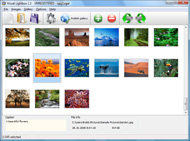
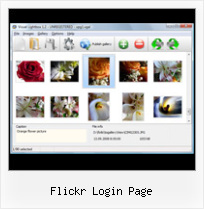
It's no secret that adding photos to your blog posts is one of the most effective ways to enhance your blog and attract attention to your writing. Flickr has millions of photos available in its database. A simple FREE tool called Flickr Gallery allows you to create a custom image gallery with a cool slide show of the most recent and most interesting photos from Flickr on your website or blog in a few easy steps. Just visit Flickr website and find photostream, photoset or a single photo you like. Enter the address of flickr page to add all photos from this page in your gallery, select the style of thumbnails and the overlay window and add the HTML embed code on your website or blog.
A few clicks and you'll see a stylish photo gallery with beautifull lightbox and zoom effects on your own website or blog!


Flickr Gallery for Windows   Flickr Gallery for MAC

Want more?

Example

Lightbox gallery sample

The following image set is generated by Flickr Gallery tool. Click any picture to run Lightbox gallery.

The photo gallery above is an in-page usage demo of Lightbox gallery that uses images from Flickr. The photo gallery created with Flickr Gallery wizard is placed inside the html page. You can also check the full-page demo web gallery. This example takes whole browser area to show the website gallery.Download Flickr Videos To Imovie

How to Use

Step 1. Adding flickr images to your own gallery.


Locate the photo, photoset or photostream you want to use in your Flickr slideshow. Click on it to see the photo on its own page.

Copy URL of the flickr page.

Select Add images from Flickr... from the 'Add' button on the Toolbar.

Add images from Flickr

In the appeared window paste URL of the flickr page. Specify also the number of photos you want to add from the flickr page. Flickr Gallery will now include these photos in your project.

Add images from Flickr

If you have included the photos that you do not wish to be in your web gallery, you can easily remove them. Select all images that you wish to remove from photo gallery, and select Delete images. from the Images menu. You can pick and choose pictures by holding the CTRL while clicking the pictures you like.

Step 2. Adding caption.

The name of the photo on flickr page will automatically appear in the caption. When you select a photo you'll see the various info about it, such as: Path, Size, date of last change and Caption. You can add any comment or text about the photo (up to 512 symbols).

Step 3. Gallery properties.

Change the name of your flickr album, the size and quality of your pictures with Flickr Gallery. From the Gallery menu, select Properties or use "Edit Gallery Properties" button on the toolbar.

On the first tab of the Gallery Properties window you can change the name of your photo album and enable/disable the following properties: Slide Show, Auto play Slide Show, Zoom effect, Overlay Shadow. You can also set the Overlay shadow color and select the Engine you want to use (jQuery or Prototype + script.aculo.us).

On the second tab of the Gallery Properties window you can select the thumbnail you want to use, set the Thumbnails Resolution, Thumbnails Quality, Thumbnails Titles. Select Thumbnails Format (save in PNG or JPG format). Specify the Number of columns in you photo album and the Page color.

On the third tab of the Gallery Properties window you can select the template, Image resolution and Image quality of your pictures and change the Watermark.

You can set up the various sizes for exported images.

Control the quality of output PNG or JPEG format image by defining output "Image quality" and "Thumbnail quality" parameters (0%…100%).

Step 4. Save your photo gallery as project file.

When you exit Flickr Gallery application, you'll be asked if you want to save your project. The project consists of the pictures you choose to put on your web photo gallery and all your settings. It's a good idea to save the project, because that will allow you to change the project in case you decide to do something different with future galleries. So click Yes, then enter a name for your project. To select the location of your project, just click the Browse folders button and choose a different location. Then click Save.

Flickr Slideshow Embed Background Color Flickr Login Page

Download Flickr Gallery


Download Flickr Gallery Download Free Edition
for Windows
Download Flickr Gallery Download Free Edition
for MAC

Flickr Gallery is free for non - commercial use.

A small fee is required for business use. Flickr Gallery Business Edition additionally provides an option to remove the Flickr Gallery. Com credit line as well as a feature to put your own logo to images. After you finish the payment via the secure order form, you will receive a license key instantly by email that turns the Flickr Gallery Free Edition into a Business one. You can select the most appropriate payment method: credit card, PayPal, check, bank transfer etc. Also you can get Business Edition for free if you help with translating Flickr Gallery into your native language, please contact us at for more info.

Embed Photos From Flickr

Buy Flickr GalleryBuy Business Edition
for Windows

$49
Single Website
$69
Unlimited Websites
Buy Flickr GalleryBuy Business Edition
for MAC

$49
Single Website
$69
Unlimited Websites

Support

For general help, troubleshooting and feature requests contact Customer Support at . Make sure to include details on your Flickr Gallery version, a link (or relevant code), browser and operating system.Flickr Tag Thumbnail Size

Feedback

    * First of all, I love you Flickr Gallery. I think it's beautiful! I purchased the lightbox “business edition” yesterday, and I’m very happy how easy it is to use. Found this to be one of the fastest ways to get a gallery on the web. Thanks.

    * I tried Flickr Gallery and for me its a very cool and usefull application. Its so easy to manage my galleries and it looks very nice.

    * I LOVE your free Lightbox2 software tool and will purchase the business version shortly. I have seen the Lightbox JS effect used with video tutorials and I was hoping you have a version for video that I can purchase.
Video LightBox: http://videolightbox.comHow To Post Pictures With Flickr

    * Let me start just congratulating you, good job, really. I am trying out the free version before I buy it. It works great.

FAQ

Q:Instead of making one page with 40 photos, is there no property to make 2 or more pages?

A:You can do it in the following way:

1. Create your gallery in Flickr Gallery and publish it on a local drive in any test folder.
2. Make two copies of the generated index.html file (for example index1.html and index2.html).
3. Open index.html, index1.html and index2.html files in any text editor.
4. Find code for the gallery inside the BODY tag and cut some part of the images, so you'll have different images on each page.

<!-- Start Flickr Gallery.com BODY section -->
<div class="gallery">
<!-- leave the following code on index.html page -->
<a href="./data/images/1.jpg" rel="lightbox[sample]" title="Best Toy Ever"><img src="./data/thumbnails/1.png" /></a>
<a href="./data/images/8.jpg" rel="lightbox[sample]" title="PrueaMacro"><img src="./data/thumbnails/8.png" /></a>

<!-- leave the following code on index1.html page -->
<a href="./data/images/3.jpg" rel="lightbox[sample]" title="Macro Leaf."><img src="./data/thumbnails/3.png" /></a>
<a href="./data/images/11.jpg" rel="lightbox[sample]" title="Bell Pepper"><img src="./data/thumbnails/11.png" /></a>

<!-- leave the following code on index2.html page -->
<a href="./data/images/5_0.jpg" rel="lightbox[sample]" title="5"><img src="./data/thumbnails/5_0.png" /></a>
<a href="./data/images/6_0.jpg" rel="lightbox[sample]" title="6"><img src="./data/thumbnails/6_0.png" /></a>

<!--[if lte IE 6]><script src="engine/js/pngfix_vlb.js" type="text/javascript"></script><![endif]-->
<a id="vlightbox" href="http://Flickr Gallery.com/">Online Photo Album Sharing by Flickr Gallery.com</a>
</div>
<!-- End Flickr Gallery.com BODY section -->

5. Create links to switch between your pages, for example:
<a href="index.html">1</a>  <a href="index1.html">2</a>  <a href="index2.html">3</a> 


Q:I want to change color of the overlay shadow? How can I do this?

A:Open engine\css\Flickr Gallery.css and find the following code:

#overlay{
position: absolute;
top: 0;
left: 0;
z-index: 90;
width: 100%;
height: 500px;
background-color: #FFF;
filter:alpha(opacity=60);
-moz-opacity: 0.6;
opacity: 0.6;
}

set the background-color parameter :

#overlay{
position: absolute;
top: 0;
left: 0;
z-index: 90;
width: 100%;
height: 500px;
background-color: #FF00FF;
filter:alpha(opacity=60);
-moz-opacity: 0.6;
opacity: 0.6;
}


RELATED

New Flickr Mobile | Wap Review Flickr recently rolled out an updated version of their mobile site at m.flickr.com. When I first reviewed Flickr Mobile I found it limited but useful. This I think the url to the login page is too "complicated" for this rather brain-dead browser to handle

Flickr to Authenticate OpenID - Is This The Yahoo! CES Rumors abound that Yahoo! will make a major announcement about OpenID today at CES. It looks like at the very least you'll be able to use your Flickr user page URL to log in anywhere that supports OpenID login. The code is live, view source of

Wap Review - Flickr Mobile Images Entertainment and Leisure Sites Mobile Flickr Mobile Images Entertainment and Leisure Websites Reviewed and Rated. I think the url to the login page is too "complicated" for this rather brain-dead browser to handle

Flickr API Profile Flickr API -- see mashups, code, news, reviews and resources. Plus hundreds of APIs and mashups. Click the "Track this API" button on any profile page and never miss an API update, new app, or breaking news for that API again

Flickriver - A new way to view Flickr photos and more Flickriver - view images as a 'river of photos' and more While viewing any Flickr photos page, click on the bookmarklet to open the same view on Flickriver

Connected Flow - FlickrExport 4 Public Beta This page contains beta-quality software which may contain bugs of FlickrExport 4 will report itself as "FlickrExport 3" on Flickr's login pages and in "uploaded with" on your photos

Flickr content pages overview In order to create this page, you must have a Flickr login and an API key for each Flickrcontent page or pagelet you create in your ACM. You will also need the call-back URL of each of your Flickrcontent pages to be used for the API key authentication details

Snapfish Provides film developing and online viewing and sharing services. Also offers personalized photo gifts and cards

Flickr Flickr is almost certainly the best online photo management and sharing application in the world. Show off your favorite photos and videos to the world, securely and privately show content to your friends and family, or blog the photos and videos

Post Flickr photo updates on Facebook, automatically Post Flickr photo updates on Facebook automatically. Configure your Flickr account settings and login into Facebook account to authorize posting of updates. You will get Facebook login page which will authorize and integrate your accounts at Flickr & Facebook

Saleen Flickr Downloader For example the set shown here has about 400 pages but only shows some of the nearest pages to the current page. Flickr Downloader needs this information to enqueue all pages. To work around this issue

Picnik Picnik lets you edit all your photos online, from one easy place

How To Download, Backup All Flickr Photos Albums With Bulkr How To Download, Backup All Flickr Photos Albums With Bulkr, article posted by Gaurav Akrani on Kalyan City Life blog. This will open Yahoo's Flickr login page in your default browser, now you must enter your username and password to login into your flickr account

Flickr Login Page : Flickr Gallery Flickr Login Page. Build professional online photo galleries for your Website with Flickr Slide Show!. How To Erase Flickr Application

flikr links that go to yahoo login page? - flikr yahoo login flikr links that go to yahoo login page? August 8, 2009 8:14 AM Subscribe. Ever since flikr became part of You can set permissions levels on Flickr pretty granularly. The second photo, for me, doesn't go to a Yahoo login page it goes to a warning that says "This photo is

Easily Edit Flickr Photos Online with Flauntr (with Screenshots) You can edit your Flickr photo directly via Flauntr and all the changes can be easily shared at your Flickr photo page. 2- Click the Flickr button on top left of the screen to open a Flickr login page

The Digital Photo and Image Management Cataloging Software Featured image management software that imports photos from cameras, does digital photo management, performs batch image renames, 2. The Flickr Uploader login page appears. Click on the Login button. If this is your first time using PicaJet Flickr Uploader, you need to authorize your account

InoPlugs Demo Website | in your face innovations Set background images for the home, front, search, author, 404, archive, login page and a fallback background image option You can change the flickr settings on a per post/per page basis – i.e. it's possible to display flickr galleries of one user on one page and galleries of a group on

2007 March " Flickr Blog Unfortunately, some unsuspecting members have been tricked into giving away their Flickr login credentials to unscrupulous third parties, so we wanted to explain what's Flickr about Flickr-related services will ever direct you to another website where you need to re-enter your Yahoo! login

Code: Flickr Developer Blog Ultimately we settled on a solution that forgot about popup tracking and window focus and instead concentrated on checking for the user's login cookies. The code below polls to see if the login cookie is set, then makes an AJAX request to verify it, then refreshes the Flickr page:

2 Easy Ways to Schedule Photo Uploads To Your Flickr Account 1. Login to your Flickr account and go to this page to find the uploading Email address. The site uses the WordPress platform, so don't get surprised if you see a registration and login page similar to WordPress

Convio Online Help: Integrating Flickr Into Your TeamRaiser Event The Yahoo! login (Sign in to Yahoo!) page opens. Click the Sign Up A pop-up opens and displays the Flickr Login page. Log in with the username and password

Once More... / Posts / Flickr/Greasemonkey Clearinghouse Flickr Rich Edit (screenshot) Add limited rich editing capabilities (italic, bold, blockquote, link) to any input in Flickr where you can use Flickr: Return-to-Page on Login: This script makes it so that clicking Login' on any Flickr page will return you to that page after you log in

Getting started on Flickr Find out more about how Flickr works, how to set up an account and how to add photos to our Flickr groups. a) If you already have a Yahoo! ID, enter your username and password to log in – if you reached the login page via the Flickr URL above, you should be automatically redirected to Flickr

Turbanizer.com - Ever Wondered What You Looked Like In A Important* Remember to turn off your pop-up blockers otherwise the pop-up for the Flickr login page will be blocked. When you click on the "Use Flickr" button, a pop-up will appear that informs you to log into your Flickr account. Click on "Log-in" and the Yahoo!/Flickr log in page will appear

Members Only Login Page | Drexel Metals Flickr. DREXEL SOLAR. Home " Members Only Login Page. Members Only Login Page. Please enter your username and password to access the Members Only section: Enter your username: Enter your password: If you do not have an Account you can create one below: First Name. Last Name. Email: Username:

Sign in to Yahoo! Best in class Yahoo! Mail, breaking local, national and global news, Sign in to Yahoo!. Login Form. Yahoo! ID (e.g. free2rhyme@yahoo.com) Password. Keep me

