




Overview

It's no secret that adding photos to your blog posts is one of the most effective ways to enhance your blog and attract attention to your writing. Flickr has millions of photos available in its database. A simple FREE tool called Flickr Gallery allows you to create a custom image gallery with a cool slide show of the most recent and most interesting photos from Flickr on your website or blog in a few easy steps. Just visit Flickr website and find photostream, photoset or a single photo you like. Enter the address of flickr page to add all photos from this page in your gallery, select the style of thumbnails and the overlay window and add the HTML embed code on your website or blog.
A few clicks and you'll see a stylish photo gallery with beautifull lightbox and zoom effects on your own website or blog!


Flickr Gallery for Windows   Flickr Gallery for MAC

Want more?

Example

Lightbox gallery sample

The following image set is generated by Flickr Gallery tool. Click any picture to run Lightbox gallery.

The photo gallery above is an in-page usage demo of Lightbox with images from Flickr. The web gallery created with Flickr Gallery wizard is placed inside the html page. You can also check the full-page demo web gallery. This example takes whole browser area to show the website gallery.Import Flickr To Webpage

How to Use

Step 1. Adding flickr images to your own gallery.


Locate the photo, photoset or photostream you want to use in your Flickr slideshow. Click on it to see the photo on its own page.

Copy URL of the flickr page.

Select Add images from Flickr... from the 'Add' button on the Toolbar.

Add images from Flickr

In the appeared window paste URL of the flickr page. Specify also the number of photos you want to add from the flickr page. Flickr Gallery will now include these photos in your project.

Add images from Flickr

If you have included the photos that you do not wish to be in your web gallery, you can easily remove them. Select all images that you wish to remove from photo gallery, and select Delete images. from the Images menu. You can pick and choose pictures by holding the CTRL while clicking the pictures you like.

Step 2. Adding caption.

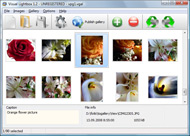
The name of the photo on flickr page will automatically appear in the caption. When you select a photo you'll see the various info about it, such as: Path, Size, date of last change and Caption. You can add any comment or text about the photo (up to 512 symbols).

Step 3. Gallery properties.

Change the name of your flickr album, the size and quality of your pictures with Flickr Gallery. From the Gallery menu, select Properties or use "Edit Gallery Properties" button on the toolbar.

On the first tab of the Gallery Properties window you can change the name of your photo album and enable/disable the following properties: Slide Show, Auto play Slide Show, Zoom effect, Overlay Shadow. You can also set the Overlay shadow color and select the Engine you want to use (jQuery or Prototype + script.aculo.us).

On the second tab of the Gallery Properties window you can select the thumbnail you want to use, set the Thumbnails Resolution, Thumbnails Quality, Thumbnails Titles. Select Thumbnails Format (save in PNG or JPG format). Specify the Number of columns in you photo album and the Page color.

On the third tab of the Gallery Properties window you can select the template, Image resolution and Image quality of your pictures and change the Watermark.

You can set up the various sizes for exported images.

Control the quality of output PNG or JPEG format image by defining output "Image quality" and "Thumbnail quality" parameters (0%…100%).

Step 4. Save your photo gallery as project file.

When you exit Flickr Gallery application, you'll be asked if you want to save your project. The project consists of the pictures you choose to put on your web photo gallery and all your settings. It's a good idea to save the project, because that will allow you to change the project in case you decide to do something different with future galleries. So click Yes, then enter a name for your project. To select the location of your project, just click the Browse folders button and choose a different location. Then click Save.

Flickr Embed Js Flickr Photo Blog

Download Flickr Gallery


Download Flickr Gallery Download Free Edition
for Windows
Download Flickr Gallery Download Free Edition
for MAC

Flickr Gallery is free for non - commercial use.

A small fee is required for business use. Flickr Gallery Business Edition additionally provides an option to remove the Flickr Gallery. Com credit string as well as a feature to put your own logo to images. After you conclude the payment via the secure form, you will receive a license key instantly by email that turns the Flickr Gallery Free Edition into a Business one. You can select the most suitable payment mode: bank transfer, credit card, PayPal, check etc. Also you can get Business Edition for free if you help with translating Flickr Gallery into your native language, please contact us at for more info.

Include Flickr In Website

Buy Flickr GalleryBuy Business Edition
for Windows

$49
Single Website
$69
Unlimited Websites
Buy Flickr GalleryBuy Business Edition
for MAC

$49
Single Website
$69
Unlimited Websites

Support

For general help, troubleshooting and feature requests contact Customer Support at . Make sure to include details on your Flickr Gallery version, a link (or relevant code), operating system and a browser.Flickr Slideshow Igoogle Widget

Feedback

    * First of all, your product is fantasitc. I looked at the others and your code generator app was insanely easy to use.

    * Just a quick thank you for the software though, It's not often you get a free software version of this quality and style! Well done and please continue this amazing gallery. Hope to see more advances.

    * I find Flickr Gallery (and lightbox2) a great tool and was about to proceed in its purchase.Flickr Set Gallery Htm

    * Great product by the way and saved me loads of time. I really like your Flickr Gallery program! Very nice.

FAQ

Q:How do I embed the lightbox image gallery into an existing page?

A:To install Flickr Gallery gallery on your page you should:

1. Create your gallery in Flickr Gallery and publish it on a local drive in any test folder.
2. Open index.html file from the saved folder in any text editor.
3. Copy code for the HEAD section and paste it inside the HEAD section of you own webpage, for example:

<head>
...
<!-- Start Flickr Gallery.com HEAD section -->
<link rel="stylesheet" href="engine/css/vlightbox.css" type="text/css" />
<style>#vlightbox a#vlb{display:none}</style>
<link rel="stylesheet" href="engine/css/Flickr Gallery.css" type="text/css" media="screen" />
<script src="engine/js/jquery.js" type="text/javascript"></script>
<script src="engine/js/jquery.tools.min.js" type="text/javascript"></script>
<script src="engine/js/visuallightbox.js" type="text/javascript"></script>
<!-- End Flickr Gallery.com HEAD section -->

...
</head>


4. Copy code for the BODY section and paste it inside the Body section of you own webpage in the place where you want to have a gallery, for example:

<body>
...
<!-- Start Flickr Gallery.com BODY section -->
<div id="vlightbox">
<a rel="lightbox_vlb" href="data/images/dscn6831.jpg" title="DSCN6831"><img src="data/thumbnails/dscn6831.png"><span></span></a>
<a rel="lightbox_vlb" href="data/images/dscn6823.jpg" title="DSCN6823"><img src="data/thumbnails/dscn6823.png"><span></span></a>
<a rel="lightbox_vlb" href="data/images/dscn6819.jpg" title="DSCN6819"><img src="data/thumbnails/dscn6819.png"><span></span></a>
<a id="vlb" href="http://Flickr Gallery.com">Photo Gallery For Web by Flickr Gallery.com v2.1</a>
</div>
<!-- End Flickr Gallery.com BODY section -->

...
</body>


5. Copy 'data' folder with images and thumbnails and 'engine' folder with .css and .js files into the same folder with your own webpage.
You can find the example on our website:
http://www.Flickr Gallery.com/#example


RELATED

Make: Online | HOW TO GPS Tag Photos: Flickr, Mappr, Google Earth DIY projects, how-tos, and inspiration from the workshops and minds of geeks, makers, and hackers @ the Make: Magazine blog HOW TO GPS Tag Photos: Flickr, Mappr, Google Earth . Here's the simple, non-techy way of tagging photos with the location of where you took them on

How to: Add a Styled Flickr Photo Stream to Your Blog Adding uniquely-styled Flickr photo streams to your blog is easy, and it's just another thing you can leverage to make your blog stand out among the crowd. Today, my goal is simply to walk you through the process of creating

4 tools to integrate Flickr photos into your website Flickr is a great and best photo-sharing site, no second thoughts about it. Nice collection ben, even i am thinking to start a photo blog. I have a flickr pro account may be flogr would do the job. What do you think which one is better. #2

An Incredibly Easy Way To Legally Use Flickr Photos Flickr is a goldmine of images that you can use to spice up your web site or blog posts. But there are some things you should be aware of, so that you can keep it all legal. Now, I don't want this to just be some boring post about keeping it

More Photos in Flickr " Library of Congress Blog Our friend and former colleague, Justin Thorp, scooped us a bit on the fact that we have added some additional photos to our Flickr account. images, simply follow the link in each individual Flickr photo back to its corresponding image in the PPOC

Flickr Photo Project: Featured Nonprofit - The TechSoup Blog We're delighted that many people grabbed their cameras and showed us how their work contributed to the success of their organizations by uploading photos to our group on Flickr. View all photos and join TechSoup's group so you can leave comments and add photos of your own!

Give Each Blog Post a Pretty Face With Flickr The photos that I use on Flickr for this blog are licensed to be used under Creative Commons. That means there are some rules to using them, but if you abide by the rules, you can use them. ( More on Creative Commons.). There are multiple rules for these photos

My Flickr App Blog My Flickr App Blog - Blog for the My Flickr web application (on Facebook, for now). Posting new features, neat new Flickr items, and popular Flickr photos

Flickr Photo Album for WordPress : tan tan noodles – msg free On the backend, this plugin will also add a new Flickr icon to your WordPress edit screen which will allow you to easily insert your Flickr photos into your blog posts with just a couple clicks. Adds a new Flickr icon to your media bar which allows you to easily add Flickr photos to any blog post

Flickr Flickr is almost certainly the best online photo management and sharing application in the world. Show off your favorite photos and videos to the world, securely and privately show content to your friends and family, or blog the photos and videos

Flickr Photo Blog - BrushedPixels BrushedPixels lets photographers share their images through a personalized blog. BrushedPixels integrates directly with Flickr so you don't have to upload your photos again. How is this different from Flickr? Publish your photos from Flickr with one click. Or, better yet, turn on automatic posting

Flickriver - A new way to view Flickr photos and more Flickriver - view images as a 'river of photos' and more Use Flickriver Badge Creator to create a badge linking to your photos, your group or any other Flickriver view. You can place your badge on your Flickr profile, Blog or Website. Add to your iGoogle or Netvibes page

Mel's Internet Universe Flickr Blog Flickr Blog. Revisiting and Archiving all of my Flickr Photos. Check Out Mel's Flickr size photos on Flickr, dumb your photo size down to smaller than 900 pixels wide to discourage people from stealing your high resolution photos

10 Amazing Wordpress Plugins for Flickr And just to make things that little bit easier here are 10 WP Plugins to integrate Flickr directly into your blog. Flickr Photo Album for WordPress. Description: This Flickr plugin for WordPress will allow you to pull in your Flickr photosets and display them as albums on your WordPress site

Flickr Blog Companion blog to Flickr features downtime status, daily photos, and news and updates about new photo and video sharing features

flickr On May 31, 2011, In Photo Essays, By The A-Team. Recently we noticed a bunch of great product shots pouring into our Flickr Group courtesy of one man, The A-Team: Alex, one more thing, here's my in-depth review of the S90: http://www.aputure.com/blog/?p =87 And

How Every Flickr Photo Ended Up on Sale This Weekend " JMG Flickr RSS via the Flickr API has enabled others to blog my safeguards set in place through the "Blog This" button on each of my Flickr photo pages

Flickr Photos Are Getting a Massive Overhaul As of today, users can start seeing bigger, bolder Flickr photo pages with prettier controls and more apparent options for learning more about each

Flickr " Williamo's Blog Although the algorithm is secret, Flickr has stated that many factors go into calculating Interestingness including: a photo's tags, how many groups the photo is in, views, favorites, where click-throughs are Tags: (Other Blogs), flickr, Flickr, linkback, My Photos, photo blog, Photography, pick

Flickr Slideshow - create flickr photo slideshows for your Yahoo's photosharing service Flickr is almost certainly the best online photo management and sharing on the web, Flickr Slideshow allows you to easily create a custom flickr slideshow on your website or blog. It is one handy tool, just enter

Flickr Photo All about flickr photo

Jeffrey Friedl

Flickr Photo Blog : Flickr Gallery Flickr Photo Blog. Photo album builder allows you to create and publish rich, interactive web photo galleries for your website!. Download Flickr Galleries Os X

Flickr - Wikipedia, the free encyclopedia The other photos that were uploaded are still stored on the site and links to these images in blog posts remain active. Free users can also contribute to a maximum of 10 photo pools. If a free account is inactive for 90 consecutive days, Flickr

dannyman.toldme.com : Photos Flickr Photos Flickr is a development version of a plugin that I am writing for WordPress blog software to display a user's Flickr photos within their blog. Someone with a WordPress blog can now have a basic interface to let readers view their Flickr images, using their own web site and design

Options for Easily Adding Flickr Photos to Your Website This page shows a number of the leading options for quickly and easily adding your Flickr photos to your website or blog (WordPress, Joomla, TextPattern). They all offer some options and customizations

Flickr Photos " Support — WordPress.com It takes care of your image resizing, allows you to tag your photos, and even enables notes and comments to be submitted on each photo by visitors. What's more, with just a few clicks, you can post a photo from your Flickr account onto your WordPress.com blog. Setup

The best flickr – photo blog Blog Stats. 3,219 hits. Search. My links. Follow me on Twitter. My Flickr photos. My Creative photos. about. About. Category Cloud. Uncategorized. Theme: Contempt by Vault9. Blog at WordPress.com

