



Overview

It's no secret that adding photos to your blog posts is one of the most effective ways to enhance your blog and attract attention to your writing. Flickr has millions of photos available in its database. A simple FREE tool called Flickr Gallery allows you to create a custom image gallery with a cool slide show of the most recent and most interesting photos from Flickr on your website or blog in a few easy steps. Just visit Flickr website and find photostream, photoset or a single photo you like. Enter the address of flickr page to add all photos from this page in your gallery, select the style of thumbnails and the overlay window and add the HTML embed code on your website or blog.
A few clicks and you'll see a stylish photo gallery with beautifull lightbox and zoom effects on your own website or blog!


Flickr Gallery for Windows   Flickr Gallery for MAC

Want more?

Example

Lightbox gallery sample

The following image set is generated by Flickr Gallery tool. Click any picture to run Lightbox gallery.

The sample above is an in-page usage demo of Lightbox gallery that uses images from Flickr. The website gallery created with Flickr Gallery tool is placed inside the website page. You can also check the full-page demo lightbox gallery. This example takes whole browser area to show the gallery.Flickr Photo Badge

How to Use

Step 1. Adding flickr images to your own gallery.


Locate the photo, photoset or photostream you want to use in your Flickr slideshow. Click on it to see the photo on its own page.

Copy URL of the flickr page.

Select Add images from Flickr... from the 'Add' button on the Toolbar.

Add images from Flickr

In the appeared window paste URL of the flickr page. Specify also the number of photos you want to add from the flickr page. Flickr Gallery will now include these photos in your project.

Add images from Flickr

If you have included the photos that you do not wish to be in your web gallery, you can easily remove them. Select all images that you wish to remove from photo gallery, and select Delete images. from the Images menu. You can pick and choose pictures by holding the CTRL while clicking the pictures you like.

Step 2. Adding caption.

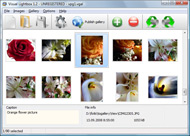
The name of the photo on flickr page will automatically appear in the caption. When you select a photo you'll see the various info about it, such as: Path, Size, date of last change and Caption. You can add any comment or text about the photo (up to 512 symbols).

Step 3. Gallery properties.

Change the name of your flickr album, the size and quality of your pictures with Flickr Gallery. From the Gallery menu, select Properties or use "Edit Gallery Properties" button on the toolbar.

On the first tab of the Gallery Properties window you can change the name of your photo album and enable/disable the following properties: Slide Show, Auto play Slide Show, Zoom effect, Overlay Shadow. You can also set the Overlay shadow color and select the Engine you want to use (jQuery or Prototype + script.aculo.us).

On the second tab of the Gallery Properties window you can select the thumbnail you want to use, set the Thumbnails Resolution, Thumbnails Quality, Thumbnails Titles. Select Thumbnails Format (save in PNG or JPG format). Specify the Number of columns in you photo album and the Page color.

On the third tab of the Gallery Properties window you can select the template, Image resolution and Image quality of your pictures and change the Watermark.

You can set up the various sizes for exported images.

Control the quality of output PNG or JPEG format image by defining output "Image quality" and "Thumbnail quality" parameters (0%…100%).

Step 4. Save your photo gallery as project file.

When you exit Flickr Gallery application, you'll be asked if you want to save your project. The project consists of the pictures you choose to put on your web photo gallery and all your settings. It's a good idea to save the project, because that will allow you to change the project in case you decide to do something different with future galleries. So click Yes, then enter a name for your project. To select the location of your project, just click the Browse folders button and choose a different location. Then click Save.

Gallery Powered By Flickr Jquery Flickr Search

Download Flickr Gallery


Download Flickr Gallery Download Free Edition
for Windows
Download Flickr Gallery Download Free Edition
for MAC

Flickr Gallery is free for non-commercial use.

A small fee is required for business use. Flickr Gallery Business Edition additionally provides an option to remove the Flickr Gallery. Com credit string as well as a feature to put your own logo to images. After you conclude the payment via the secure order form, you will receive a license key instantly by email that turns the Flickr Gallery Free Edition into a Business one. You can select the most suitable payment procedure: credit card, PayPal, bank transfer, check etc. Also you can get Business Edition for free if you help with translating Flickr Gallery into your native language, please contact us at for more info.

Personal Website Link Flickr Gallery

Buy Flickr GalleryBuy Business Edition
for Windows

$49
Single Website
$69
Unlimited Websites
Buy Flickr GalleryBuy Business Edition
for MAC

$49
Single Website
$69
Unlimited Websites

Support

For general help, troubleshooting and feature requests contact Customer Support at . Make sure to include details on your operating system, browser, a link (or relevant code) and Flickr Gallery version.Import Contacts Into Flickr

Feedback

    * First of all, I love you Flickr Gallery. I think it's beautiful! I purchased the lightbox “business edition” yesterday, and I’m very happy how easy it is to use. Found this to be one of the fastest ways to get a gallery on the web. Thanks.

    * I tried Flickr Gallery and for me its a very cool and usefull application. Its so easy to manage my galleries and it looks very nice.

    * I just tried the application, It is wonderful idea. Like you said in the website "few clicks without writing a single line of code" because most of the people is not web designers".Php Script Image Gallery Flickr Like

    * I would like to say that Flickr Gallery is a stunning lil program! Its almost too good to be true i'd say! I've been looking for tutorials to create a lightbox gallery, but just couldnt come right. Im so glad i found Flickr Gallery!

FAQ

Q:I purchased your business license today but I don't see any way to update so the watermark is either missing or replace with mine.What do I do?

A:Free edition of Flickr Gallery doesn't allow you to remove our watermark.

Register your Flickr Gallery application at first. Use reg. key from the license message you received after the purchase. After the registration you can remove watermarks.

Open Gallery->Properties->Templates: Watermark. Click to disable this option or use your own watermark.


RELATED

jquery-flickr - Google Code jQuery Flickr plug-in is a JavaScript interface for Flickr Services API written on top of the jQuery library. It's function is to process a Flickr API Standard Photo List returned in JSON and create a semantic gallery(unordered returns sorted search results by user id, group id, tags, of text

flickr Software - Free Download flickr - Top 4 Download flickr gallery lightbox jquery flickr slideshow flickr wordpress flickr how to flickr plugin flickr blog flickr embed flickr add flickr jquery flickr embed slideshow Related Search. send to flickr flickr embed flickr slideshow download flickr sendto flickr upload to

Flickr + jQuery + Salesforce = Awesome^5 [Part 1] " The A developer's view of Cloud Computing platforms & technologies. Flickr + jQuery + Salesforce = Awesome^5 [Part 1] with one comment. Being a Well our aim is to build a gallery viewer using images sourced from Flickr

The Book and the Cover " jQuery: jqAlbumParser Plugin, parses jQuery: jqAlbumParser Plugin, parses out Flickr, Picasa clientside. by Benjamin Sterling The jQuery jqAlbumParser Plugin takes a link linking to your Flickr or Picasa photo album

Flickr Instant Search & Discover Flickr' is a trademark of Yahoo! Inc. Flickr Instant. By FvBuendĂ­a. Follow Me! Flickr Search. Previous. Next. By Technology: Flickr API, jQuery, AutoComplete, JSON, Javascript

15 Great jQuery Images Gallery Plugins To Showcase Your Work Full Screen Image Gallery Using jQuery And Flickr. It's a full screen image gallery that automatically scales the image with kept aspect ratio to fill the browser I also spiced it up with a flickr search engine, thumbnails, captions, preloader and some other goodies

Open Source Flickr Photo Gallery Using jQuery - Web Development flickrGallery is an open-source photo gallery for jQuery that allows you to dynamically pull images from a photoset in Flickr. The main functionaliti

Dynamic Search Box jQuery Plugin – dynoBox | Knee Deep In Code Flickr. Dynamic Search Box jQuery Plugin – dynoBox. dynoBox was supposed to be just a copy and paste bit of code, but then I decided, what the hell, might as well make it a full blown plugin. Even after that I thought it was only going to have 2 options, selectAll and value

Flickr Feed Jquery : Flickr Gallery Flickr Feed Jquery. Just drag and drop your photos or folders with photos and press

Enhance your flickr search with Flair Flair is a Adobe Air based application which allow you to easily search Flickr images from Flickr database for matched your photo tags. The flickr search result displayed as thumbnails, So you can easily view a larger size of

Flickr: "jquery" Flickr is almost certainly the best online photo management and sharing application in the world. Show off your favorite photos and videos to the world, securely and privately show content to your friends and family, or blog the photos and videos

Matt Null | Web Development Some experimentation with the Netflix API. Flickr Search (jQuery - Flickr API) Some experimentation with the Flickr API. This was written without the use of server-side code. Fun With Google Earth (jQuery - Google Earth API) A little fun with mapping my visitors using the Google Earth API

Using the Flickr API: We Don't Need No Stinkin' Badges A while back I wrote about pulling Flickr images using jQuery, but in that example we were using feeds provided by Flickr's services. thatisall. Search. RSS. Recent Comments. Jonas, your app came out really nice. Mines got some styling

Flickr Album - Joomla! Extensions Directory Embed a flickr album within an article. These albums can be sourced from a particular flickr photoset, user, group or search string. Photos are displayed according to a user defined grid. This plugin uses 3 javascript libraries to create Flickr

Tutorial: Use the Flickr API, Javascript (jQuery), AJAX and A tutorial on how to build a detailed Flickr photo wall with JavaScript, jQuery, JSON and Ajax

Create a Photostream Using jQuery and the Flickr API " Justin Tags: JavaScript, jQuery. Recently I added a Flickr photostream to the Download jQuery lightBox. jQuery lightBox is a jQuery plugin that can be used to display a

LiteFlick Brings Faster Flickr Browsing Service LiteFlick a jQuery lightbox plugin based websites which brings today's most interesting photos from flickr.com and it's totally different from Yahoo! Images

30 Trendy AJAX, jQuery And Image Galleries You May Like Here you will find easy to customize and modern image galleries you can use for your own projects, portfolios and possibilities are endless here! Flickr search using jQuery and JSON. Full screen with kept ratio using CSS only. A png raster to even out up-scaled jpegs. Thumbnails with loader

jQuery Plugins by malsup A port of Taconite to jQuery. Make multiple DOM manipulations in Quick and easy way to add twitter searches to your website. The Twitter updates on the

Ajax requests using jQuery and PHP | Web Development Blog Our last tutorial about the flickr API was an example on how-to search the flickr photo database for images using some short PHP code. This time we will use On the client site we will use some simple HTML search form and some easy to understand jQuery Ajax code to handle the requests

15 Amazing jQuery Image Gallery/Slideshow Plugins and Tutorials It uses the flickr search engine with thumbnail preview, captions, preloader and some other excellent goodies. Flickr search using jQuery and JSON. - Full screen with kept ratio using CSS only. - A png raster to even out up-scaled jpegs. - Thumbnails with loader indicator and a nice hover effect

flickrGallery - Dynamic Flickr Photo Gallery with Slider flickrGallery is an open-source photo gallery for jQuery that allows you to dynamically pull images from a photoset in Flickr. jQuery Flickr by Daniel MacDonald ( Download my edited copy from http://userfriendlythinking.com/Blog/BlogDetail.asp?p1=7013&p2

Compfight – Rails Based Ajax Search for Flickr Photos | Web Compfight – Rails Based Ajax Search for Flickr Photos - Open Source Resources for Web Developers

How to Add Auto Complete to Your Google Custom Search Engine This tutorial will show you how to use the "Popular Queries" feed from your Google Custom Search Engine (CSE) as a data source for a jQuery

10 Adobe AIR Applications To View, Download And Share Photos With the power of Adobe AIR technology and Flickr API, these 10 awesome AIR applications will make view, download and share photos on Flickr easy. Flair stands for Flickr search for AIR. It will search Flickr database for matched photo tags. The return results will be displayed in thumbnail

The Top: 12 Best jQuery Image Galleries | Devlounge Flickr search using jQuery and JSON. Full screen with kept ratio using CSS only. A png raster to even out up-scaled jpegs. Thumbnails with loader indicator and a nice hover effect that shows a bigger thumb (or description) A preloader loads the large images one by one for super-fast viewing

jQuery Lesson Series: How To Use JSON with Twitter and Flickr API This post illustrates how to use jQuery getJSON() method to implement a simple Twitter and Flickr search

