



Overview

It's no secret that adding photos to your blog posts is one of the most effective ways to enhance your blog and attract attention to your writing. Flickr has millions of photos available in its database. A simple FREE tool called Flickr Gallery allows you to create a custom image gallery with a cool slide show of the most recent and most interesting photos from Flickr on your website or blog in a few easy steps. Just visit Flickr website and find photostream, photoset or a single photo you like. Enter the address of flickr page to add all photos from this page in your gallery, select the style of thumbnails and the overlay window and add the HTML embed code on your website or blog.
A few clicks and you'll see a stylish photo gallery with beautifull lightbox and zoom effects on your own website or blog!


Flickr Gallery for Windows   Flickr Gallery for MAC

Want more?

Example

Lightbox gallery sample

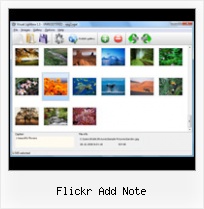
The following image set is generated by Flickr Gallery tool. Click any picture to run Lightbox gallery.

The sample above is an in-page usage demo of Lightbox tool with Flickr images. The slideshow created with Flickr Gallery application is placed inside the page layout. You can also check the full-page demo website gallery. This example takes whole browser area to show the web gallery.Image With Caption Flickr Style

How to Use

Step 1. Adding flickr images to your own gallery.


Locate the photo, photoset or photostream you want to use in your Flickr slideshow. Click on it to see the photo on its own page.

Copy URL of the flickr page.

Select Add images from Flickr... from the 'Add' button on the Toolbar.

Add images from Flickr

In the appeared window paste URL of the flickr page. Specify also the number of photos you want to add from the flickr page. Flickr Gallery will now include these photos in your project.

Add images from Flickr

If you have included the photos that you do not wish to be in your web gallery, you can easily remove them. Select all images that you wish to remove from photo gallery, and select Delete images. from the Images menu. You can pick and choose pictures by holding the CTRL while clicking the pictures you like.

Step 2. Adding caption.

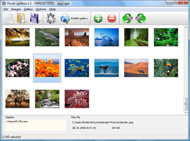
The name of the photo on flickr page will automatically appear in the caption. When you select a photo you'll see the various info about it, such as: Path, Size, date of last change and Caption. You can add any comment or text about the photo (up to 512 symbols).

Step 3. Gallery properties.

Change the name of your flickr album, the size and quality of your pictures with Flickr Gallery. From the Gallery menu, select Properties or use "Edit Gallery Properties" button on the toolbar.

On the first tab of the Gallery Properties window you can change the name of your photo album and enable/disable the following properties: Slide Show, Auto play Slide Show, Zoom effect, Overlay Shadow. You can also set the Overlay shadow color and select the Engine you want to use (jQuery or Prototype + script.aculo.us).

On the second tab of the Gallery Properties window you can select the thumbnail you want to use, set the Thumbnails Resolution, Thumbnails Quality, Thumbnails Titles. Select Thumbnails Format (save in PNG or JPG format). Specify the Number of columns in you photo album and the Page color.

On the third tab of the Gallery Properties window you can select the template, Image resolution and Image quality of your pictures and change the Watermark.

You can set up the various sizes for exported images.

Control the quality of output PNG or JPEG format image by defining output "Image quality" and "Thumbnail quality" parameters (0%…100%).

Step 4. Save your photo gallery as project file.

When you exit Flickr Gallery application, you'll be asked if you want to save your project. The project consists of the pictures you choose to put on your web photo gallery and all your settings. It's a good idea to save the project, because that will allow you to change the project in case you decide to do something different with future galleries. So click Yes, then enter a name for your project. To select the location of your project, just click the Browse folders button and choose a different location. Then click Save.

Change Flickr Album Address Flickr Add Note

Download Flickr Gallery


Download Flickr Gallery Download Free Edition
for Windows
Download Flickr Gallery Download Free Edition
for MAC

Flickr Gallery is free for non-commercial use.

A small fee is required for business use. Flickr Gallery Business Edition additionally provides an option to remove the Flickr Gallery. Com credit string as well as a feature to put your own logo to images. After you finish the payment via the secure order form, you will receive a license key instantly by e-mail that turns the Flickr Gallery Free Edition into a Business one. You can select the most appropriate payment method: check, PayPal, credit card, bank transfer etc. Also you can get Business Edition for free if you help with translating Flickr Gallery into your native language, please contact us at for more info.

Flickr Html Photo Gallery Plugin

Buy Flickr GalleryBuy Business Edition
for Windows

$49
Single Website
$69
Unlimited Websites
Buy Flickr GalleryBuy Business Edition
for MAC

$49
Single Website
$69
Unlimited Websites

Support

For general help, feature requests, troubleshooting contact Customer Support at . Make sure to include details on your Flickr Gallery version, a link (or relevant code), browser and operating system.Flickr Flash Slideshow Embed

Feedback

    * I just tried the application, It is wonderful idea. Like you said in the website "few clicks without writing a single line of code" because most of the people is not web designers".

    * This looks like EXACTLY what I need for my site. It would make my job much faster! Love your program. Thank you!!

    * I downloaded your trial version to see if I could get it to work with my website, and I am almost there (I have been looking for something like this for ages)..Automatically Download Images From Flickr Mac

    * Another programmes have incredible functionality but no fantastic interface like your product!

FAQ

Q:I would like to have a few galleries in one website and even on one page.

A:To create several galleries on your page you should change following parameter in A tag for different galleries:

rel="lightbox_vlb"

For example, for the first gallery you should set rel="lightbox_vlb":

<!-- Start Flickr Gallery.com BODY section -->
<div id="vlightbox">
<a rel="lightbox_vlb" href="data/images/dscn6831.jpg" title="dscn6831" >
<img src="data/thumbnails/dscn6831.png" ><span></span></a>
<a rel="lightbox_vlb" href="data/images/dscn6823.jpg" title="dscn6823">
<img src="data/thumbnails/dscn6823.png"><span></span></a>
<a id="vlb" href="http://Flickr Gallery.com">Photo Gallery For Web by Flickr Gallery.com v2.0</a>
</div>
<!-- End Flickr Gallery.com BODY section -->

and for the second gallery rel="lightbox_vlb1":

<!-- Start Flickr Gallery.com BODY section -->
<div id="vlightbox">
<a rel="lightbox_vlb1" href="data/images/img_0501.jpg" title="img_0501">
<img src="data/thumbnails/img_0501.png"><span></span></a>
<a rel="lightbox_vlb1" href="data/images/img_0481.jpg" title="img_0481">
<img src="data/thumbnails/img_0481.png"><span></span></a>
<a id="vlb" href="http://Flickr Gallery.com">Photo Gallery For Web by Flickr Gallery.com v2.0</a>
</div>
<!-- End Flickr Gallery.com BODY section -->


RELATED

Flickr (beta) Review & Rating | PCMag.com Flickr cultivates a lively, informal atmosphere, and though you can certainly share photos privately among friends and family, it also creates a kind of online community. easily tag them with keywords so they're readily searchable, or add notes and annotations that pop up when you mouse over images

Tech-Ease: Video Tutorials This movie shows you how to add tags and a description to your photos once you upload them to Flickr, as well Learn how to create annotated images on Flickr using the Add Note feature

JISC Digital Media - Still Images: Using Flickr to Organise a Anyone can add comments – any signed-in user can comment, any Contact can add notes, tags and people By default any signed-in Flickr user can comment on your public photos (and if you have any Contacts they can add notes and tags too). You can change

Flickr Add Note : Flickr Gallery Flickr Add Note. Just upload files generated by the photo album builder to your server and it will run immediately, even if it's a free host without php, mysql, asp support!. Flickr Recieve More Views

educationalsoftware - Flickr The Add Note' function allows you to set areas on the picture where a pop up comment will appear when the mouse rolls over that section of the picture. Pictures can be downloaded in a range of sizes from Flickr by anyone able to view the pictures if you allow this

Flickr holiday Easter egg From our playful friends at Flickr comes a nifty little Easter egg that adds a bit of holiday flair to your Flickr portraits: Add a note to a photo with the text ho ho ho beard or ho ho ho hat and you'll get a resizable Santa hat or beard to

How To Add Notes To Your Photos in Flickr Once your photos and/or videos have been uploaded to the Flickr website you can add notes to the photos. Notes can come in two forms. First you can add a description the

About Ludicorp Research & Development Ltd June 7th, 2004. Flickr adds Notes and Tags. View All News Articles " About Ludicorp. Ludicorp was born in the summer of 2002 and is a privately held company based in Vancouver, British Columbia. We're building a better platform for real time interaction online

How to Add Notes And Tags To Your Photos On Flickr | eHow.com How to Add Notes And Tags To Your Photos On Flickr. Adding notes and tags to your Flickr photos helps to facilitate searches. You can use tags to help yourself stay organized with your own album sets. Flickr's user-friendly note

Add notes to images (like flickr) using css | etc: a stream Add notes to images (like flickr) using css. Advertisement. If you'd like to add notes to your images (ala flickr), here's a CSS solution. The original article was in Spanish, so I've run it through Google Translate to make it a little easier to understand for us non-Spanish speakers

How to add Flickr like mouseover notes on your blog images Flickr has a very useful feature called Photo Notes that allow users to add text notes to specific regions on their images. Taggify is a web widget which allows bloggers and publishers to add such Flickr like photo notes to images on their site

Free Gallery Site: Flickr ThePhotoFinishes.com - Helpful information about digital photography, digital cameras, digital imaging software, photo manipulation, photo editing with links to the best digital imaging sofware sites

Introduction to Flickr™ Notes are just small boxes that will highlight a specific portion of your photo that you can add a caption to, To add a note, simply click on the specific photo you'd like to add a note to, and click the "Add Note" button just above the photo

Get the Most Out of Flickr - Wired How-To Wiki Flickr Basics. 1. Tag photos with multiple keywords so you can find that incriminating 2. Use the "add note" button in the Flickr toolbar to annotate parts

YouTube - ‪Flickr Tutorial Basic Tools‬‏ Includes how-to on uploading, downloading, Creative Commons, create sets, add notes, and advanced searches in Flickr

Can Polar Rose add tags to Flickr rather than notes? Rather than adding notes to Flickr, is it possible for Polar Rose to add the names of those identified in a photograph as a tag?

Flickr (Summer 2008) Choose add note and you can comment on anything you want in your photos and place those notes anywhere on the images. Picnik opens up in Flickr, so you don't even have to leave the site. You have many options for editing photos and adding special effects—some quite advanced yet all very easy to use

Show Your Christmas Spirit on Flickr | PCMech I have been a long-time user of Flickr and it is the online home for my photography (the ones I upload, anyway) Here's how to do it: Navigate to any of your photos. Click the "Add Note" button right above the folder to add a note to the photo. Type "ho ho ho hat" as your note

Flickr Gives Customers Ability to Add Notes to Photos as Flickr Gives Customers Ability to Add Notes to Photos as Metadata The "notes feature" in Flickr adds an additional entertaining or educational dimension to photos that employ it

Flickr Services: Flickr API: flickr.photos.notes.add Flickr is almost certainly the best online photo management and sharing application in the world. Show off your favorite photos and videos to the world, securely and privately show content to your friends and family, or blog the photos and videos

Photo Albums: (Smugmug, Flickr, etc) Flickr Photo Sharing. Blog your photos using your camera phone, use passwords so online your friends and family can see your private photos. Basic account is free and gives you the ability to edit your photos and add notes to them, even your friends can add notes. Organize them too

Easter Egg: Add snow to any photo on Flickr - The Next Web Fa la la la la visit Flickr, and la la la la la go to any photo. http://www.flickr.com/photos/thenextweb/3115017159/?snow=1. And there is more! Add a note to a photo with the text "ho ho ho beard" or "ho ho ho hat" (no quotes) to add a re-sizable hat or beard to any photo

Web Design Schools Guide Link to your own site within the photo: Be sure to add a link within your photo's description to get traffic back to your website. How to Add Notes and Tags to Your Photos on Flickr: Follow this guide to see how easy it is to add notes and tags to your Flickr photos. Networking with Other Designers

Spice World! " Blog Archive " Enumerating note data in Flickr It also has a very neat notes facility that allows you to add notes to a region of an image which pop-up when you mouse over the relevant area. Flickr provides API calls to add, edit and delete notes but not to enumerate notes associated with an image

