
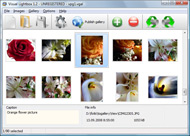



Overview

It's no secret that adding photos to your blog posts is one of the most effective ways to enhance your blog and attract attention to your writing. Flickr has millions of photos available in its database. A simple FREE tool called Flickr Gallery allows you to create a custom image gallery with a cool slide show of the most recent and most interesting photos from Flickr on your website or blog in a few easy steps. Just visit Flickr website and find photostream, photoset or a single photo you like. Enter the address of flickr page to add all photos from this page in your gallery, select the style of thumbnails and the overlay window and add the HTML embed code on your website or blog.
A few clicks and you'll see a stylish photo gallery with beautifull lightbox and zoom effects on your own website or blog!


Flickr Gallery for Windows   Flickr Gallery for MAC

Want more?

Example

Lightbox gallery sample

The following image set is generated by Flickr Gallery tool. Click any picture to run Lightbox gallery.

The example above is an in-page usage demo of Lightbox tool with Flickr images. The web gallery created with Flickr Gallery tool is placed inside the page layout. You can also check the full-page demo web gallery. This example takes whole browser area to show the gallery.Import Image From Photobucket To Flickr

How to Use

Step 1. Adding flickr images to your own gallery.


Locate the photo, photoset or photostream you want to use in your Flickr slideshow. Click on it to see the photo on its own page.

Copy URL of the flickr page.

Select Add images from Flickr... from the 'Add' button on the Toolbar.

Add images from Flickr

In the appeared window paste URL of the flickr page. Specify also the number of photos you want to add from the flickr page. Flickr Gallery will now include these photos in your project.

Add images from Flickr

If you have included the photos that you do not wish to be in your web gallery, you can easily remove them. Select all images that you wish to remove from photo gallery, and select Delete images. from the Images menu. You can pick and choose pictures by holding the CTRL while clicking the pictures you like.

Step 2. Adding caption.

The name of the photo on flickr page will automatically appear in the caption. When you select a photo you'll see the various info about it, such as: Path, Size, date of last change and Caption. You can add any comment or text about the photo (up to 512 symbols).

Step 3. Gallery properties.

Change the name of your flickr album, the size and quality of your pictures with Flickr Gallery. From the Gallery menu, select Properties or use "Edit Gallery Properties" button on the toolbar.

On the first tab of the Gallery Properties window you can change the name of your photo album and enable/disable the following properties: Slide Show, Auto play Slide Show, Zoom effect, Overlay Shadow. You can also set the Overlay shadow color and select the Engine you want to use (jQuery or Prototype + script.aculo.us).

On the second tab of the Gallery Properties window you can select the thumbnail you want to use, set the Thumbnails Resolution, Thumbnails Quality, Thumbnails Titles. Select Thumbnails Format (save in PNG or JPG format). Specify the Number of columns in you photo album and the Page color.

On the third tab of the Gallery Properties window you can select the template, Image resolution and Image quality of your pictures and change the Watermark.

You can set up the various sizes for exported images.

Control the quality of output PNG or JPEG format image by defining output "Image quality" and "Thumbnail quality" parameters (0%…100%).

Step 4. Save your photo gallery as project file.

When you exit Flickr Gallery application, you'll be asked if you want to save your project. The project consists of the pictures you choose to put on your web photo gallery and all your settings. It's a good idea to save the project, because that will allow you to change the project in case you decide to do something different with future galleries. So click Yes, then enter a name for your project. To select the location of your project, just click the Browse folders button and choose a different location. Then click Save.

Flickr Gallery Userid Embed A Flickr Map

Download Flickr Gallery


Download Flickr Gallery Download Free Edition
for Windows
Download Flickr Gallery Download Free Edition
for MAC

Flickr Gallery is free for non-commercial use.

A small fee is required for business use. Flickr Gallery Business Edition additionally provides an option to remove the Flickr Gallery. Com credit bar as well as a feature to put your own logo to images. After you finish the payment via the secure form, you will receive a license key instantly by email that turns the Flickr Gallery Free Edition into a Business one. You can select the most suitable payment procedure: credit card, bank transfer, check, PayPal etc. Also you can get Business Edition for free if you help with translating Flickr Gallery into your native language, please contact us at for more info.

Autoplay Flickr Slideshows

Buy Flickr GalleryBuy Business Edition
for Windows

$49
Single Website
$69
Unlimited Websites
Buy Flickr GalleryBuy Business Edition
for MAC

$49
Single Website
$69
Unlimited Websites

Support

For general help, troubleshooting and feature requests contact Customer Support at . Make sure to include details on your browser, operating system, Flickr Gallery version and a link (or relevant code).Flickr Php Jquery Lightbox

Feedback

    * I am thrilled with what this tool can do for me thanks for all the hard work that must have gone into it.

    * I tried Flickr Gallery and for me its a very cool and usefull application. Its so easy to manage my galleries and it looks very nice.

    * Great product by the way and saved me loads of time. I really like your Flickr Gallery program! Very nice.Flickr Alike Blogger Template

    * First of all, I love you Flickr Gallery. I think it's beautiful! I purchased the lightbox “business edition” yesterday, and I’m very happy how easy it is to use. Found this to be one of the fastest ways to get a gallery on the web. Thanks.

FAQ

Q:How do I embed the lightbox image gallery into an existing page?

A:To install Flickr Gallery gallery on your page you should:

1. Create your gallery in Flickr Gallery and publish it on a local drive in any test folder.
2. Open index.html file from the saved folder in any text editor.
3. Copy code for the HEAD section and paste it inside the HEAD section of you own webpage, for example:

<head>
...
<!-- Start Flickr Gallery.com HEAD section -->
<link rel="stylesheet" href="engine/css/vlightbox.css" type="text/css" />
<style>#vlightbox a#vlb{display:none}</style>
<link rel="stylesheet" href="engine/css/Flickr Gallery.css" type="text/css" media="screen" />
<script src="engine/js/jquery.js" type="text/javascript"></script>
<script src="engine/js/jquery.tools.min.js" type="text/javascript"></script>
<script src="engine/js/visuallightbox.js" type="text/javascript"></script>
<!-- End Flickr Gallery.com HEAD section -->

...
</head>


4. Copy code for the BODY section and paste it inside the Body section of you own webpage in the place where you want to have a gallery, for example:

<body>
...
<!-- Start Flickr Gallery.com BODY section -->
<div id="vlightbox">
<a rel="lightbox_vlb" href="data/images/dscn6831.jpg" title="DSCN6831"><img src="data/thumbnails/dscn6831.png"><span></span></a>
<a rel="lightbox_vlb" href="data/images/dscn6823.jpg" title="DSCN6823"><img src="data/thumbnails/dscn6823.png"><span></span></a>
<a rel="lightbox_vlb" href="data/images/dscn6819.jpg" title="DSCN6819"><img src="data/thumbnails/dscn6819.png"><span></span></a>
<a id="vlb" href="http://Flickr Gallery.com">Photo Gallery For Web by Flickr Gallery.com v2.1</a>
</div>
<!-- End Flickr Gallery.com BODY section -->

...
</body>


5. Copy 'data' folder with images and thumbnails and 'engine' folder with .css and .js files into the same folder with your own webpage.
You can find the example on our website:
http://www.Flickr Gallery.com/#example


RELATED

A map of Flickr videos Flickr videos embedded on a Google Map However, it seems JavaScript is either disabled or not supported by your browser. To view Google Maps, enable JavaScript by changing your browser options, and then try again

How to Embed Almost Anything in your Website To embed a Flickr photo slideshow in your web page, open any Slideshow in a new page (see example) and choose "Customize HTML" from the embed option (see example). Here you can specify a custom size for your Embedding a Google Map in your website is now almost as easy as adding an image – just

Re-use content - embed Twitter quotes Flickr - map your sets. Flickr - creating sets. Flickr - upload photos. Visit Swansea Bay Swansea Bay website and use of Social Media. Embedding a Delicious tag cloud. Publishing

Flickr Map Embed : Flickr Gallery Flickr Map Embed. Make professional online photo album software in minutes with Flickr Slideshow!. Integrate Flickr Slideshow Jquery Just visit Flickr website and find photostream, photoset or a single photo you like

How To: Embed Map with Geotagged Photos for Your Blog A sample post with embedded map is the Laguna Beach California Sunset Geotagged with the As an aside, you can also view your Flickr photos on a map by adding /map' to the end of the Flickr page url

Flagr :: *Tokyo[Flickr kiri :D]

An Embedded Flickr Slideshow | nyc.locationscout.us Via Paul Stamatiou HOW TO Quickie: Embedded Flickr SlideshowsYet another web trick the aspiring location scout might want for presenting locations

Objects Around The geo locating platform, See what's around you and get additional information on the geotagged objects with a single click or track family & friends. Map without programming Groupon Youtube Yelp Foursquare Android App Windows Mobile App Map without javascript Flickr Facebook Embedded Map Bing

Free google map & flickr mashups and photo gallerys for your Create google map photo galleries using geotagged photosets from flickr. Embed in your own website, blog or share on facebook and twitter Its simple, we create a google map of your geotagged photosets or photostream search in Flickr

iMapFlickr: Map Your Flickr Photos on Google Maps iMapFlickr: Map Your Flickr Photos on Google Maps. iMapFlickr is a recently launched application that allows anyone to map Flickr photos on Google Maps and then easily share them online with others. It is free, easy to use, and the whole process requires three simple steps

MyPicsMap - Photos of the World Mypicsmap - explore the world through everyone Flickr photos In combination, I also developped these tools: Picsviewr, a new way to view your Flickr photos. 10 slideshow template, just for you! Flickrstream, to reorder your Flickr photostream by taken date instead of upload date

Learning How to Embed Flickr Slideshows onto Your Website or Blog Learn the easy Flickr slideshow codes for how to embed flicker slideshows and customizing the slideshow on your site or blog. Why Embed a Flickr Slideshow? Flickr allows a person to create a slideshow of almost any images they wish, and share that slideshow with the rest of the world for free

iMapFlickr - Make Google Maps And Flickr Mashups for Free The iMapFlickr is a free service that allows you to create interactive maps using the flickr and the google which you can either embed in your own website, blog or share on the facebook and The weakest service on the Flickr is perhaps the map service

Flickr: "embedded" Flickr is almost certainly the best online photo management and sharing application in the world. Show off your favorite photos and videos to the world, securely and privately show content to your friends and family, or blog the photos and videos

Three Hidden(ish) Flickr Map Features " geobloggers So then you can use something like OpenLayers to quickly embed your own map of Flickr-Geo photos into your blog. Here's a quick and dirty guide I wrote on how to get the flickr map embedded in a blog or

loc.alize.us - Explore your world through everyone's eyes loc.alize.us displays a massiv amount of photos on a highly interactive world map. Explore photos from everyone's places, selected topics or people you know. Once dragged to your bookmark toolbar you can activate it every time you are on a single Flickr photo page

Flickr : Map (The Full Wiki) Map showing all locations mentioned on Wikipedia article: Flickr is an image and video hosting website, web services suite, and online community In addition to being a popular website for users to share personal photographs, the service is widely used by bloggers as a photo repository

Combining Map Flickr and Flickr allows for easy Online Mapping Although I'm a big fan of Flickr, for a long time one of its major drawbacks was that I couldn't embed Flickr maps. Go to Map Flickr and register, which is free. As soon as you hit the "

Google Map directions - "Greetings from ..." Postcard Geography You must have the image uploaded on a website (like Picasa, Flickr, Photobucket or any site that gives your HTML embed code) if you want to embed an image in the map. To embed the image, select "Edit HTML". Go to your photosharing website and copy the embed code and paste into the window

Using Flickr to Geospatially Embed Archaeological Using the GIS overlay as a guide, I recreated the footprint of the 1792 Presidio Quad as a Memory Map in Flickr, accessible by mobile phones and geospatially located. Using Flickr to Geospatially Embed Archaeological Interpretation by Colleen Morgan at

Flash Gallery Embed Php 5 - Flash Photo Gallery Flash Gallery Embed Php 5. Create fast and straightforward flash photo gallery and banners for website with Flash Photo Gallery!. Flash Gallery Maker Google Sites I would like to use an embed approach similar to your option with flickr where I could point it to a particular smugmug gallery

Flickr Slidr Embeds Cool Slideshows in Your Blogs I'm all about blogging as my day job, but since I started my OnSugar blog, I've been blogging on my off-hours as well. If you have your own, you may know there are tons of ways to pimp out your blog, one of which is to embed a Flickr slideshow

Map your Flickr or Brightkite Photos on Mapquest using GeoRSS Map your Flickr or Brightkite Photos on Mapquest using GeoRSS we have some great information on how users can easily create a custom map, embed photos from a GeoRSS feed, and then embed on a webpage or blog (recall my last blog post on this topic where I had trouble locating the steps to do

Flickr Gmap Show for Greasemonkey Use flickr map function with Google Map. Map Organize. Easily browse nearby photos. Location search. Save/Load/Remove location information. Embed single photo map/photoset map on your webpage easily. Screen Shots

New Feature - My Flickr Map - Restaurant Widow I have been working on a map for my website; I have experimented with many types of maps - Google, Yahoo, etc. and nothing seems to have exactly what I am looking for; however, I think I like the Flickr map the best. The only problem is I can't

